Select NorthWaveTV and input your login and
passphrase.
We’ve included a new login in your email.
After inputting your login and passphrase,
click “Link account with code” to connect you
to the NorthWaveTV app.
Your NorthWaveTV account is now connected!
From the Amazon Home Screen
Go to “Find”, click “Search” and
type NorthWaveTV, or use the
voice option to search for the
app.
Step #3: Downloading NorthWaveTV on your Fire Stick device
When the NorthWaveTV app appears, select
and click the download icon.
Once the download is complete, NorthWaveTV
will appear in your apps.
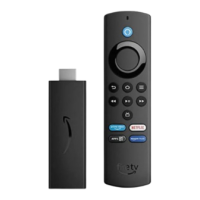
Hold the voice button
to initiate voice search
3
If you don’t see the NorthWaveTV app on the main home page, navigate to the “My
Apps” section, find to the NorthWaveTV app and select the menu button to move the
app to the front.
You should now see NorthWaveTV as the first app in the navigation bar on your
homescreen.
Menu button
My Apps



 To Next Page