6
EN
Setting Up the Monitor
Attaching the Monitor Base
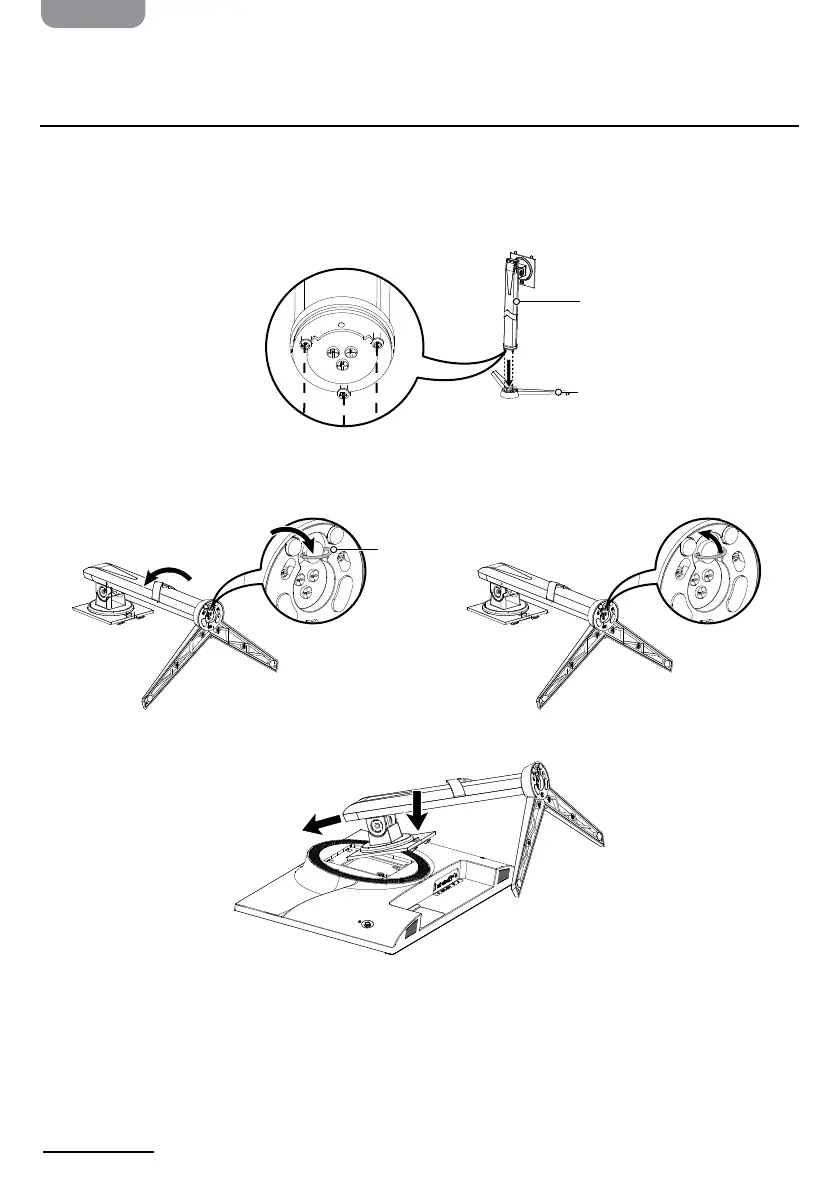
1. Carefully place the monitor face-down on a soft surface to prevent it from getting
scratched.
2. Align the bolts on the support arm with the holes on the support base, then rotate the
support arm counterclockwise to interlock the pieces.
3. Turn the bolt ring clockwise on the bottom of the support base until it is tight, then fold
it down.
4. Angle the stand assembly into the back of your monitor and push it into place.
Support arm
Bolt ring


 To Next Page