EN
7
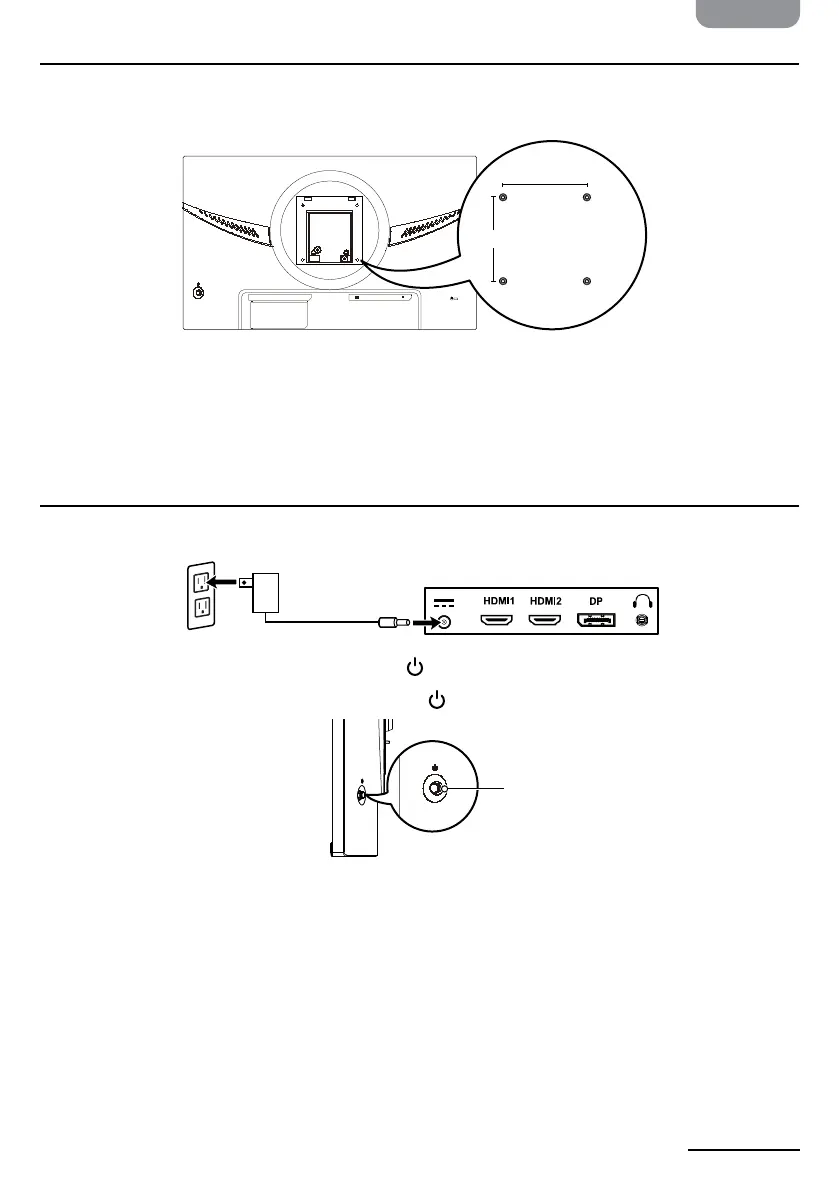
Installing with a Wall Mounting Kit
Use a VESA mounting kit (not included) that accommodates a 100 × 100 mm hole pattern
and has four M4 × 10 mm screws to secure the monitor to a mount.
HDMI 1 HDMI 2 DP
K
Using the Monitor
Powering the Monitor
1. Connect the power adapter from the monitor’s power jack to a power outlet.
2. To turn on the monitor, briey press the control button.
3. To turn o the monitor, press and hold the
control button.
100 mm
100 mm
Control button


 To Next Page