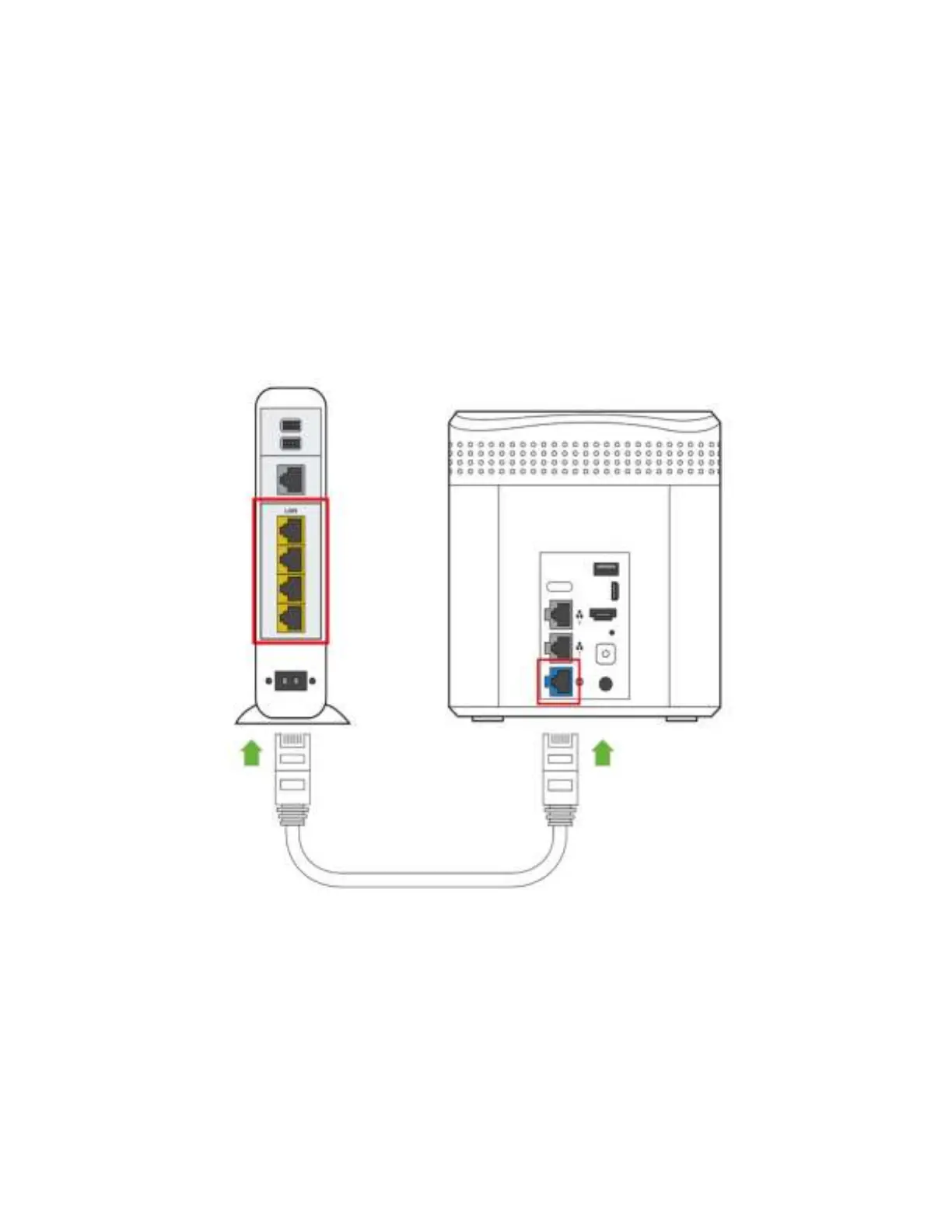
Modem with built-in-router
1. If you use a modem with built-in router, connect Amber LAN port to the
router's network (LAN) port.
2. Please reset your modem with built-in-router. To reset modem with built-in-
router, you can either unplug power cable for 10-20 seconds and plug back
in or by pressing reset button on the back for the device for 10 seconds.



 To Next Page