50D0035 Rev 1 July 2002 Page 3 of 5 Ambient Technologies
A Division Of
Monessen Hearth Systems
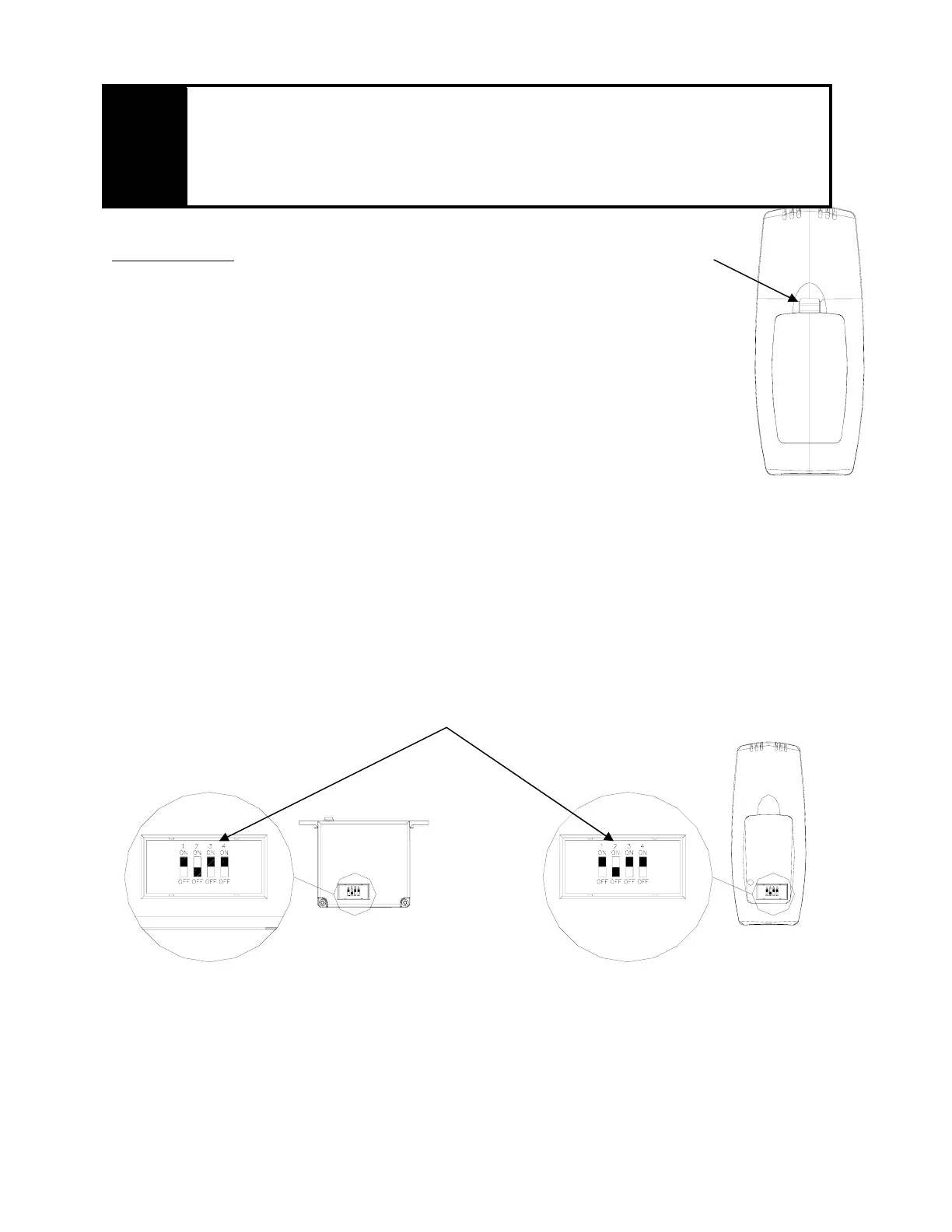
Back of the Transmitter
Battery
Door
Tab
WARNING
Make sure that the wires do not contact the appliances any place other than at the terminals.
Exposure to temperatures higher than 105C (250ºF) may cause the receiver to malfunction or
fire hazard.
Remote Transmitter:
Installing Batteries:
The remote transmitter uses three (3) “AAA”- size batteries. To install batteries,
1. Press down the battery door tab and lift up and remove the battery door.
2. Install the batteries as indicated on the receiver cover.
3. Close the battery door by snapping in place.
4. The batteries should be replaced at least once every 6 months or when the battery
indicator flashes.
Setting Privacy (DIP) Switch on Receiver and Transmitter:
The remote receiver and transmitter privacy (DIP) switches are preset at the factory. The receiver and transmitter
privacy (DIP) swithes are preset at the factory. In the event of activation or interference from other nearby
transmissions, reset the code usingn the following procedure:
1. Slide the code switches on the transmitter or receiver to your choice of ON or OFF position. Switches #1,
#3 and #4 are preset to “ON”, and #2 is preset to “OFF” for both the transmitter and receiver.
2. The switches on the transmitter and receiver must match in order for the system to work.
3. The system is now ready to operate.
Receiver
Dip Switch (Default)
Transmitter


 To Next Page
 Loading...