50D0035 Rev 1 July 2002 Page 1 of 5 Ambient Technologies
A Division Of
Monessen Hearth Systems
RCB
Basic On/Off Remote Control
INSTALLATION AND OPERATING INSTRUCTIONS
This basic on/off remote control system provides a safe, reliable, and user-friendly remote control for millivolt valve
gas appliances. The system can be manually turned on and off with the transmitter. Always check with the home
owner’s manual of the appliance for additional information, warnings regarding accessory installation before
connecting this remote control system.
Carefully inspect the contents for shipping damage. If any parts are missing or damaged, immediately contact the
dealer from whom you purchased the kit. Do not attempt to install any part of the kit unless all parts are in good
condition. Please keep this booklet for future reference.
CONTENTS OF KIT
Description Qty
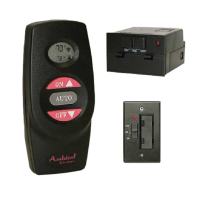
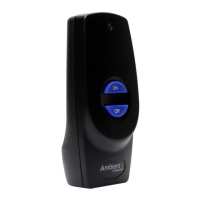
Transmitter 1
Battery Alkaline AAA ( for Transmitter) 3
Receiver (Assembly) consists of : 1
Receiver Box
Slide Button-Black (On/RS/Off)
L-Bracket (Floor Mount)
Battery Alkaline AA (for Receiver) 4
Wall Cover Plate-Black 1
Wall Cover Plate-White 1
Slide Button-White (On/RS/Off) 1
Screws (for Wall Cover Plate) 2
Plug-In Wiring Assembly – 18” Inches 1
Installation Instructions
Velcro (Loop and Hook)
Screws (for fireplace system control covers)
1
1
2
FEATURES/SPECIFICATIONS
• Battery Powered Transmitter and Receiver
• Easy Access Front Battery Door
• Pre-Programmed for Quick Installation
• 16 Security Codes
• Quick Disconnect Wiring Assembly
WARNING
Important Safety Information
• Read this manual thoroughly prior to installing, programming or operating any remote control.
• This remote control system is designed for use with a millivolt gas valve system. Do not use this remote
control system on applications with voltages above 30 Volts AC.
• This remote control system requires three (3) “AAA” and four (4) “AA” alkaline batteries to power the
transmitter and receiver. Wiring must conform to appliance requirement and building codes/ordinances as
required by local and national code authorities having jurisdiction.
• Do not short (or jumper) across the gas valve terminals to test the remote control installation. This could
damage the unit and void the warranty.
• This remote control system should only be used as described in this manual. Any other use is not
recommended and will void the warranty.


 To Next Page
 General