Version 1.0 ©Copyright 2018, Ambient LLC. All Rights Reserved. Page 1
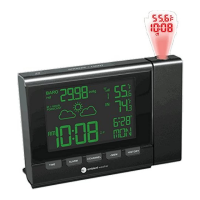
Ambient Weather RC-8365 ClearView Radio Controlled
Projection Clock with Indoor and Outdoor Temperature
User Manual
Table of Contents
1. Introduction ..................................................................................................................................... 1
2. Warnings ......................................................................................................................................... 2
3. Getting Started ................................................................................................................................ 2
3.1 Product Features ..................................................................................................................... 2
3.1.1 Display Clock ..................................................................................................................... 2
3.2 Parts List ................................................................................................................................. 4
3.3 Powering Up ........................................................................................................................... 4
3.3.1 Radio Controlled Clock (RCC) .......................................................................................... 5
3.2 Siting the Wireless Transmitter Outside ................................................................................. 5
4. Clock Display .................................................................................................................................. 6
5. Settings ............................................................................................................................................ 6
5.1 Set Time, Date, Time Zone, DST, and Language Settings ..................................................... 6
5.1.1 Daylight Savings Time ....................................................................................................... 7
5.2 Alarm Settings ........................................................................................................................ 7
5.2.1 Using the Alarm and Snooze Functions ............................................................................. 7
5.2.2 Setting the Pre-Alarm ......................................................................................................... 8
5.3 Projector and Backlight .......................................................................................................... 8
5.3.1 Using the Projector and Backlight ..................................................................................... 8
5.3.2 Projector Backlight Rotation .............................................................................................. 8
5.3.3 Adjusting Backlight Focus ................................................................................................. 8
5.4 Console Low Battery Indictor ................................................................................................ 8
5.5 Wireless Sensor Display ......................................................................................................... 9
5.6 Wireless Sensor Low Battery Indictor .................................................................................... 9
5.7 Viewing the Wireless Sensor Channels .................................................................................. 9
5.8 Resyncing the Wireless Sensor ............................................................................................... 9
5.9 Adding Multiple Wireless Sensors ......................................................................................... 9
5.10 Min and Max Records ............................................................................................................ 9
6. Specifications ................................................................................................................................ 10
6.1 Wireless Specifications ........................................................................................................ 10
6.2 Measurement Specifications ................................................................................................. 10
6.2 Power Consumption .................................................................................................................... 10
7. Troubleshooting Guide .................................................................................................................. 11
8. Accessories ................................................................................................................................... 12
9. Liability Disclaimer ...................................................................................................................... 12
10. FCC Statement .......................................................................................................................... 13
11. Warranty Information ............................................................................................................... 13
1. Introduction
Thank you for your purchase of the Ambient Weather RC-8365 ClearView Projection Clock with

 Need help?
 General

 To Next Page