07Lockit Users manual |
4. Basic Button Operations
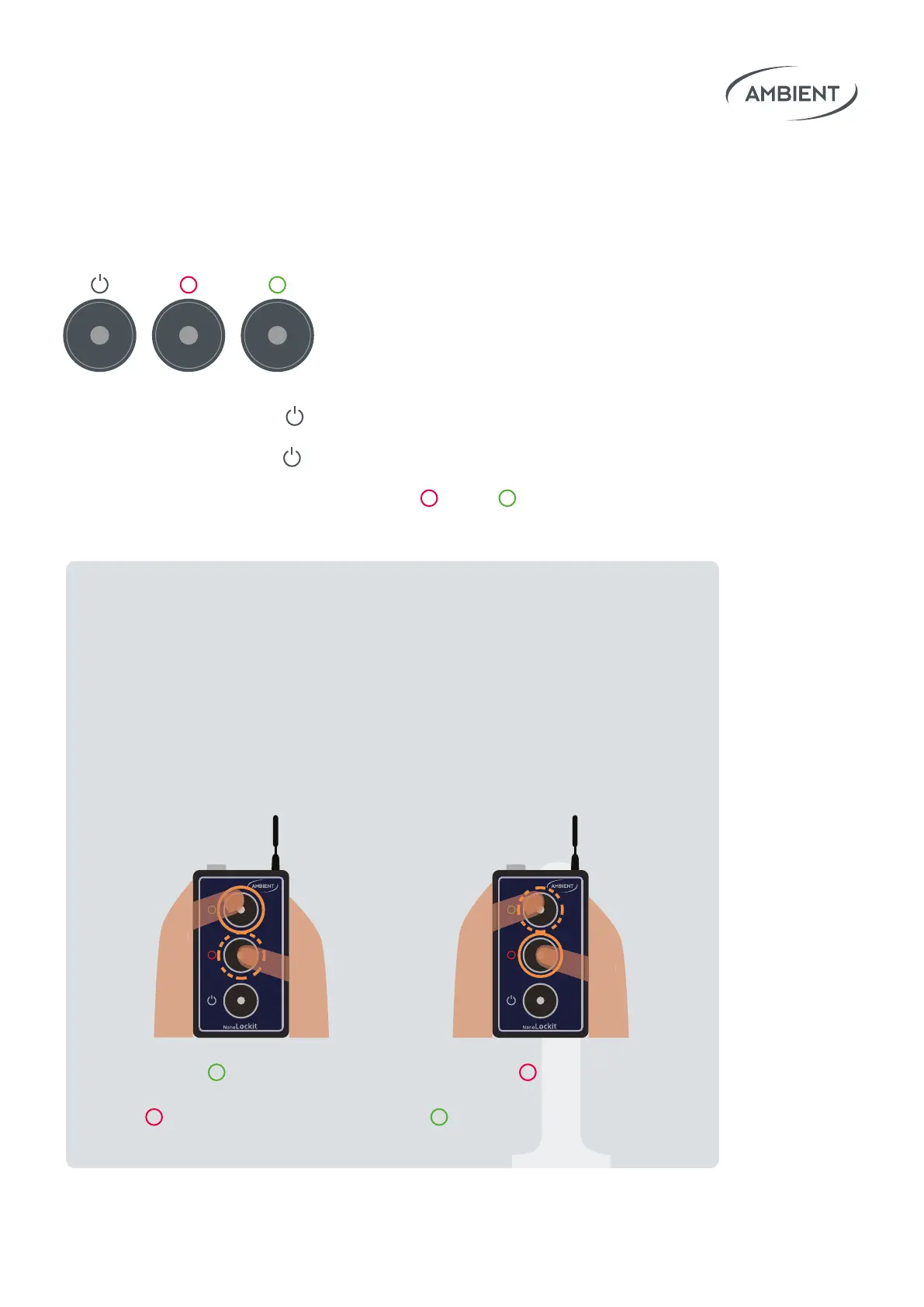
Turn On: Press and hold Power until LED lights green to start unit.
Turn O: Press and hold
Power for 5 seconds.
Reset: When switched o, press and hold
Red & Green simultaneously
for 10 seconds to perform a factory reset of the Lockit Module.
Working with Audio Timecode.
Quicktipp: If your camera does not support native timecode
input you may record timecode on a audio track.
Please assure to use line input as the timecode output of the
NanoLockit is amplied on default.
If you need to use a microphone input you can decrease the
level of the timecode output via following button interaction:
Hold
Green and
repeatedly press
Red to reduce level.
Hold Red and
repeatedly press
Green to increase level.
o
o
tap
o
o
tap


 To Next Page