Apollo3 Blue Plus EVB Quick Start Guide
Ultra-Low Power Apollo MCU Family
QS_A3P_1p1 Page 8 2020 Ambiq Micro, Inc.
All rights reserved.
4. Debug Interface
The debug interface is supported by standard J-Link drivers from Segger. Please refer to “Software
Development Tools” on page 10 for more details on J-Link debug support.
4.1 Use of External Debugger
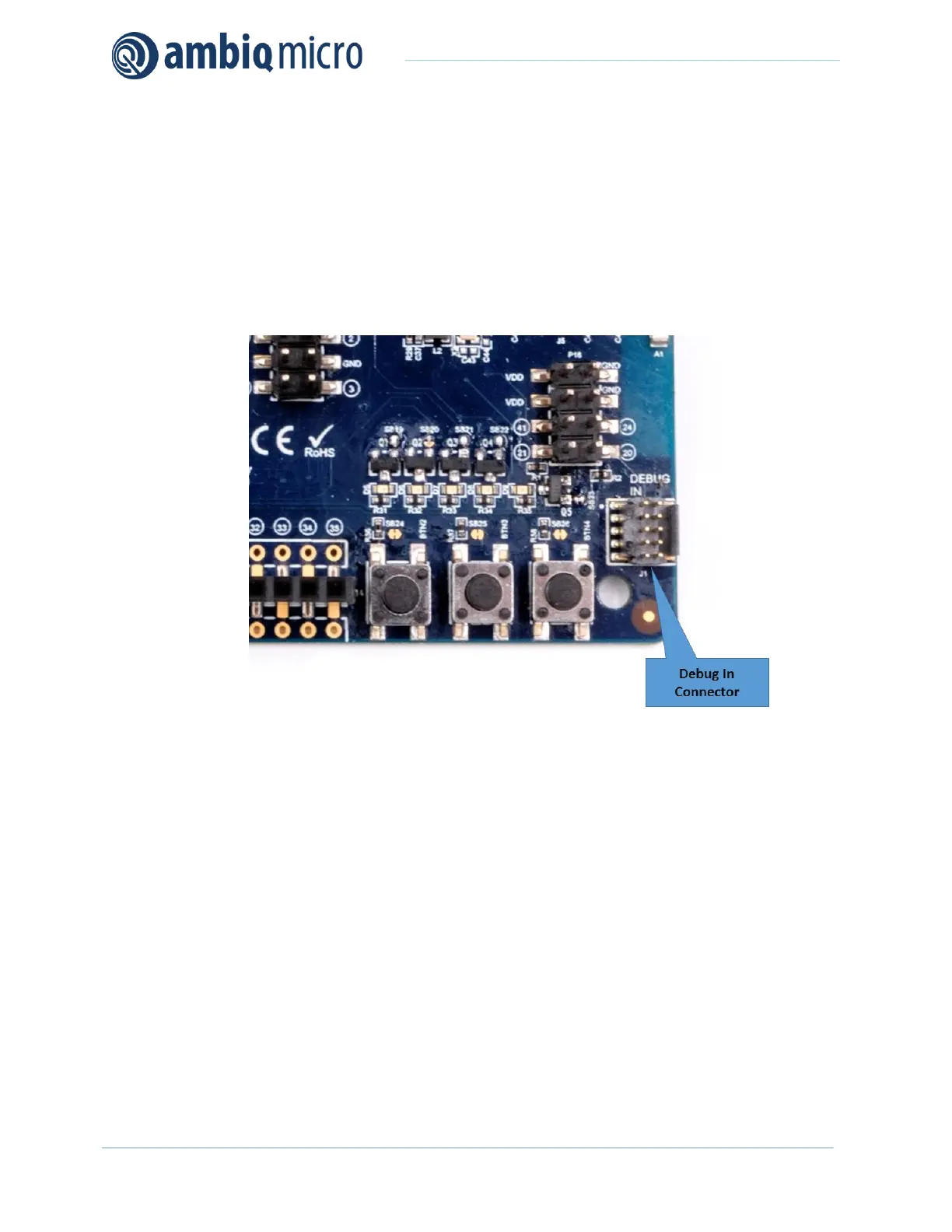
This EVB also supports the use of an external Cortex SWD debug interface through a standard 10-pin
debug header (DEBUG IN - J1) as shown in Figure 3.
Figure 3. Apollo3 Blue Plus EVB’s Cortex DEBUG IN Header (J1)
No jumper changes are required to use an external debug adapter. Simply connect the external debug
adapter with a 10-pin ribbon cable connector to the “DEBUG IN” header.
4.2 Use of J-Link Adapter as an External Target Board Debugger
The EVB also offers the ability to be used as a J-Link debug adapter for any target board that has an
Apollo family MCU.


 To Next Page