EasyManua.ls Logo

Ambit PIB-PCA - User Manual

Ambit PIB-PCA
2 pages
Print Icon
To Next Page IconTo Next Page
Loading...
Dr A Ruthven Version 1.2 – November 2021
Page 1 of 2
For the initial set-up of the ambIT PIB-PCA pump. For pump management see the ambIT WARD guide.
For pump assistance contact the pain team (bleep 5247 RIE / 3934 SJH) or on-call anaesthetist (bleep 2140
RIE / 3948 SJH) out of hours.
See NHS Lothian Clinical Companion App (RIE Anaesthesia Department Guidelines Regional) for:
Video tutorials demonstrating pump setup and operation (very useful if pump if unfamiliar with pump).
PDF versions of this guide and the ward guide.
Link to manufacturer’s manual.
The ambIT app (search app store for ‘ambIT Pump Training’) is also useful for learning pump setup.
YOU NEED
1. ambIT pump
2. 2 x new AA batteries
3. ambIT cassette (giving set)
4. Black carry bag
5. A bag of local anaesthetic, at least 200ml in volume:
a. First choice 200ml 0.125% levobupivacaine
b. Second choice 250ml 0.125% bupivacaine
6. Prescription chart, depending on type of catheter (peripheral nerve or fascial plane / wound)
PRIMING THE CASSETTE
1. Remove orange protective cover from bottom of cassette & keep to one side.
2. Spike bag of local anaesthetic with cassette tubing and check clamp open.
Spiking requires sustained force & twisting motion ensure spike inserted to the hilt (see figure 1).
3. To remove air and prime the system, invert bag of local anaesthetic so tubing is uppermost and manually
squeeze bag to force air then fluid through to end of tubing (see figure 2).
If air cannot be squeezed through tubing, the spike is not inserted far enough into the bag (see figure 1).
4. Push the cassette disc down on all sides so it clicks (see figure 3).
5. Snap off wings from orange protective cover & use it to wind cassette disc anti-clockwise until the silver
dot makes one full revolution (see figure 4). Now discard the protective cover.
Note the orange cover has a large hole and a small hole engage the small hole with the cassette pin.
6. Attach the cassette to the top of the pump by snapping it into place it will only fit one way.
FIGURE 1
silver dot
wind orange cover
anticlockwise until dot
makes 1 full revolution
FIGURE 4
FIGURE 3
orange
protective
cover
cassette disc
FIGURE 2
Question and Answer IconNeed help?

Do you have a question about the Ambit PIB-PCA and is the answer not in the manual?

Summary

Ambit Pump Setup Guide

Priming the Cassette

Instructions for preparing the ambIT pump cassette by priming it with local anesthetic.

Programming the Pump

Step-by-step guide for setting the dose, interval, and volume for the ambIT pump.

Starting the Program

Procedure for initiating the programmed infusion on the ambIT pump.

Reviewing Program Settings

How to check the current programmed parameters of the ambIT pump.

Stopping Inadvertent Bolus

Steps to halt an unintended initial bolus delivery from the ambIT pump.

Overview

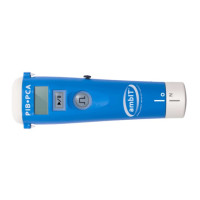
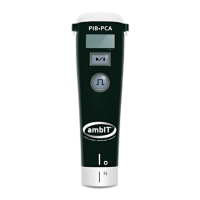
The ambIT PIB-PCA pump is a medical device designed for the controlled delivery of local anaesthetic for pain management, specifically for Peripheral Intermittent Bolus (PIB) and Patient-Controlled Analgesia (PCA). It is intended for use in hospital settings, such as RIE (Royal Infirmary of Edinburgh) and SJH (St John's Hospital), and is supported by pain teams and on-call anaesthetists.

Function Description:

The ambIT pump delivers local anaesthetic solutions, such as 0.125% levobupivacaine or 0.125% bupivacaine, from a fluid bag through a cassette (giving set) to a patient's catheter (peripheral nerve, fascial plane, or wound). Its primary function is to provide programmed intermittent boluses (PIB) at set intervals, ensuring consistent pain relief. The pump is designed to be user-friendly, with a clear display and intuitive button controls for programming and operation. It features a pause mode, a running mode indicated by a flashing green light, and the ability to review current program settings. The device also incorporates safety features, such as the ability to clear pump history and stop inadvertent initial boluses.

Important Technical Specifications:

  • Power Source: The pump operates on 2 x new AA batteries.
  • Anaesthetic Volume: Compatible with local anaesthetic bags of at least 200ml (e.g., 200ml 0.125% levobupivacaine or 250ml 0.125% bupivacaine).
  • Dosing: Allows for programmed intermittent bolus volumes (e.g., 20-30ml) and a dosing interval (e.g., 4:00 i.e., 4 hours).
  • Display: Features a digital display that shows program settings, infused volume, and status indicators like 'Hx' (history), 'Hx O' (history cleared), 'PRO' (program), 'Plb' (PIB mode), 'd' (dose), 'Int' (interval), and 'Rx' (review).
  • Indicators: A flashing green light indicates the program is running. A flashing 'II' symbol indicates pause mode or programming completion.
  • Cassette Mechanism: Utilizes a specialized cassette with a disc that needs to be pushed down and rotated using a protective cover to prime the system and prepare for attachment to the pump. The cassette attaches to the top of the pump and is designed to fit only one way.

Usage Features:

  • Setup:
    • Battery Installation: Open the white battery cap by twisting anticlockwise, insert two AA batteries, and then replace the cap, twisting clockwise until black and white lines align.
    • Cassette Priming:
      1. Remove the orange protective cover from the bottom of the cassette.
      2. Spike the local anaesthetic bag with the cassette tubing, ensuring the spike is inserted to the hilt with sustained force and twisting.
      3. Invert the anaesthetic bag and manually squeeze it to force air and then fluid through the tubing to prime the system. If air cannot be squeezed, the spike may not be inserted far enough.
      4. Push the cassette disc down on all sides until it clicks.
      5. Snap off the wings from the orange protective cover and use it to wind the cassette disc anti-clockwise until the silver dot makes one full revolution. The small hole of the orange cover engages with the cassette pin for this step.
      6. Attach the cassette to the top of the pump, ensuring it snaps into place correctly.
  • Programming:
    1. Turn on the pump. It will initially be in pause mode (flashing 'II').
    2. Clear Pump History: Press and hold the 'P' button for 2 seconds (pump beeps, displays 'Hx'). Release, then immediately re-press and hold 'P' for 2 seconds (pump beeps, displays 'Hx O'). Repeat if 'Hx O' is not displayed.
    3. Enter programming mode by pressing and holding both the 'P' and 'II' buttons for 2 seconds (beep, 'PRO' displayed briefly).
    4. Select PIB mode: 'Plb' should flash. If not, press 'II' to cycle to 'Plb'. Press and hold 'P' to select 'Plb'.
    5. Set the desired bolus volume ('d') by tapping 'II' to increase or 'P' to decrease. Press and hold 'P' to confirm the dose (and repeat for the decimal).
    6. Set the bolus interval ('Int') to 4:00 (4 hours) by tapping 'II' or 'P', then press and hold 'P' to confirm.
    7. Set the 'volume to be infused' to match the anaesthetic bag volume.
    8. A flashing 'II' indicates programming is complete. The pump remains in pause mode.
    9. Review settings by pressing 'P'.
    10. If an error is made, the entire programming process must be repeated from step 6.
  • Starting the Program:
    1. Press 'P' to start. If settings haven't been reviewed, they will display, then press 'P' again.
    2. A flashing green light under the 'P' button indicates the program is running. The display should show 0.0ml.
    3. Do not press 'P' within 60 seconds of starting, or an initial bolus will be delivered.
    4. If the display shows a volume other than 0.0ml, the history was not cleared. Pause the pump (press 'P'/'II'), repeat history clearing (step 4 of programming), then restart.
    5. Place the pump and anaesthetic bag in the black carry bag, avoiding kinks in the tubing.
    6. Document the start date/time on the prescription chart.
  • Reviewing Current Program Settings:
    1. Press 'P' to pause the pump (flashing 'II').
    2. Press 'P' again to cycle through 'Rx' (review) settings: Program type (always PIB), programmed intermittent bolus volume, dosing interval, and volume remaining.
    3. The pump remains in pause mode.
    4. Press 'P' to restart. The green light flashes, and the display shows the total volume infused since the last history clear.
  • Stopping an Inadvertent Initial Bolus:
    1. Press 'P' to enter pause mode (flashing 'II').
    2. Clear the pump history (same procedure as in programming: press and hold 'P' for 2 seconds, release, then re-press and hold 'P' for 2 seconds).
    3. Press 'P' to restart the program. The green light flashes, and the display shows 0.0ml.

Maintenance Features:

  • Battery Replacement: Regular replacement of AA batteries is required.
  • Cleaning: While not explicitly detailed in the provided text, general medical device maintenance practices would apply, likely involving cleaning the exterior surfaces.
  • Troubleshooting: The guide provides specific steps for troubleshooting common issues, such as air in the tubing (re-spike the bag), failure to clear history (repeat the clearing process), and inadvertent bolus delivery (stop and clear history).
  • Support: For pump management, users are directed to the ambIT WARD guide. For assistance, the pain team or on-call anaesthetists should be contacted.
  • Training Resources: NHS Lothian Clinical Companion App (RIE Anaesthesia – Department Guidelines – Regional) offers video tutorials, PDF versions of this guide and the ward guide, and a link to the manufacturer's manual. An 'ambIT Pump Training' app is also available for learning pump setup.

Ambit PIB-PCA Specifications

General IconGeneral
BrandAmbit
ModelPIB-PCA
CategoryWater Pump
LanguageEnglish

Related product manuals