How Your EASYHEAT Works
31
MBRELL
-
-
Precision Induction Heating
Multi-step profile
Case: the part is brought to temperature and held in three steps (see chart on next page)
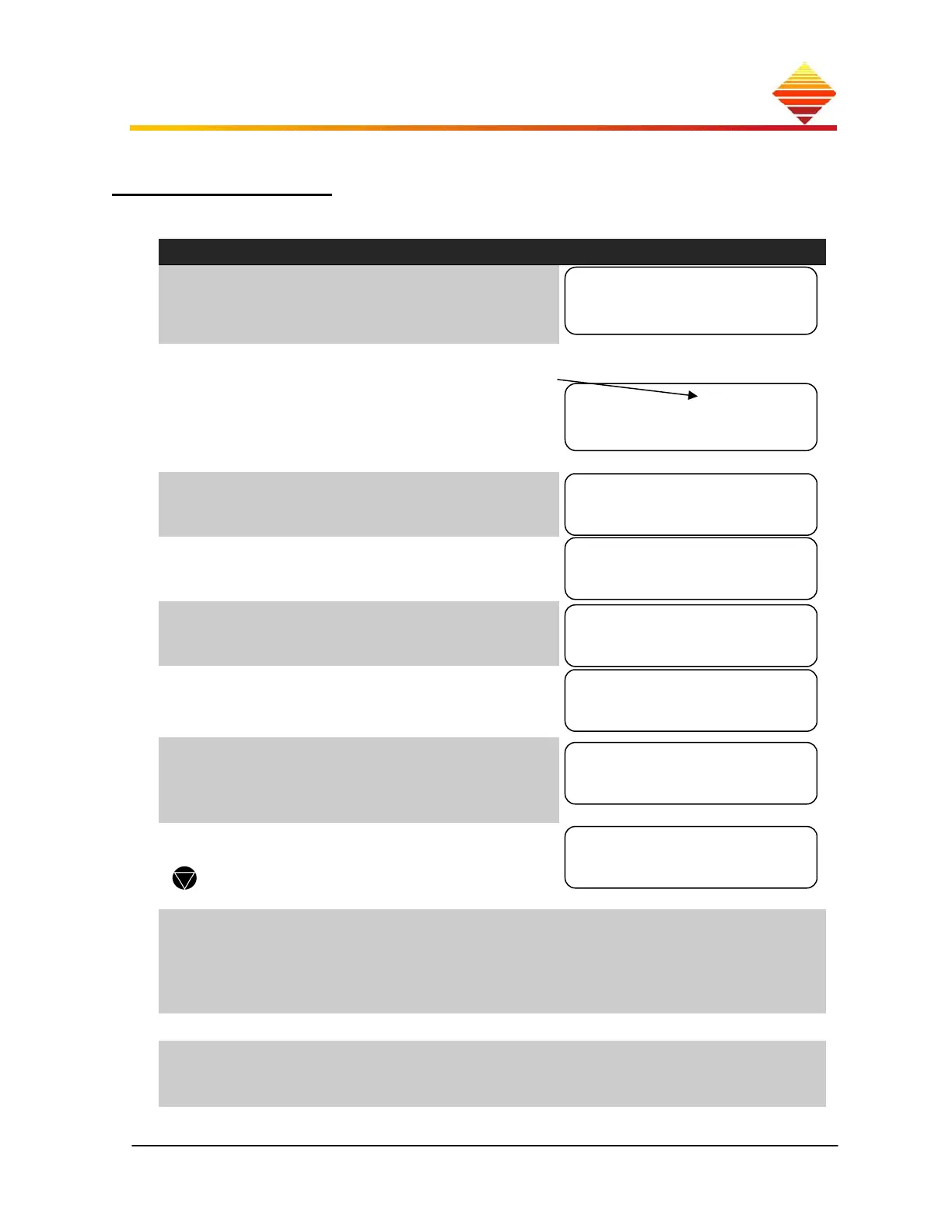
From Control zone:
Do this... Observe...
select ►Adjust Profiles
then
press ; this selects Profile A
End
Start
→
Time →
with A1 selected, press ►
Each step has 3 data points:
use ▲/▼, set A1 Start level
(ex: sets A1 Start = 100A)
press ►
use ▲/▼, set A1 End level
(ex: sets A1 End = 100A)
press ►
use ▲/▼, set A1 step Time
(ex: sets A1 Time = 10s)
press ►
Note A1 data points are displayed
use ▲, select A2
set A2 Start = 100A
set A2 End = 200A
set A2 Time = 20s
use ▲, select A3
set A3 Data points as shown
Clears all data for indicated step
select ►System Options, , then ▲
select Control from: ►File A
then select using
This step ‘activates’ File A;
FileA can be (de)activated any
time by selecting
Control from: ►Front
Panel or ►Rear Panel
Home
press START
Ready, HeatOn, note three-
stage countdown until Ready
only
Select Profile
►A B C D
0.0A 0.0A
Untimed►A1 Data
►100A
►100A
►10s
100A 100A
10s ►A1 Data
100A 200A
20s ►A2 Data
200A 200A
10s ►A3 Data


 To Next Page