Introduction
7
801-9309.doc
1
1
.
.
2
2
F
F
r
r
o
o
n
n
t
t
P
P
a
a
n
n
e
e
l
l
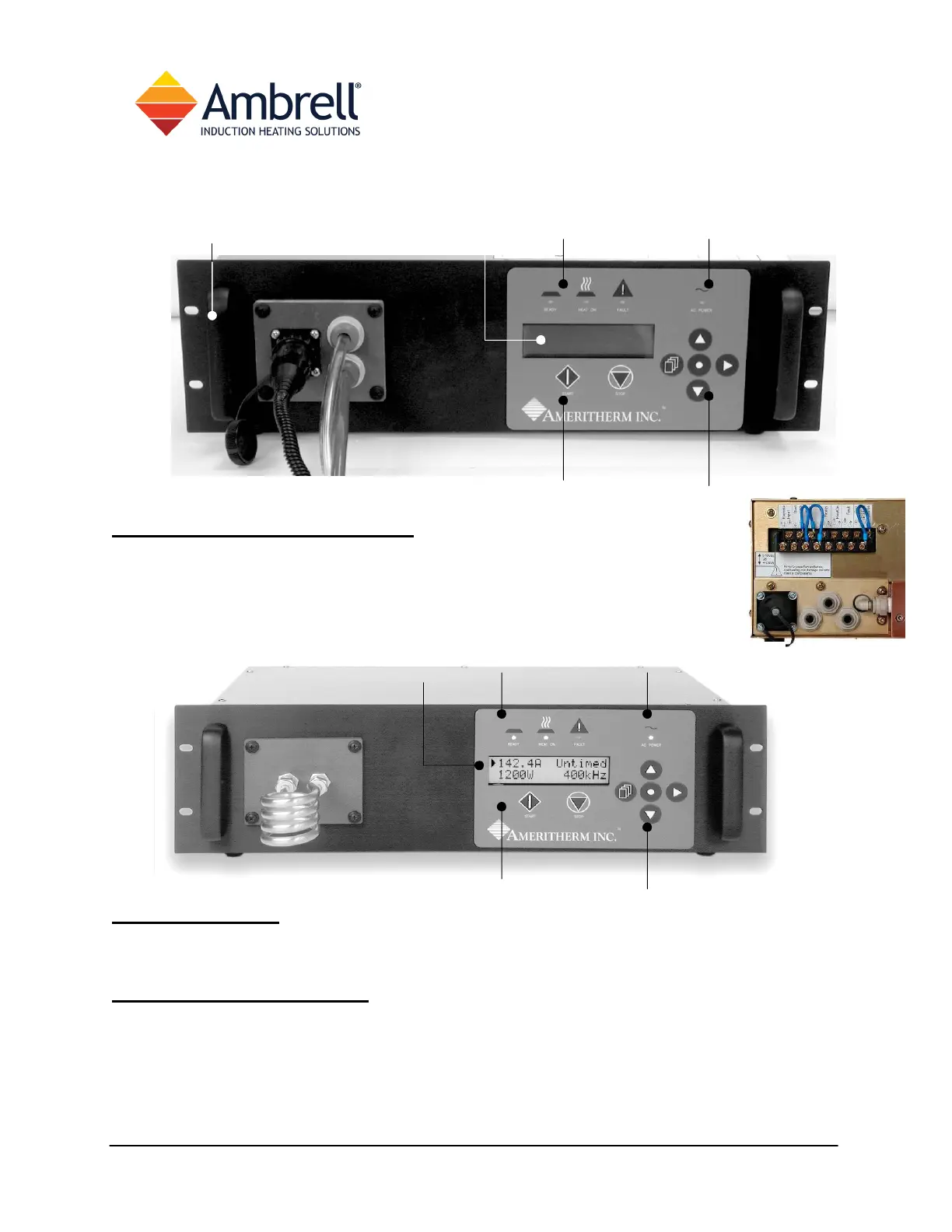
(RHS) Hoses & RF Cables
The remote heat station attaches here. A circular plastic connector conveys
RF energy to the cable and heat station; plastic tubing routes cooling water
to and from the heat station. Free-Front configuration (right) co-locates all
utilities at the rear of your power supply.
IHS Models
The coil used to apply RF energy to your part attaches here. Compression fittings for ¼”
tubing are provided. A coil kit is supplied with some orders.
Touch-pad & Display
• Status LEDs indicate what your EASYHEAT is doing
• AC indicator is lighted when unit is turned on
• LCD display provides operating information, navigation/programming prompts
• START/STOP buttons enable front panel control of heating
• navigation buttons are used to program and control the unit
Hoses and RF Cable
Handles
Status
Navigation
START/STOP
Display AC indicator



 To Next Page