Plugs
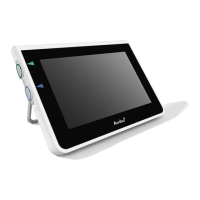
Between the power supply
and aView
Ø5.5mm DC jack connector
6 interchangeable types 1. Model NEMA 5 AC grounded power plug
2. Australian configuration: AS3112, AC grounded
power plug
3. UK configuration: BS1363, AC grounded power plug
4. European configuration: CEE 7, AC grounded
power plug
5. Danish configuration: 2-5a, AC grounded power plug
6. Swiss configuration: Type J, AC grounded power plug
Contact Ambu for further information.
8. Trouble Shooting
If problems occur with the aView monitor, please use this trouble-shooting guide to identify
the cause and correct the error.
Problem Possible cause Recommended action
No live image
on the screen
but User
Interface is
present on the
display or the
image shown
is frozen.
An Ambu visualization
device is not connected
to aView.
Connect an Ambu visualization device to
the blue or green port on aView.
aView and the Ambu
visualization device
have communication
problems.
Restart aView by pressing the power
button for at least 2 seconds. When aView
is off restart by pressing the power button
once more.
The Ambu visualization
device is damaged.
Replace the Ambu visualization device with
a new one.
A recorded image is
shown in the yellow
file management tab.
Return to live image by pressing the blue
Live image tab or restart aView by pressing
the power button for at least 2 seconds.
When aView is off restart by pressing
power button once more.
Low picture
quality.
Light reflecting on the
aView screen.
Move aView to a position where no direct
light influences the screen.
Dirty / damp screen. Wipe the screen with a clean cloth.
Brightness and contrast
settings not optimal.
Adjust the contrast and brightness using
the designated menu on aView.
Battery type 10.8V 4300mAh
Battery Operation
Typical battery runtime of a new, fully charged battery
(aView turned on and scope connected) is min. 3 hours
Protection against electrical shock Internally Powered
Fixture
Mounting interface 75 mm (2.96”)
Fits poles with thicknesses 10 mm ~ 45 mm (0.4 ~ 1.8”)
Operating environment
Temperature 10 ~ 40 °C (50 ~ 104 °F)
Relative humidity 30 ~ 85%
IP Protection Classification Sys-
tem
The aView is classified IP30.
Atmospheric pressure 80-109 kPa
Altitude ≤ 2000 m
Dimensions
Width 241 mm (9.49")
Height 175 mm (6.89")
Thickness 33.5 mm (1.32")
Weight 1500 g (331lbs)
7.3. aView Power Supply
Dimensions
Weight 360g (0.79 lbs)
Electrical power
Power requirement 100 - 240V AC; 50-60Hz; 0.6A
Power out 18V DC; 1.67A
Protection against
electrical shock
Class I
Operating environment
Temperature 10 ~ 40 °C (50 ~ 104 °F)
Storage
Temperature 10 ~ 40 °C (50 ~ 104 °F)
Relative humidity 10 ~ 90%
12 13


 To Next Page
 Loading...