EasyManua.ls Logo

Amcor CPLMB 14000E - User Manual

Amcor CPLMB 14000E
8 pages
Print Icon
To Next Page IconTo Next Page
Loading...
Dear Customer: Please keep this warranty for your record. DO NOT return it.
It is important
that you read
these instructions
before using your
new purchase and we
strongly recommend
that you keep them
in a safe place for
future reference.
Owner’s Manual
For model CPLMB 14000E
913124590
One Year Limited Warranty
Amcor, Inc. (“Amcor”) warrants the original retail purchaser (“Purchaser”) purchasing in the
United States that the Amcor product with which this warranty is enclosed is free from defects
in materials and workmanship.
Amcor’s sole obligation under this warranty is to replace, or at Amcor’s discretion, to repair,
free of charge, all defective parts, for a period of one (1) year from date of original purchase.
ANY IMPLIED WARRANTY OF MERCHANTABILITY IS SIMILARLY LIMITED TO ONE (1)
YEAR FROM DATE OF ORIGINAL PURCHASE AND NO ACTION BASED UPON ANY
IMPLIED WARRANTY OF MERCHANTABILITY OR OTHERWISE MAY BE COMMENCED
AFTER EXPIRATION OF ONE (1) YEAR FROM DATE OF ORIGINAL RETAIL PURCHASE.
Some states do not allow limitations on how long an implied warranty lasts, so the above limitation
may not apply to you.
The provisions of this warranty shall not apply to any product which in Amcor’s judgment has
been (1) subject to misuse or neglect. (2) damaged in an accident. (3) used for a purpose for
which it was not designed, or (4) repaired or altered in any way that adversely affected its
performance or reliability.
To obtain warranty service, the defective product or part must be shipped or delivered to:
Amcor’s authorized service center. All postage, insurance and shipping charges are the responsibility
of the Purchaser and are not included in this warranty.
AMCOR NEITHER ASSUMES NOR AUTHORIZES ANY PERSON TO ASSUME FOR IT ANY
OTHER ( LIABILITY IN CONNECTION WITH ITS PRODUCTS, THERE ARE NO WARRANTIES
WHICH EXTEND BEYOND THE DESCRIPTION ON THE FACE HEREOF. NO RESPONSIBILITY
IS ASSUMED FOR INCIDENTAL OR CONSEQUENTIAL DAMAGES THAT MAY RESULT FROM
THE USE OF AN AMCOR PRODUCT, NOR FOR THE DAMAGES DUE TO ACCIDENT, ABUSE,
LACK OF RESPONSIBLE CARE, THE AFFIXING OF ANY UNAUTHORIZED ATTACHMENT,
LOSS OF PARTS, OR USE AT A VOLTAGE OTHER THAN SPECIFIED. Some states do not allow
the exclusion of limitation of incidental or consequential damages, so these limitations may not
apply to you.
Amcor disclaims all liabilities for defects or damages caused by use of replacement parts obtained
from or by service at any service center other than Amcor’s authorized service center.
This warranty gives you specific legal rights, and you may also have other rights which vary from
state to state.
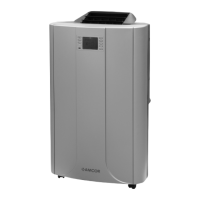
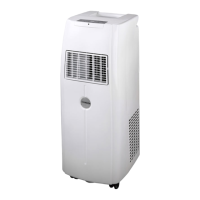
Product: AMCOR Plasma 14000 Portable Air Conditioner Model: CPLMB 14000E
Date Purchased:_____________________________________ Production Code:________
QUESTIONS? Call 866-361-2233 · www.amcorgroupusa.com
14
3/2006
PORTABLE
Air Conditioner
Question and Answer IconNeed help?

Do you have a question about the Amcor CPLMB 14000E and is the answer not in the manual?

Summary

One Year Limited Warranty

Troubleshooting

The Unit Does Nothing

Solutions for when the air conditioner fails to power on or operate.

The Air Conditioner Does Not Function Properly

Troubleshooting common operational issues and malfunctions.

The Unit is Noisy

Identifying and resolving causes of unusual noise from the unit.

The Remote Control Does Not Function

Steps to take when the remote control is unresponsive.

Maintenance

Cleaning the Unit

Instructions for cleaning the external cabinet of the air conditioner.

Cleaning the upper Filter

Steps to clean the upper filter, including active carbon and 3M Filtrete filters.

Cleaning the lower Filter

Procedure for cleaning the lower filter using a vacuum cleaner.

End of Season Storage

Steps for storing the unit at the end of the season, including draining and cleaning.

Energy Saving Tips

Specifications

Emptying the Internal Water Container

To Drain the Unit

Procedure for manually draining the internal water container.

For Continuous Drainage

Instructions for setting up continuous drainage using a tube.

Remote Control

To Set the Clock

Guide to setting the current time on the remote control.

To Turn Unit ON

How to power the unit on using the remote control.

To Adjust TEMPERATURE

Using remote buttons to set the desired temperature.

To Adjust FAN SPEED

Selecting fan speed via the remote control.

To Set the TIMER

Programming the timer to turn the unit on or off at specific times.

To Set SLEEP MODE

Activating the sleep mode for gradual temperature adjustment.

To set Auto Grill Mode

Controlling the louver movement using the remote's swing button.

Before Use

The CPLMB Unit

Parts

Identification of the various components and parts of the air conditioner unit.

Operation

Canceling the Timer Setting

How to deactivate programmed timer settings.

Sleep Mode

Activating and using the sleep mode for comfort.

Shutting Off the Blue Light on Control Panel

Instructions to turn off the LCD display's blue backlight.

Auto Grill Function

Explanation of the automatic louvre movement and control.

Installation

Operation

Turning the Unit On

Steps to power on the air conditioner unit.

Setting the Clock

Procedure for setting the unit's internal clock.

Setting the Temperature

Adjusting the desired room temperature.

Mode Button

Selecting operating modes like Cool or Fan.

Fan Speed

Choosing between Slow, Medium, and Turbo fan speeds.

Amcor CPLMB 14000E Specifications

General IconGeneral
BrandAmcor
ModelCPLMB 14000E
CategoryAir Conditioner
LanguageEnglish

Related product manuals