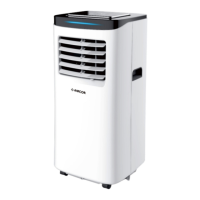
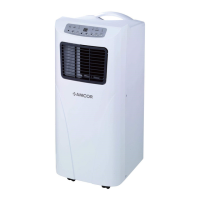
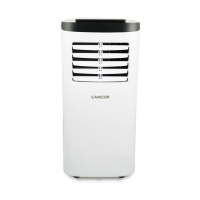
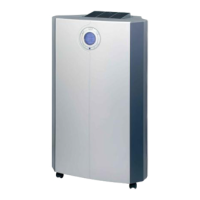
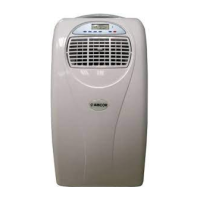
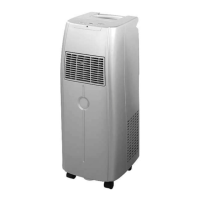
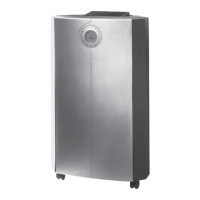
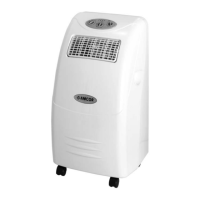
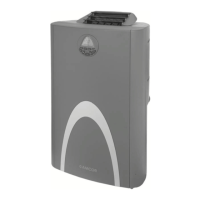
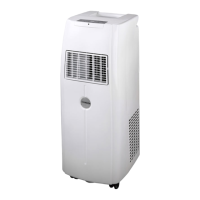
This document is a user manual for the AMCOR Portable Air Conditioner models SF12000E-V2 and SF12000EE-V2. It provides comprehensive information on the device's functions, installation, operation, maintenance, and troubleshooting.
Function Description
The AMCOR Portable Air Conditioner is designed for indoor environmental control, offering cooling, dehumidification (dry mode), and fan-only operation. It is a self-evaporative unit, meaning it reuses most of the extracted water to cool the condenser coils, with any excess water being evaporated, thereby reducing the need for frequent manual drainage. The unit is equipped with a compressor for cooling and a fan for air circulation. It features a control panel on the unit itself and a remote control for convenient operation.
Important Technical Specifications
- Model: SF12000E-V2 / SF12000EE-V2
- Cooling Capacity: 2.93 KW / 10000 BTU
- Cooling Rated Input: 1150 W
- Mains: 220-240 V / 50 Hz
- Current Cooling: 5.5 A
- Refrigerant: 195g R290A (R290 is a low GWP refrigerant, complying with European environmental directives, with a Global Warming Potential of 3)
- Moisture Removal: 25 L/Day
- EER Rating: A
- Permitted Excessive Operating Pressure Suction / Discharge: 0.6 / 1.8 MPa
- Maximum Allowable Pressure: 3.0 MPa
- Fan Speeds: 2 (High, Low, and Medium in Cool Mode)
- Thermostat Range: 16-31 °C
- Timer: 1-24 hours
- Net Weight: 25 kg
- Dimensions (LDH): 325 x 370 x 830 mm
- Sound Energy: Less than 65dB(A) (as per EU regulation EN12102 for local air conditioners)
- Operating Temperature Range: 7-40°C (for cooling function)
Usage Features
The air conditioner offers several modes and control options:
- POWER: Turns the unit On or Off. Upon startup, it defaults to cooling mode at 22°C with low fan speed.
- COOL MODE: Expels cold air from the front and hot air through the exhaust hose. Temperature is adjustable between 16°C and 31°C. Fan speed can be set to high, medium, or low.
- DRY MODE: Extracts moisture from the air. Requires continuous drainage setup and should be used without a vent hose. The fan speed is fixed at low, and the sleep function is unavailable.
- FAN MODE: Circulates air without cooling. Fan speed can be set to high or low. Desired temperature and sleep function are not applicable.
- TIMER: Allows setting a power-on or power-off time from 1 to 24 hours.
- SLEEP MODE: Available only in cooling mode. Changes fan speed to low and gradually increases the desired temperature by 1°C after the first hour and another 1°C after the second hour, aiming for quieter operation and reduced compressor run time. This mode is canceled if the water tank fills or the mode is changed.
- SWING: Controls the continuous left and right movement of the inner louver. Pressing the button again stops the movement.
- Temperature Adjustment: "UP" and "DOWN" buttons adjust the desired temperature.
- Fan Speed Selection: "SPEED" button (on unit) or "FAN" button (on remote) cycles through available fan speeds.
- Remote Control: A dedicated remote control (requires two AAA batteries) provides all control functions, including power, timer, temperature adjustment, mode selection, fan speed, sleep mode, and swing.
- Safety Features: Includes an overheating protection mechanism that activates if the compressor runs too hot, requiring a 10-minute cool-down period before restarting. The unit also has a water-full indicator that illuminates when the internal tank is full, stopping operation.
- Installation: The unit is portable and can be moved between rooms. It requires an exhaust hose connection to a window kit (slide bar and fishtail adaptor) or a wall duct to vent hot air outside during cooling mode. The exhaust hose length is extendable from 28 cm to 150 cm, with a warning against exceeding this length to prevent malfunction and warranty invalidation. The outlet vent must be well-ventilated and unobstructed.
- Storage: The unit must always be stored and transported upright to prevent irreparable damage to the compressor. If in doubt, it's recommended to wait at least 24 hours before starting the unit after transport.
Maintenance Features
- Surface Cleaning: The plastic housing should be cleaned with a duster or a soft wet cloth. Chemical solvents (benzene, alcohol, gasoline) should be avoided to prevent damage.
- Air Filter Cleaning: Filters should be cleaned approximately every 2 weeks, or more frequently depending on air quality. They can be washed in warm (about 40°C) water with a neutral detergent, rinsed, and thoroughly dried before re-installation. Blocked filters significantly affect performance.
- Manual Drainage: When the internal water tank is full, the unit stops operating, and the "FULL" indicator illuminates. The drain plug cap and rubber stopper can be removed to manually drain water into a tray.
- Continuous Drainage: For continuous operation without manual emptying, a suitable pipe (not supplied) can be connected to the water outlet after removing the drain plug cap and rubber stopper. This feature should not be used if relying on the self-evaporative function.
- End of Season Maintenance:
- Drain the internal water tank completely by leaning the unit backward.
- Switch the unit to Fan mode for half a day to dry the interior and prevent mold.
- Turn off and unplug the unit.
- Ensure the water tank is empty before replacing the rubber bung and drain cap.
- Coil and bind the power cord, storing it in the accessories space.
- Separate and safely store the air-exhausted pipe.
- Cover the unit and store it in a dry place.
- Remove batteries from the remote control for safe storage or disposal.
- Troubleshooting: The manual provides a troubleshooting guide for common issues like no power, water-full indicator, timer function active, room temperature issues, unit not performing, loud operation, compressor not working, remote control issues, and error codes E1 (room temperature sensor abnormal) and E2 (coil temperature sensor abnormal). It advises against DIY repair to avoid invalidating the warranty and potential harm. For unresolved issues, contact the retailer or manufacturer.
- Compressor Protection: A 3-minute delay on power-on and a recommendation to wait at least 5 minutes after turning off before restarting are in place to protect the compressor and electronic components.


 To Next Page
 General