5 6
WIFI SETUP
SETTING UP YOUR CAMERA
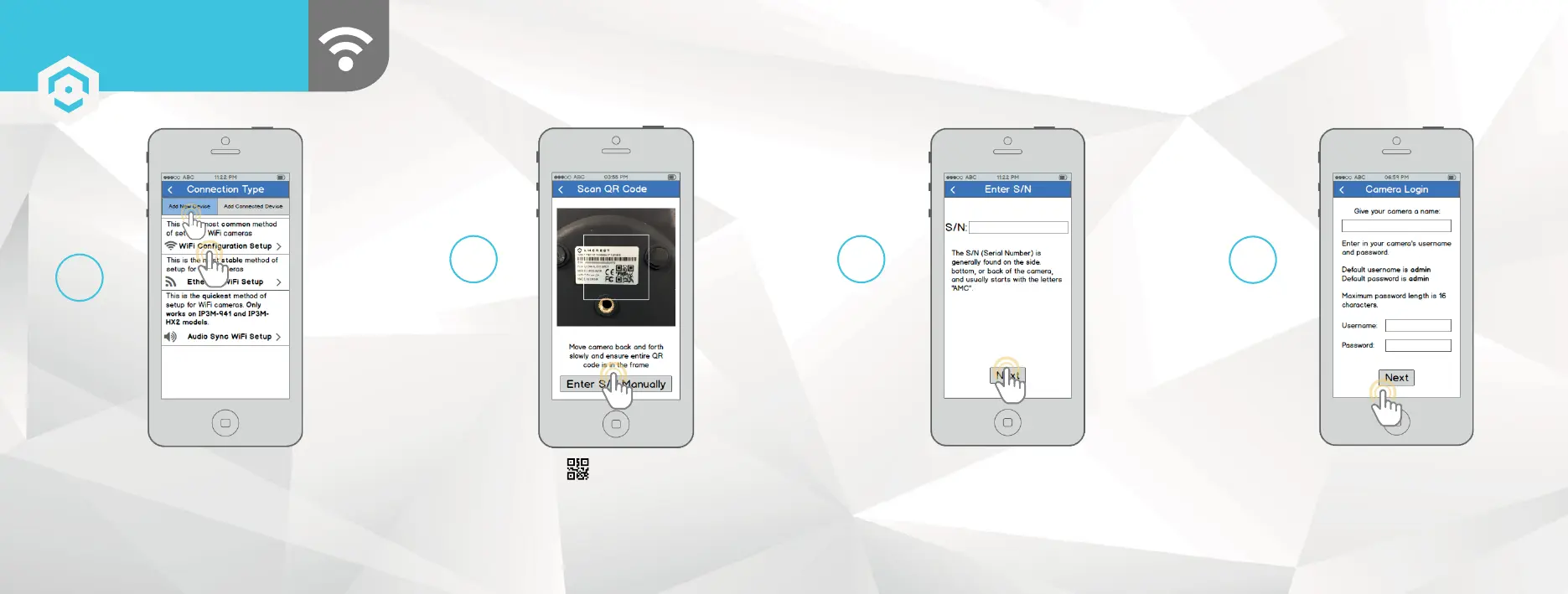
Tap “WiFi Configuration Setup”.
5
Scan the QR code from the sticker on your camera.
Move the camera or the phone to ensure that the entire
QR code is visible and focused in the frame. In case the
QR code cannot be scanned, please tap “Enter S/N
Manually” to enter in the camera’s serial number.
Double check to ensure that your
S/N (Serial Number) is entered
correctly, then tap “Next”.
6 7
Give your camera a name, then enter in the
camera’s username and password. The default
username is admin and the default password
is admin . Once you’ve filled out all of the fields,
tap “Next”.
8















 To Next Page