3231
| Operating Instructions Manual | Operating Instructions Manual
DENTAL LASER UNIT AND PLASTIC BARRIERS MAINTENANCE
This unit requires little operator maintenance. Wipe down the system with a cloth
dampened with a mild antiseptic or cleaning solution–we recommend the use of
CaviWipes™. Never use solvents or abrasive cleaners, which can damage the finish. Never
pour or spray any liquid on or directly over the control console.
Protective plastic barriers can be used to protect the carrying handle, touch pad,
handpieces, and goggles and are customer supplied.
ANNUAL MAINTENANCE
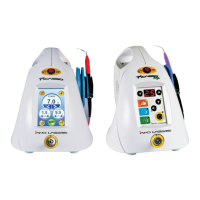
Picasso Plus and Picasso Lite Plus should be serviced annually by a qualified, AMD Lasers’
trained technician. Please, contact your authorized representative or AMD Lasers to
discuss annual maintenance options.
To maintain compliance with the applicable IEC and CDRH regulations, all systems must
be checked and verified that they are functioning properly in the event the unit has been
subjected to adverse environmental conditions such as fire, flood, mechanical abrasion,
solvent spillage, etc.
Calibration is required to maintain your laser in good operating condition. By regulation,
power is allowed to vary a total of +/- 20% from the established rated power. (21 CFR
1040.10). If calibration shows a variation of more than +/- 20%, the laser needs to be
returned to the AMD Laser Repair Center for repair.
signal will be sounded while the laser is active and the ready button will flash.
The WHITENING MODE output power can be changed to a lower setting at any time using the up/down
arrow buttons. The system will momentarily blink off and then on again symbolizing the new parameter
has been set. The Whitening procedure requires at least 5W of power. Do not touch mucosa with the
Quadra Tip during the whitening procedure.
MAINTENANCE
The following safety checks shall be carried out:
• Verify all labels are firmly in place.
• Verify disconnection of the remote interlock causes the laser to return to and remain
in STANDBY.
• Verify the display indicates LASER FIRING when the foot switch is depressed.
• Verify the audible signal is active when the foot switch is depressed and laser
emission is present.
• Verify the laser goes into and remains in STANDBY when the fiber is removed from
the laser aperture.
TRANSPORTATION
Picasso Plus and Picasso Lite Plus lasers are susceptible to misalignment if not handled
properly. The unit should ALWAYS be handled carefully and never banged, jarred, jolted,
dropped, or hit. Do not transport the laser unless it is completely packaged inside a
suitable box. Failure to properly package the laser can result in damage to the laser and
accessories. When transporting or shipping your laser you must always disconnect the
keys, the AC Power Adapter, Remote Interlock, and fiber from the laser. Then, you must
place the red protective cap on the Fiber Connector Port and replace the white and orange
protective caps on the fiber. If you have any questions regarding transportation, please call
your authorized representative or AMD Lasers.
FOOTSWITCH BATTERY REPLACEMENT
Replacement of the battery in the footswitch can be performed by the user. To replace the
footswitch battery, perform the following steps:
1. Remove the four (4) Philips head screws on the underside of the footswitch base
covering the battery.
2. Remove the battery cover.
3. Disconnect the old 9V battery, connect the new 9V battery (noting polarity of the battery).
Caution: Use alkaline battery only.
4. Re-install the battery cover.
5. Insert and tighten the four (4) Philips head screws removed during Step 1.
ENVIRONMENTAL PROTECTION
Waste electrical products should not be disposed of with other common waste.
Check with your Local Authority or Distributor for proper recycling advice on any
component of the Picasso Laser System.


 To Next Page
 Loading...