Table 4–1 Display Configurations
Display Configuration Connection Options
CRT (VGA) display
•
DVI-I connection and DVI-I-to-VGA adapter
•
DisplayPort connection and DisplayPort-to-VGA adapter
DFP (digital flat-panel) display
•
DisplayPort connection and DisplayPort-to-DVI adapter
HDMI HDTV
•
DVI-I connection and DVI-I-to-HDMI adapter
•
DisplayPort connection and DisplayPort-to-HDMI adapter
If your graphics card includes a DisplayPort or Mini DisplayPort connection, you can
the following types of DisplayPort-compliant adapters/dongles with your graphics
card:
•
Adapters—Uses DisplayPort signals to transmit audio and video information
between variants of the same connection type (for example, Mini DisplayPort to
standard DisplayPort).
•
Active dongles—Allows connection from a DisplayPort connection to a non-
DisplayPort display using DisplayPort signals.
•
Passive dongles—Allows connection from a DisplayPort connection to a non-
DisplayPort display using non-DisplayPort signals.
The type of adapter/dongle used determines the number of displays that can be
supported by your graphics card. In general, more displays can be supported with
DisplayPort adapters and active dongles than with passive ones.
Note: A list of compatible adapters/dongles for your graphics card can be found at:
http://support.amd.com/us/eyefinity/Pages/eyefinity-dongles.aspx.
Multiple Displays
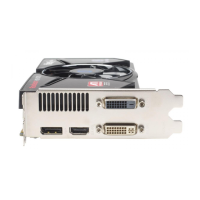
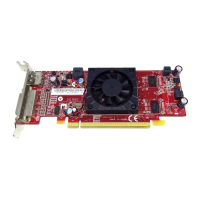
Your AMD Radeon HD 6450 graphics card provides display functionality for up to two
displays using the following configuration:
•
Two connections between the dual-link DVI-I connection and the DisplayPort
connection.
For additional configuration information, visit http://www.amd.com/eyefinity.
Once displays are connected to the graphics card, you can change how your displays
are configured using Catalyst Control Center. For more information, see
Chapter 5 Using Catalyst Control Center.
Using Adapters
The following procedure describes how to connect a display to your graphics card
using an adapter.
1. Turn off your computer and display.
12 Display Configuration
AMD Radeon™ HD 6450 © 2010 Advanced Micro Devices, Inc.








 To Next Page