•
One AMD CrossFireX internal bridge interconnect per additional board
(included).
•
A 600 watt or better power supply with either four 6-pin PCIe power connectors
for the AMD Radeon HD 6950, or two 6-pin power connectors and two 8-pin
power connectors for the AMD Radeon HD 6970.
•
For an up-to-date listing of certified power supplies, see ati.amd.com/
certifiedpsu.
•
Certified system cases with good airflow and cooling are recommended. For list
of certified cases, see ati.amd.com/certifiedcases.
For more information, see Chapter 5 AMD CrossFireX Technology.
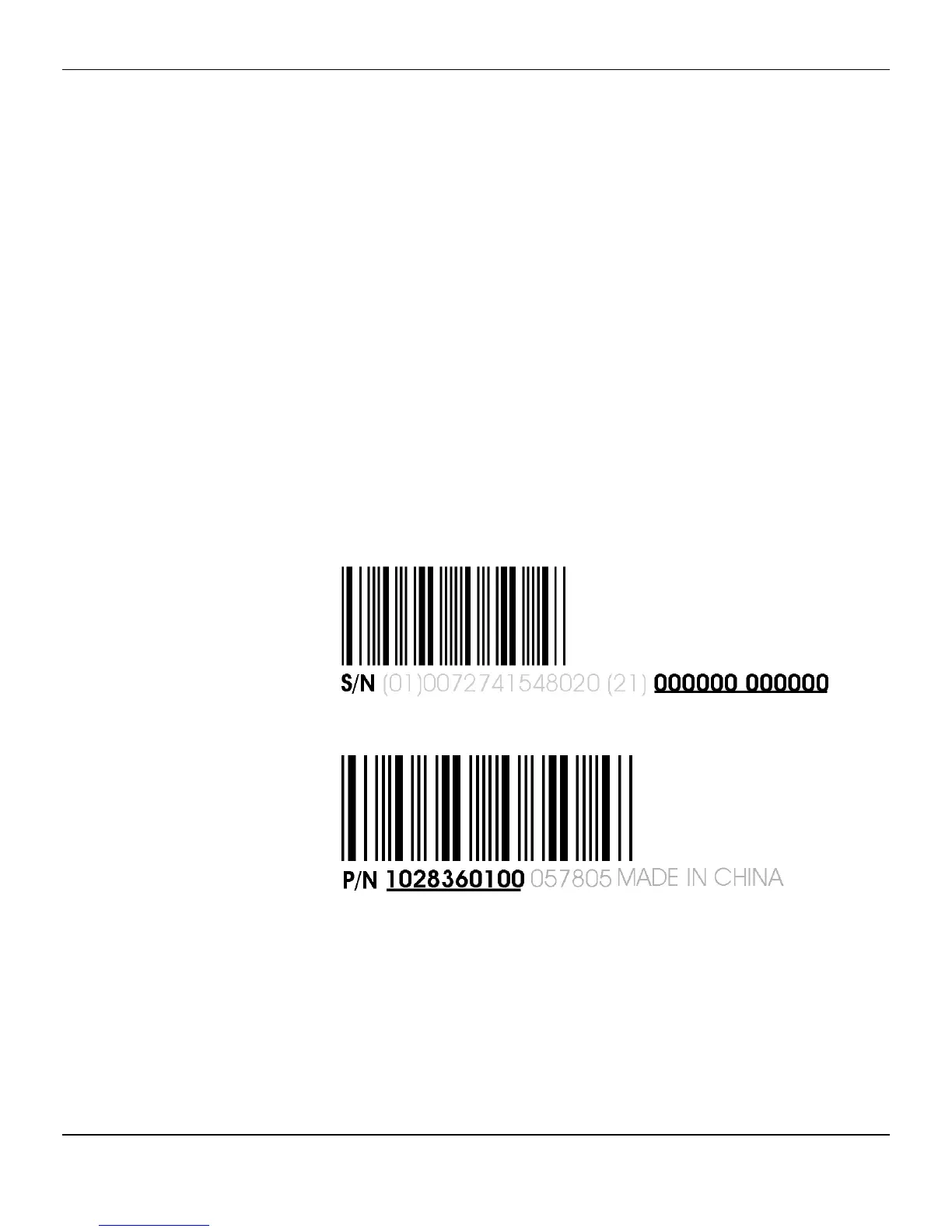
Recording the Serial and Part Numbers
Write down the serial number and part number before installing. The serial number
and 102 part number on the graphics card are required for registration and free
support. They are located on a sticker on the back of the card.
The emphasized numbers in bold are required for registration and free support.
Figure 1–1 Sample Serial and Part Numbers
Uninstalling the Old Driver (Windows® XP)
Follow these steps to uninstall the existing graphics card driver in preparation for
installation of a new card.
1. With the current graphics card still in the computer, close all open applications.
2. On the Windows taskbar, click Start ▷ Control Panel and then double-click Add
or Remove Programs.
2 Getting Started
AMD Radeon™ HD 6950/6970 © 2010 Advanced Micro Devices, Inc.







 To Next Page