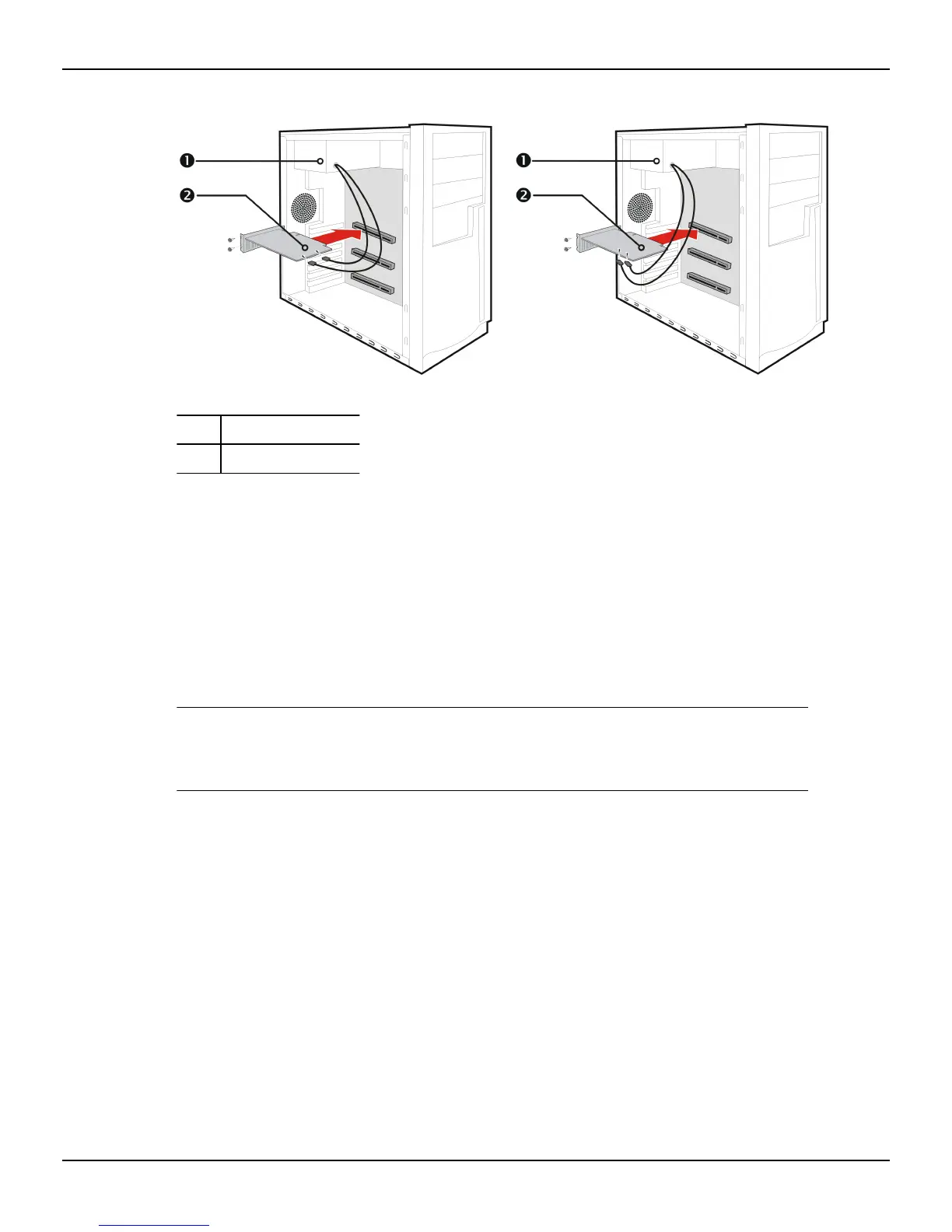
Figure 2–1 Possible Power Connection Locations on the Graphics Card
1 Power supply
2 Graphics card
8. Fasten the graphics card securely to the back panel.
9. Make sure no internal cables are interfering with components inside the
computer (for example, a cooling fan), and then replace the computer cover.
10. Reconnect any cables you have disconnected during installation, and then plug
in the computer's power cord.
11. Turn on the monitor, and then the computer.
If you have properly installed the graphics card, the computer should start normally.
Proceed to install the software and drivers for your AMD Radeon HD 79xx graphics
card.
Hardware Installation 7
© 2013 Advanced Micro Devices, Inc. AMD Radeon™ HD 7900 Series








 To Next Page