Need help?
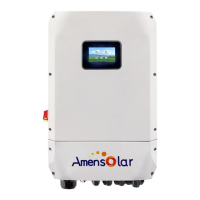
Do you have a question about the Amensolar N1H-A5E and is the answer not in the manual?
Describes the manual's content and purpose for users.
Outlines the guidelines and information provided in the manual.
Contains important safety and operating instructions for the unit.
Lists the key features and functionalities of the inverter/charger.
Illustrates the basic setup of the inverter/charger within a power system.
Details the steps for inspecting the unit and its package contents after delivery.
Covers preparatory steps before connecting wiring, including removing the bottom cover.
Provides crucial considerations and guidelines for safely mounting the inverter on a wall.
Explains the procedure and safety precautions for connecting the battery to the inverter.
Details the steps and safety measures for connecting AC input and output power.
Guides on how to connect PV modules to the inverter and select appropriate configurations.
Provides instructions for correctly connecting the wires from PV modules to the inverter.
Explains the connection and function of the current transformer (CT) for specific operational modes.
Instructs on completing the physical assembly after all wiring is done.
Details the procedure for powering the unit on and off using the switch.
Explains the inverter's front panel layout, including indicators, buttons, and the LCD display.
Defines the various icons displayed on the LCD screen and their meanings.
Guides users on how to navigate and select setting groups and programs via the LCD.
Describes the standby mode where the unit charges batteries but supplies no output.
Details the line mode where the unit provides output power from utility, PV, or battery.
Explains the off-grid mode where PV and battery provide load when utility is unavailable.
Describes bypass mode where utility provides power when PV or battery is unavailable.
Explains charge mode where the unit only charges batteries and provides no output.
Details fault mode, caused by errors, where the unit may operate in bypass mode.
Details specific fault codes from E4 to F5 and their corresponding events.
Lists specific warning codes and their associated events, alarms, and icons.
Details how to enable and apply the battery equalization function via LCD settings.
Specifies the conditions and timing for the controller to enter the Equalize stage.
Explains the charging process during the Equalize stage and timeout handling.
Provides steps for physically connecting lithium batteries to the inverter.
Explains how to connect the BMS cable and configure communication settings for lithium batteries.
Details the specific settings for PYLONTECH US2000 lithium batteries, including dip switches.
Provides guidance for setting up lithium batteries without BMS communication, focusing on BMS specifications.
Provides detailed technical specifications for the inverter when operating in line mode.
Presents the technical specifications of the inverter when operating in inverter mode.
Details the technical specifications related to the charging modes of the inverter.
Lists general specifications such as safety certification, operating temperature, and dimensions.
Addresses common issues like shutdown, no response, and relay cycling.
Details troubleshooting steps for various fault codes (D0, A2, F2, B0, A1/A5, F3/F4, F5, A3).
Outlines the inverter's capabilities for parallel operation and supported configurations.
Lists the items included in the parallel kit package.
Provides guidelines for mounting multiple units when setting up a parallel system.
Details the recommended cable sizes and connections for battery and AC input/output in parallel setups.
Specifies recommended breaker ratings for battery and AC input in parallel configurations.
Provides recommended battery capacities for various numbers of parallel inverters.
Explains how to establish communication with the battery BMS in a parallel system.
Details the setup for parallel operation of the inverter in a single-phase system.
Explains how to support three-phase equipment using parallel inverter configurations.
Illustrates the power connection diagrams for single, three, and multiple inverters in parallel.
Illustrates the communication connection setup for parallel inverter systems.
Refers to single unit manual for PV connection in parallel systems.
Details the requirements and steps for commissioning a single-phase parallel system.
Shows the LCD display status for master and slave units during commissioning.
Provides troubleshooting steps for common issues encountered during parallel system commissioning.
 General
| Number of MPPT Trackers | 2 |
|---|---|
| Max. Input Current per MPPT | 13 A |
| Protection Degree | IP65 |
| Max. Input Current | 26 A |
| Cooling Method | Natural convection |
| AC Grid Frequency | 50 Hz / 60 Hz |
| Frequency | 50 Hz / 60 Hz |
| Operating Temperature | -25 ~ +60 °C |


 To Next Page