INSTALLATION AND OPERATING INSTRUCTIONS
72-0113 08-03-18 4211-149 7014363 314 SYRA 77 D
Page 7
SECTION 2: PREMIUM/A60 CONTROL PHONE APPLICATION
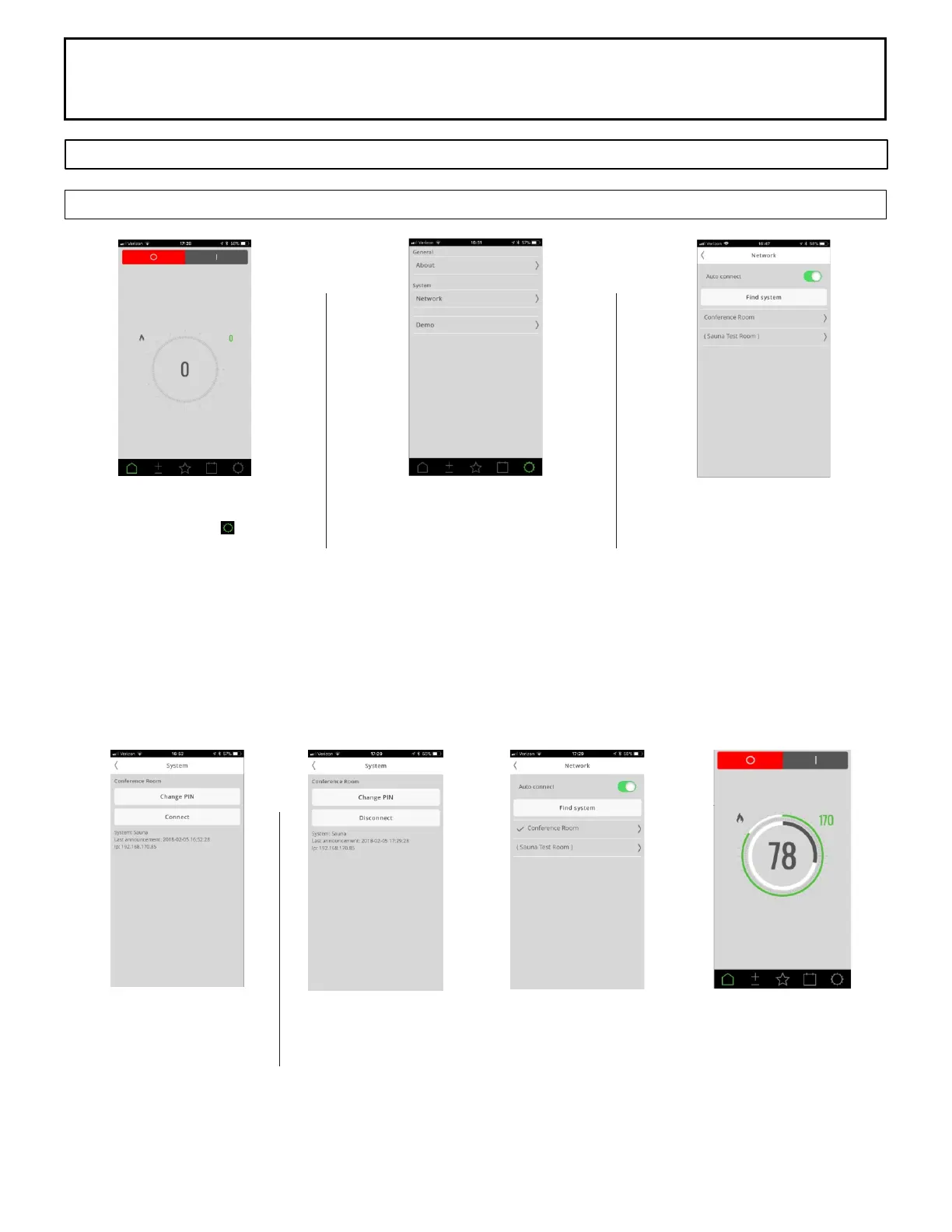
Phone Application Setup Screen
Application Home Screen
Select the Settings icon.
Network
Select network
Choose Sauna Control
Phone must be connected to the
same network as Sauna Control
Press Find System
Choose Control
Connect to Control
Select connect
Network Screen to Home Screen
Select the < in upper left corner to go back on screen to Network Screen
Select the < in upper left corner to go back on screen Home Screen.



 To Next Page