
 Need help?
Do you have a question about the American DJ SCENE SETTER and is the answer not in the manual?
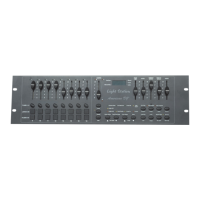
Displays status with LEDs and controls intensity with faders.
Provides momentary output, blackout, scene modification, and mode selection.
Manages program navigation, editing, chase modes, and scene operations.
Adjusts audio, master levels, fade/speed, and special functions like blind/home.
Details power, MIDI, DMX, audio input, and remote control connections.
Instructions for enabling and disabling the recording mode.
Procedures for erasing all programs and clearing the device memory.
Step-by-step guide to programming scenes using faders and recording steps.
Instructions on how to run programmed scenes after creation.
Steps to delete a previously recorded program from the device.
Guides for deleting, adding, or modifying steps within existing programs.
Procedure to exit the program editing mode.
How to select and initiate programmed sequences.
Methods for running programs synchronized with audio or a standard beat.
Uses the speed slider to control program playback speed.
Configures operating modes for 5 or 10 minute program cycles.
Instructions for setting up the controller to receive MIDI input.
Configures MIDI output and disables MIDI settings.
Procedures for receiving and sending MIDI data files to/from the controller.
Details fade time adjustment and operational modes like Single and Mix.
Explains the digital display and the blind function for temporary channel control.
How the digital display shows fade time and speed indicators.
Configuration of MIDI channels for specific functions.
Lists power, signal, dimensions, weight, and other technical details.
 General
| Brand | American DJ |
|---|---|
| Model | SCENE SETTER |
| Category | DJ Equipment |
| Language | English |



 To Next Page