Using a Keyboard Controller 2-1
Chapter 2: Using a Keyboard Controller
The AD168 system can be controlled by one of two keyboards: the AD2078A or the ADTT Touch
Tracker. Keyboard operation discussed in this document will be expressed in terms of the 2078A key set.
For information on the ADTT Touch Tracker, refer to document number 8000-1657-02.
Keyboard Layout
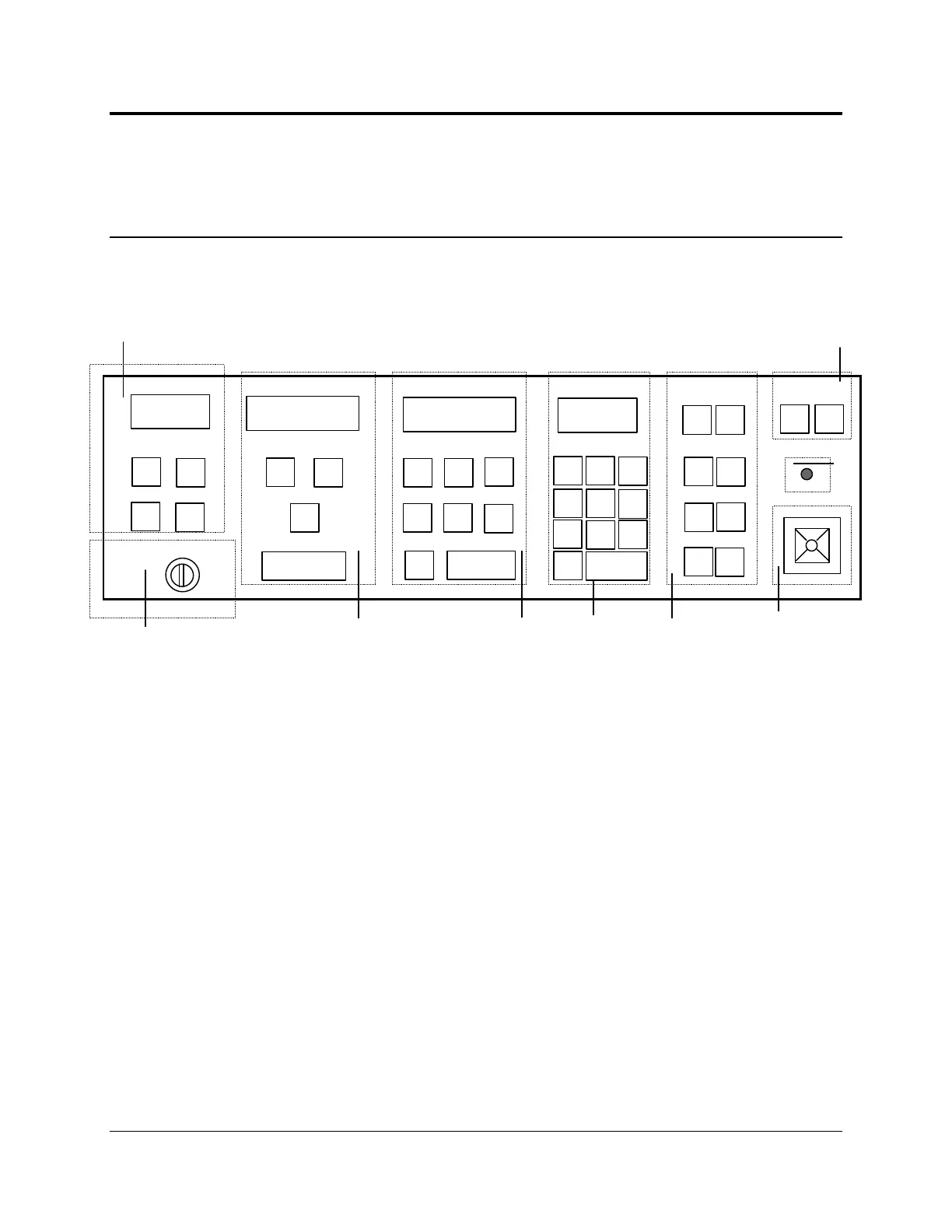
The AD2078A keyboard is comprised of the following sections:
a) Status Section -
The STATUS display window shows information related to satellite installations (not supported in the
current release).
The F1 and F2 keys are special function keys used to execute a set of double key commands.
The USER key is used when logging on and off.
The SITE key selects a site number in satellite switching operations.
b) Keyswitch - The keyswitch has three positions:
OFF enables the operator to perform basic system monitoring and control functions.
PROG enables the administrator to perform a limited set of programming functions.
DISP enables the administrator to perform a wider range of programming functions selected through
a monitor display.
c) Monitor Section -
The MONITOR display window shows the number of the monitor under keyboard control.
The OFF key disarms a monitor from providing an alarm display.
The ARM key arms a monitor for alarm display.
The PROG key creates monitor tours and accesses program menus.
The MONITOR key selects a specified monitor for control.
CALL
SET
CLOSE
NEAR
OPEN
FAR
WIDE
TELE
OFF
E
X
I
T
E
N
T
E
R
P
A
G
E
↓↓
P
A
G
E
↑↑
↓↓
↑↑
h)
g)
i)
f)
e)
d)
c)
b)
a)
ONOFF




 To Next Page