EasyManua.ls Logo

American Standard ACONT900AC43UA - User Manual

American Standard ACONT900AC43UA
52 pages
Print Icon
To Next Page IconTo Next Page
Loading...
69-1820-04
OWNERS GUIDE
Pub No. 12-5046-02
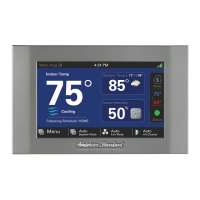
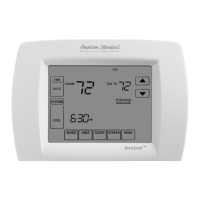
ACONT900AC43UA Communicating,
Programmable Comfort Control

Other manuals for American Standard ACONT900AC43UA

Questions and Answers

  • J
    jessica14Sep 10, 2025
    Why is my American Standard Control Panel only using furnace heat in Dual Fuel mode?
    • J
      Jessica WeberSep 10, 2025
      If your American Standard Control Panel is only using furnace heat in Dual Fuel mode, it could be due to: 1. **Outdoor Temperature Sensor**: The outdoor temperature sensor might be missing or not reporting. Check and repair the sensor field wiring. 2. **Compressor Lockout Temperature**: The outdoor temperature could be below the Compressor Lockout Temperature setting. Lower the Compressor Lockout Temperature setting if desired.
  • L
    Laura HaleAug 23, 2025
    Why is my American Standard Control Panel not turning on the cooling?
    • R
      Robert StuartAug 23, 2025
      If the cooling isn't activating from your American Standard Control Panel, check these items: 1. **System Mode**: Ensure the system is set to cool and the setpoint is lower than the room temperature. 2. **Minimum off time delay**: If cooling doesn't start within 15 minutes, inspect the cooling equipment. 3. **Connections**: Inspect and repair any loose connections to the control or the system. 4. **Cooling system service**: The cooling system might need repair.
  • J
    Jennifer MurphyAug 25, 2025
    How to fix American Standard ACONT900AC43UA when the temperature setting will not change?
    • C
      Catherine MendezAug 25, 2025
      If you're unable to adjust the temperature settings on your American Standard Control Panel, here’s what you can do: 1. **Temperature Limits**: Check if you've reached the upper or lower temperature limits. Heating limits are between 40°F - 90°F (4.4°C - 32.2°C), and cooling limits are between 60°F - 99°F (15.5°C - 32.2°C). 2. **Keypad Lock**: If “Screen Locked” is displayed, the keypad is fully locked. Unlock it via ISU 0670.
  • M
    Michelle HullAug 26, 2025
    What to do if the American Standard Control Panel display will not come on?
    • P
      pamelahernandezAug 27, 2025
      If the display on your American Standard Control Panel isn't turning on, here are a few things to check: 1. **Blown fuse or tripped circuit breaker**: Replace the fuse or reset the breaker. 2. **Indoor unit power switch**: Make sure the power switch is turned to the ON position. 3. **Blower compartment door or panel**: Ensure the door panel is correctly positioned to engage the safety interlock or door switch on the furnace. 4. **Wiring**: Check the R, B, and D wiring for any breaks, shorts, or reversals.
  • C
    christopheralvaradoAug 27, 2025
    How to stop my American Standard ACONT900AC43UA Control Panel fan from running constantly?
    • G
      Gregory ThomasAug 27, 2025
      If the fan is always running on your American Standard system, here are some potential causes: 1. **Fan Mode Setting**: The fan mode might be set to ON for continuous operation. Change it to AUTO or CIRC. 2. **Fan Schedule**: There may be a programmed fan schedule causing it to run continuously. Reprogram the schedule if desired. 3. **Indoor Equipment**: The indoor equipment might need servicing. Check the indoor equipment.
  • A
    Amber ChristianAug 29, 2025
    What to do if American Standard Control Panel does not respond to keypad presses?
    • C
      cparsonsAug 29, 2025
      If your American Standard Control Panel isn't responding to keypad presses, consider the following: 1. **Keypad Lock**: If the screen displays “Screen Locked”, the keys are fully locked. Unlock the keypad using ISU 0670. 2. **Keypad Failure**: The control might need to be replaced due to keypad failure.
  • S
    Stephanie FuentesSep 18, 2025
    What to do if no equipment is running and I can’t change the mode from “OFF” on my American Standard Control Panel?
    • J
      Jose PetersonSep 18, 2025
      If no equipment is running and you can't change the mode from “OFF” on your American Standard system: * **Auto-Discovery**: The equipment may not have been connected during Auto-Discovery mode. Check and verify the wiring connections and cycle power to the components. * **Cycle Power**: Cycle the power to the system to re-initiate Auto-Discovery.
  • H
    halljustinSep 12, 2025
    Why is the fan not working correctly on my American Standard Control Panel?
    • M
      Miss Michelle Wong DDSSep 12, 2025
      If the fan isn't working properly in heat or cool mode with your American Standard system, it could be due to inoperative heating or cooling equipment. Repair the system.
  • J
    Jacqueline SmithSep 8, 2025
    What to do if my American Standard Control Panel says Heat ON or Cool ON, but there is no air?
    • J
      johnmoralesSep 8, 2025
      If your American Standard Control Panel indicates “Heat ON” or “Cool ON” but no air is coming from the registers: 1. **Heating Equipment Delay**: Wait one minute after “Heat ON” is displayed, then check the registers, as some systems delay fan activation until the furnace warms up. 2. **Equipment Malfunction**: The heating or cooling equipment may not be operating. Check the heating and/or cooling equipment.
  • T
    Tara CunninghamSep 5, 2025
    Why does the room temperature overshoot with my American Standard Control Panel?
    • L
      littlebrittanySep 5, 2025
      Temperature overshooting with your American Standard Control Panel can occur due to: 1. **Oversized Equipment**: The heating or cooling equipment might be oversized for the current conditions. Set the Control Response rate to “Aggressive” using ISU 0680 or 0690. 2. **Control Location**: The comfort control might be improperly located. Choose a location that prevents direct exposure to air currents from supply registers.

Summary

Product Features

Home Screen Overview

Key and Display Description

Explains the function of keys and information displayed on the home screen.

Programming Your Comfort Schedule

Schedule Period Definitions

Defines Wake, Leave, Return, and Sleep periods for daily scheduling.

Energy Star Settings

Presents preprogrammed Energy Star settings for comfort controls.

Editing and Canceling Schedules

Guides users on modifying and removing scheduled temperature periods.

Time and Basic Operation

Setting the Current Time

Instructions for setting the current time on the comfort control.

Fan and System Mode Configuration

How to configure fan and system modes.

Temperature Overrides

Explains options for overriding scheduled temperatures like Hold and Vacation.

Advanced Operating Modes

Screen Lock Functions

Explains the behavior and unlocking of partially and fully locked screens.

Humidity Control Settings

How to adjust desired indoor humidity for dehumidification and humidification.

Temperature Recovery Feature

Explains the Adaptive Intelligent Recovery (AIR) feature for reaching target temperatures.

Advanced Settings and Configuration

User Setup Menu Overview

Guides users through various advanced system configurations and options.

Display Offset Settings

How to adjust temperature and humidity display accuracy.

Troubleshooting and Support

Error Codes Explained

Information on interpreting and addressing error codes displayed by the comfort control.

Frequently Asked Questions

Common questions and their solutions related to the comfort control.

Warranty and Assistance

Limited Warranty Information

Details the warranty terms and conditions for the comfort control.

Customer Assistance

Contact information for support and service.

American Standard ACONT900AC43UA Specifications

General IconGeneral
BrandAmerican Standard
ModelACONT900AC43UA
CategoryControl Panel
LanguageEnglish

Related product manuals