EasyManua.ls Logo

Ameriphone DIALOGUE III - User Manual

Ameriphone DIALOGUE III
33 pages
Print Icon
To Next Page IconTo Next Page
Loading...
TTY
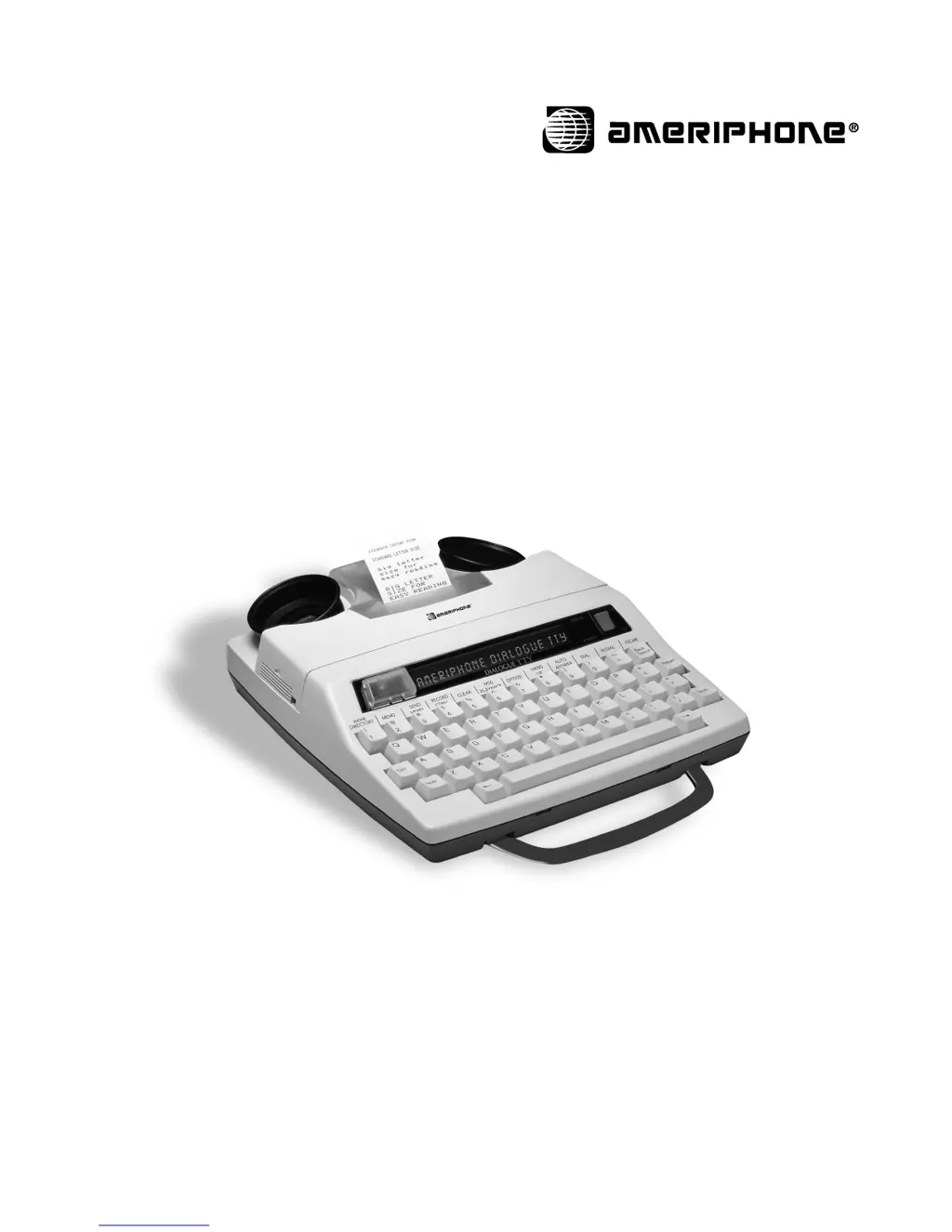
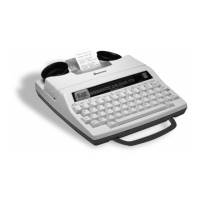
DIALOGUE III / III–P TTY
Text Telephone
Operating Instructions
©AMERIPHONE, Inc., 12082 Western Avenue, Garden Grove, California 92841 (714) 897-1111 or (800) 772-2889 TTY/TDD
(714) 897-0808 or (800) 874-3005 VOICE (714) 897-4703 Fax email: ameriphone@ameriphone.com web: www.ameriphone.com
M03298•d5 © AMERIPHONE, Inc. D-III 5290-3541 5 10/20/00

Table of Contents

Questions and Answers

Summary

Important Safety Instructions

General Safety Precautions

Basic safety measures to reduce risk of fire, electric shock, and injury when using telephone equipment.

Canadian User Safety Notes

Specific safety notes for Canadian users, including equipment certification and connection requirements.

Introduction to the DIALOGUE TTY

Product Overview and Registration

Introduction to the DIALOGUE TTY, warranty details, and product registration information.

DIALOGUE TTY Component Checklist

Package Contents Identification

Lists and illustrates the items included in the DIALOGUE TTY package.

Identifying DIALOGUE III; III-P TTY Features

Physical Features and Components

Diagram and labels identifying the physical parts and ports of the DIALOGUE TTY.

Keyboard Layout and Special Keys

Explanation of the keyboard layout, including function keys and special key functions.

Special Function Key Operations

Memory, Dialing, and Call Management Keys

Details on using keys for phone directory, memos, dialing, and call handling.

Installation and Setup Procedures

Connecting Power and Phone Lines

Instructions for connecting the AC adapter/charger and phone line to the TTY.

Loading and Using the Printer Paper

Step-by-step guide for loading printer paper into the built-in printer.

Setting Up Your DIALOGUE TTY

Customizing Voice Announcer and Phone Directory

Setting up the Relay Number Voice Announcer and programming the phone directory.

Understanding Factory Presets

Overview of the TTY's default operating modes and settings.

Configuring TTY Operating Options

Personalizing Messages and Display Settings

Setting personalized greetings, outgoing messages, printer sizes, and display direction.

Dialing Modes and Setup

Configuring tone/pulse dialing and other operation settings.

Advanced TTY Settings and Features

Message Retrieval Password and Toll Saver

Setting passwords for remote access and configuring the Toll Saver feature.

Transmission Speed and Call Interrupt

Adjusting transmission speeds and managing the call interrupt feature.

Operating the DIALOGUE TTY

Making and Answering Calls

Instructions for making direct calls, identifying calls, and answering incoming calls.

Auto Answer and Identification Tone

Using the auto answer function and managing the audible identification tone.

Call Management and Dialing Features

Manual, Memory, and Emergency Dialing

Procedures for dialing by keyboard, memory, and emergency 911 calls.

Redialing and Busy Line Handling

Using last number redial and auto busy redial features.

Call Handling and Message Management

Answering and Holding Calls

Steps for answering incoming calls and placing calls on hold.

Auto Answer and Message Storage

Using auto answer and managing message storage and printing.

Message Playback and Remote Access

Playing Back, Clearing, and Retrieving Messages

Procedures for accessing, clearing, and remotely retrieving stored messages.

Preparing and Sending Memos

Creating and sending memos for call-time use.

Memo and Conversation Recording

Recording Conversations and Editing Memos

Saving conversations to memory and modifying existing memos.

Printing Stored Memos and Conversations

Instructions for printing memos and recorded conversations.

Additional DIALOGUE TTY Features

Wait-For-Response and Call Transfer

Using call features like Wait-For-Response and transferring calls.

3-Way Calling and Telebanking

How to perform 3-way calls and access telebanking services.

Memory and Communication Settings

Checking Memory and Using External Printers

Monitoring memory capacity and connecting an external printer.

Advanced Communication and System Features

Voice Carry Over (VCO) and Acoustic Couplers

Using VCO for calls and connecting acoustic handset couplers.

Help Menu and Date;Time Stamping

Accessing the help menu and setting the TTY's date and time.

ASCII Communication and System Settings

ASCII Code Usage and Configuration

Making and receiving calls using ASCII code and configuring settings.

Saving ASCII Phone Numbers

Storing phone numbers for automatic ASCII dialing.

Optional Accessories and Maintenance

Batteries and Printer Options

Information on battery types, installation, and the built-in printer.

Training Videos and TTY Care

Details on training videos and essential maintenance for the TTY.

Troubleshooting Your DIALOGUE TTY

Resolving Common Operational Issues

Troubleshooting steps for power, battery, dialing, and transmission problems.

TTY Maintenance and User Etiquette

Caring for Your TTY and Recharging Batteries

Guidelines for cleaning the TTY and recharging its batteries.

TTY Conversation Etiquette and Abbreviations

Best practices for TTY conversations and common abbreviations.

Warranty and Repair Information

Warranty Coverage and Service

Details on the product warranty, coverage period, and how to obtain service.

Repair Information and Exclusions

Handling Out-of-Warranty Repairs

Information on repairs not covered by warranty and associated costs.

FCC Registration and Specifications

FCC Compliance and Interference Reduction

FCC standards, registration, and measures to prevent radio/TV interference.

Technical Specifications Overview

Detailed specifications including dimensions, power, keyboard, and display.

Protection Plus Extended Warranty Program

Program Benefits and Enrollment

Details on the extended warranty plan, its benefits, and how to sign up.

Ameriphone DIALOGUE III Specifications

General IconGeneral
BrandAmeriphone
ModelDIALOGUE III
CategoryTelephone
LanguageEnglish

Related product manuals