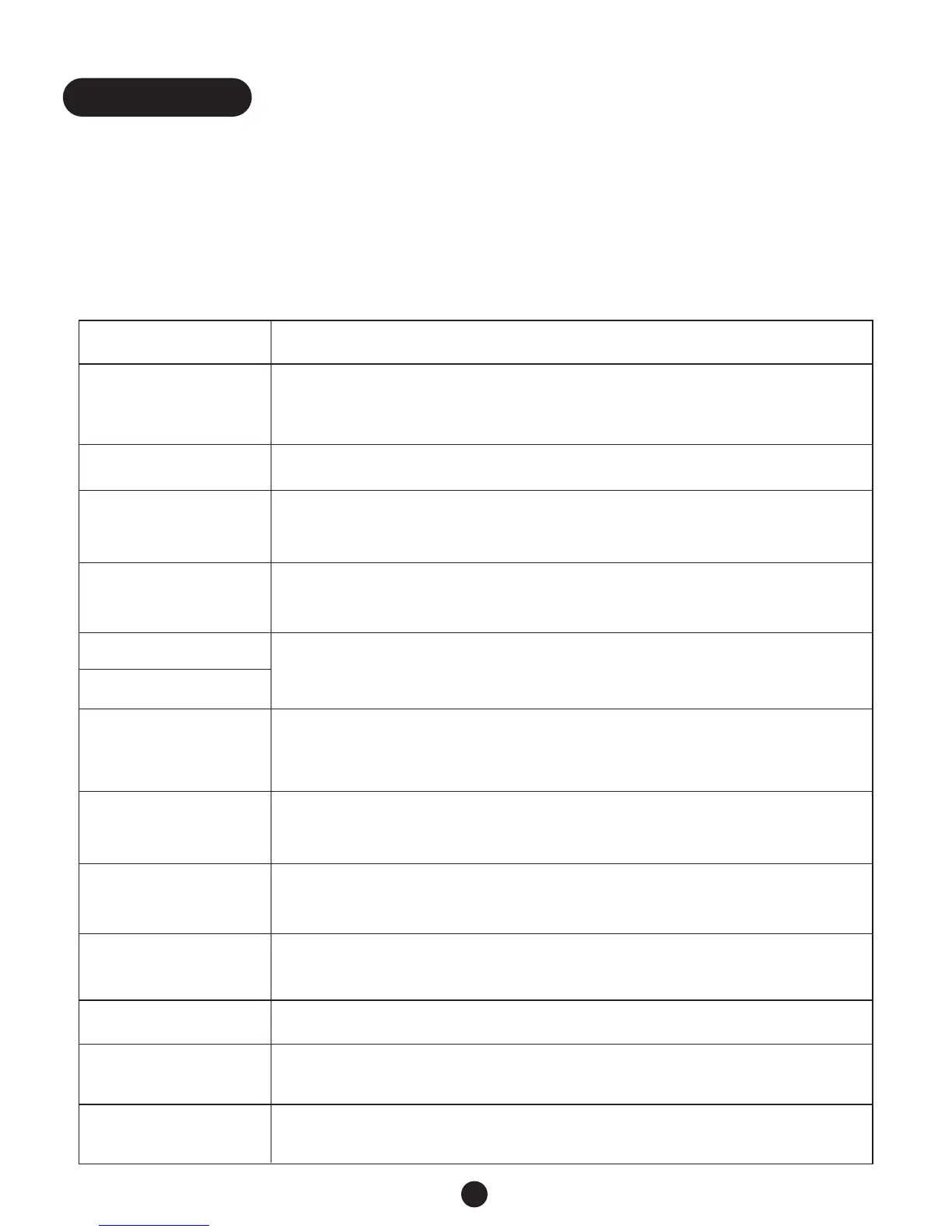
Primary Functions
You may easily activate the Q90D’s Primary Functions by simply selecting and pressing any one
of its function buttons, ranging from F1 - F13.The following chart describes how the Q90D will
respond when a particular function button is activated.
Press And the Q90D...
F1 - Dial activates Dial mode allowing you to enter a name or telephone number
or scroll through the directory. Pressing F1 again or pressing ESC
cancels Dial mode.
F2 - Redial redials the last number dialed.
F3 - Quick # dials the number stored in telephone directory space #1.You can use it for the
number you dial most frequently, such as your Relay Service.
F4 - VCO Req
(Request)
releases a pre-programmed message,VCO CALL PLS GA, to request
Relay Service assistance with a VCO call. (Page 11)
F5 - MSG 1 allows you to send one of two programmed messages stored on F5 and F6.
(Page 19).
F6 - MSG 2
F7 - Hi-SPEED activates Hi-Speed, sending text at twice the normal speed so you can type
as fast as you want to for quicker, more economical calls.The Factory setting is
OFF. (Page 5)
F8 -Save saves MSG 1, MSG 2 or a telephone number while in Dial mode.When not in
Dial mode, pressing this key saves a conversation during a phone call.
F9 - HCO turns Hearing Carry Over (HCO) mode ON and OFF (requires an optional
amplified speaker). (Page 11).
F10 - Transf
(Transfer/hold)
places a call on hold before transferring it to another TTY or when you
temporarily leave the Q90D during a conversation (Page 12).
F11 - Flash activates subscribed telephone company features such as 3-way calling.
F12 - Sticky activates and deactivates the Sticky Keys mode for single-hand operation.
The Factory setting is OFF.
F13 - Menu enters and exits Menu mode for reviewing and changing Q90D settings.
When it exits Menu mode, it returns to normal Q90D TTY operation.
14
Functions


 To Next Page