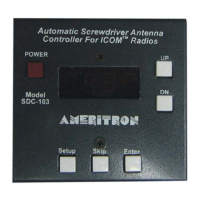
SDC-102 Screwdriver Controller with Memory Instruction Manual
2006 Ameritron 4
Important: Failure to adjust and operate your screwdriver
antenna at the proper voltage will damage the
antenna motor.
If a dropping resistor is necessary, a good value to try is 5 Ω/10 Watts. This
resistor will need to be placed inline on one of the motor control lines anywhere
in between the SDC-102 and the antenna. If you are not sure whether or not this
resistor is necessary for your antenna, try it and inspect the torque and speed of
the motor. If the motor is too slow, reduce or eliminate the resistance. Use of
12 volts with a 3 or 4-volt antenna will result in failure of the motor.
WARNING: Do not apply voltages greater than 18 volts to this unit, or
permanent damage to the unit and antenna may result.
Menu
The table below lists the features and options of the SDC-102. Use this table
and the following section to adjust these settings specific to your screwdriver
antenna and its requirements for proper operation.
Function Activate By: Description
Reset Hold Down button
while powering up unit.
Clears all memory positions
Auto Park Depress Up and Down
simultaneously for 2
seconds.
Bottoms antenna and zeros the counter
Current
Mode
Press Button 2 while
powering up unit.
Displays Motor Current when moving
antenna
Setup
Menu
Press Button 6 while
powering up unit.
Allows setting the trip current and relay
delay.
Setup Menu Flow
Hold Button 6 + Power On Trip Current (C) Relay Delay (d)
Set UP Normal Operation
Setup Menu
The SDC-102 controller must be calibrated for the screwdriver antenna that it
will control. This includes calibration of the counter and the selection of the
motor trip current.
Setup Menu Navigation



 To Next Page