Page 8 ;&(%$*4.8"4,7%<'*#$"&8#=%/7*,#*%4,77%>?@@@?@AA?BCDC1 Item 57013
EF;6GH IJ6KFGLIM NFLMG6MFMO6E6GPJ
N*,#'(*5*8$%I/*(,$"&8#
T*W*7%?%E'(2,4*%L847"8,$"&8
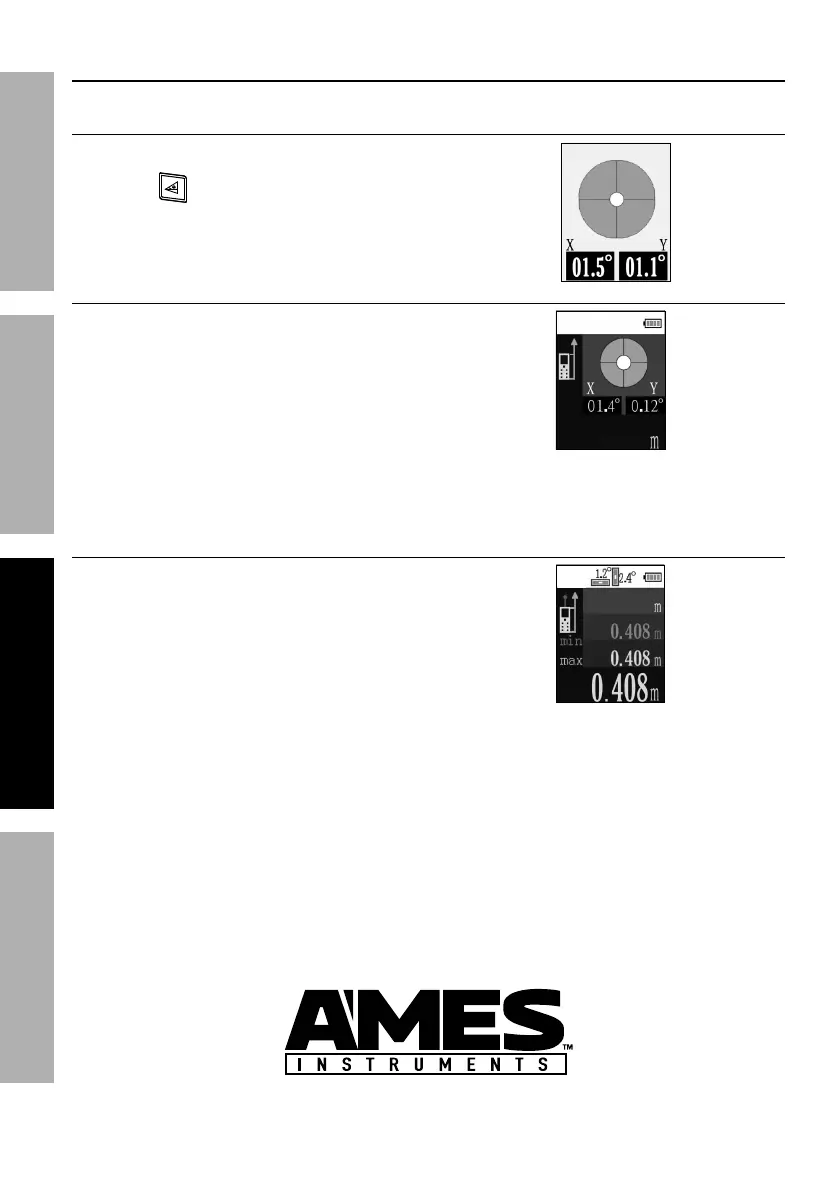
1. Press ULEG%button to turn Meter on.
2. Press to activate level.
3. Use X and Y axis values to determine
angles.
E"837*%U"#$,84*
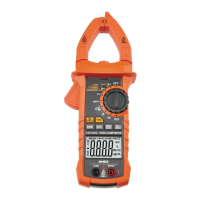
1. Press ULEG%button to turn Meter on.
2. Set Laser Reference Point.
3. Press ULEG%button to activate laser.
4. Aim laser at target, using
level as necessary.
5. Press ULEG%button.
6. Yellow measurement - Distance.
2.357
O&8$"8'&'#%?%;"89%U*#"(*9%U"#$,84*
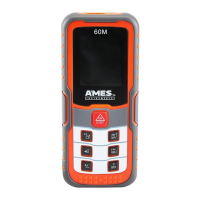
1. Press ULEG%button to turn Meter on.
2. Set Laser Reference Point.
3. Press and hold ULEG%button.
4. Move Meter forward or backward
until desired distance is displayed.
5. Press ULEG%button to stop measuring.
6. Pink measurement - Minimum.
7. Blue measurement - Maximum.
8. Yellow measurement - Distance.


 To Next Page