Page 9;&(%$*4.8"4,7%<'*#$"&8#=%/7*,#*%4,77%>?@@@?@AA?BCDC1Item 57013
EF;6GHIJ6KFGLIMNFLMG6MFMO6 E6GPJ
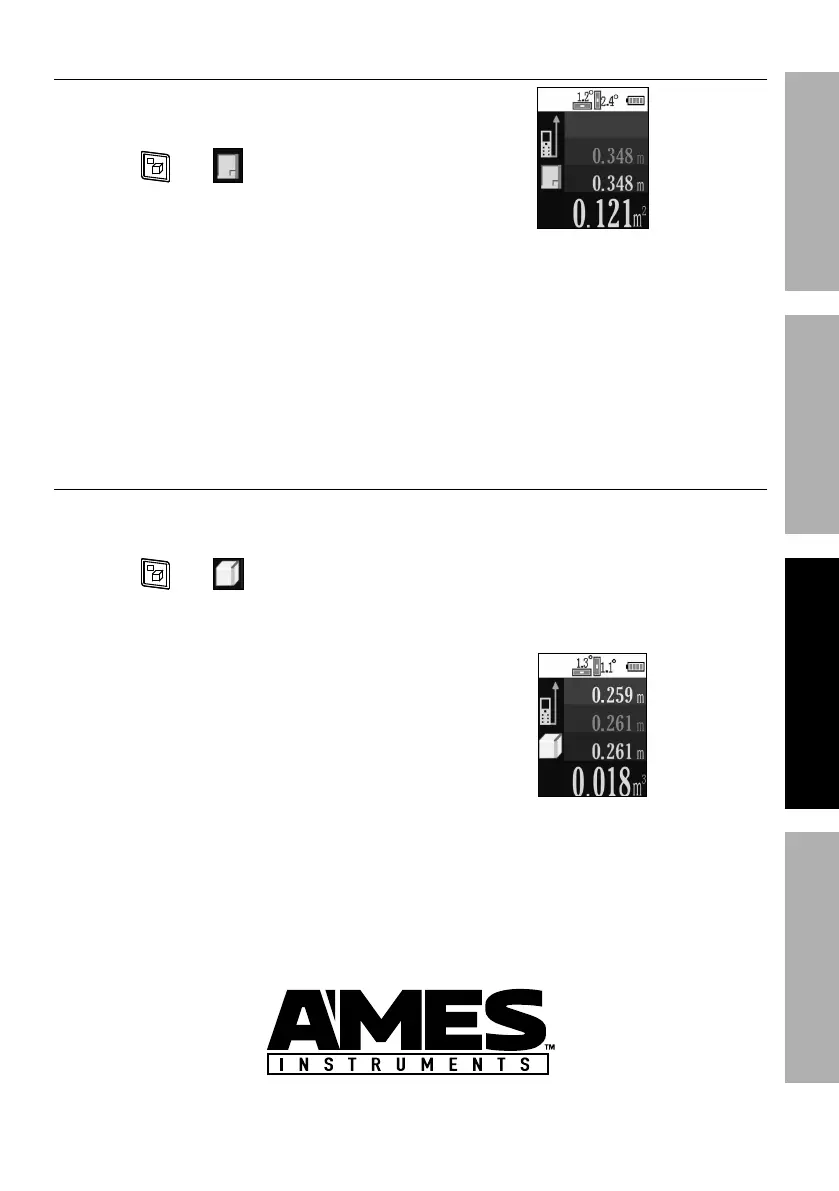
F(*,%?%K*4$,837*
1. Press ULEG%button to turn Meter on.
2. Set Laser Reference Point.
3. Press until appears.
4. Press ULEG%button to activate laser.
5. Pink measurement - Place Meter
against first surface, pointing at
opposite surface, then press ULEG%
button to take first measurement.
6. Blue measurement - Place Meter
against second surface, pointing at
opposite surface, then press ULEG%
button to take second measurement.
7. Yellow measurement - Area.
!&7'5*%?%O'+"4%;**$
1. Press ULEG%button to turn Meter on.
2. Set Reference Point.
3. Press until appears.
4. Press ULEG%button to activate laser.
5. White measurement - Place Meter
against first vertical surface,
pointing at opposite surface,
then press ULEG%button to take
first horizontal measurement.
6. Pink measurement - Place Meter
against second vertical surface,
pointing at opposite surface, then
press ULEG%button to take second
horizontal measurement.
7. Blue measurement - Place
Meter against horizontal surface,
pointing at opposite horizontal
surface, then press ULEG%button
to take vertical measurement.
8. Yellow measurement - Volume.


 To Next Page