Page 10
Landmark Basic
Signal Processor
User Guide
4.5 Peak Picker
Note
The averager function precedes the peak picker function on the proc-
essor signal path. The input to the peak picker will therefore be an
averaged signal. This can cause the output of the processor to appear
to be in error, particularly with a large averager response time and a
small peak picker decay time.
ThePeakPickerdecayrateisadjustedbyturning‘Decay’knob(seeFig.6).
1) ToincreasethePeakPickerdecaytime(i.e.tomakeittakelongerto
decay),turntheknobclockwise.
2) TodecreasethePeakPickerdecaytime(i.e.tomakeitdecayfaster),
turn the knob anticlockwise.
When the Peak Picker is set to minimum, the Peak Picker output tracks
the(averaged)signalinput.
3) ToswitchoffthePeakPicker,activatetheremotereset(viapins12and
13,seeFig.5).
Resetting the Peak Picker causes the signal to decay very quickly so that
it tracks the input signal.
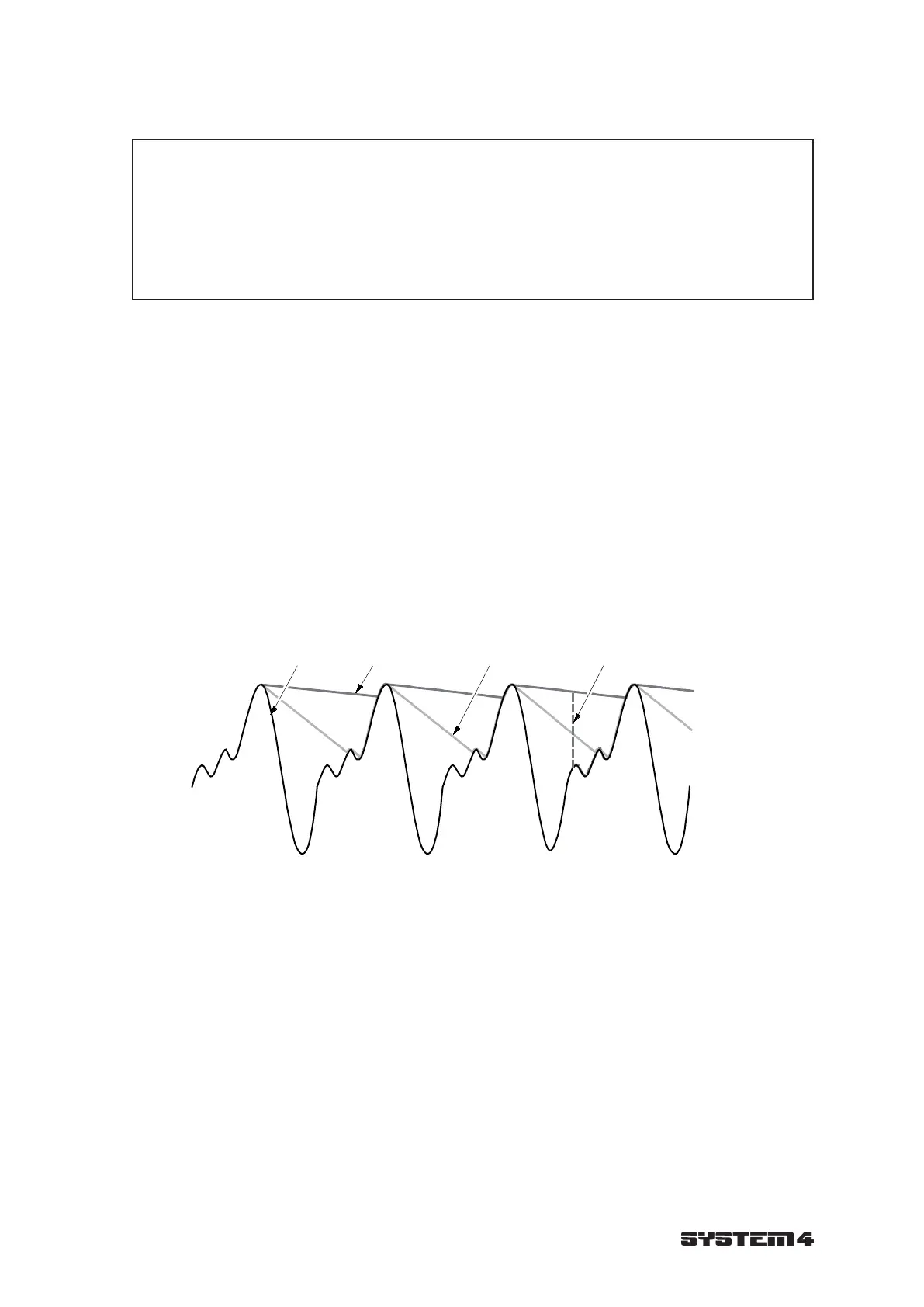
A typical output of the Peak Picker time function is given in Fig. 8.
Raw signal Large decay time Small decay time Reset
Fig. 8 Typical output of the Peak Picker time function S4970175



 To Next Page