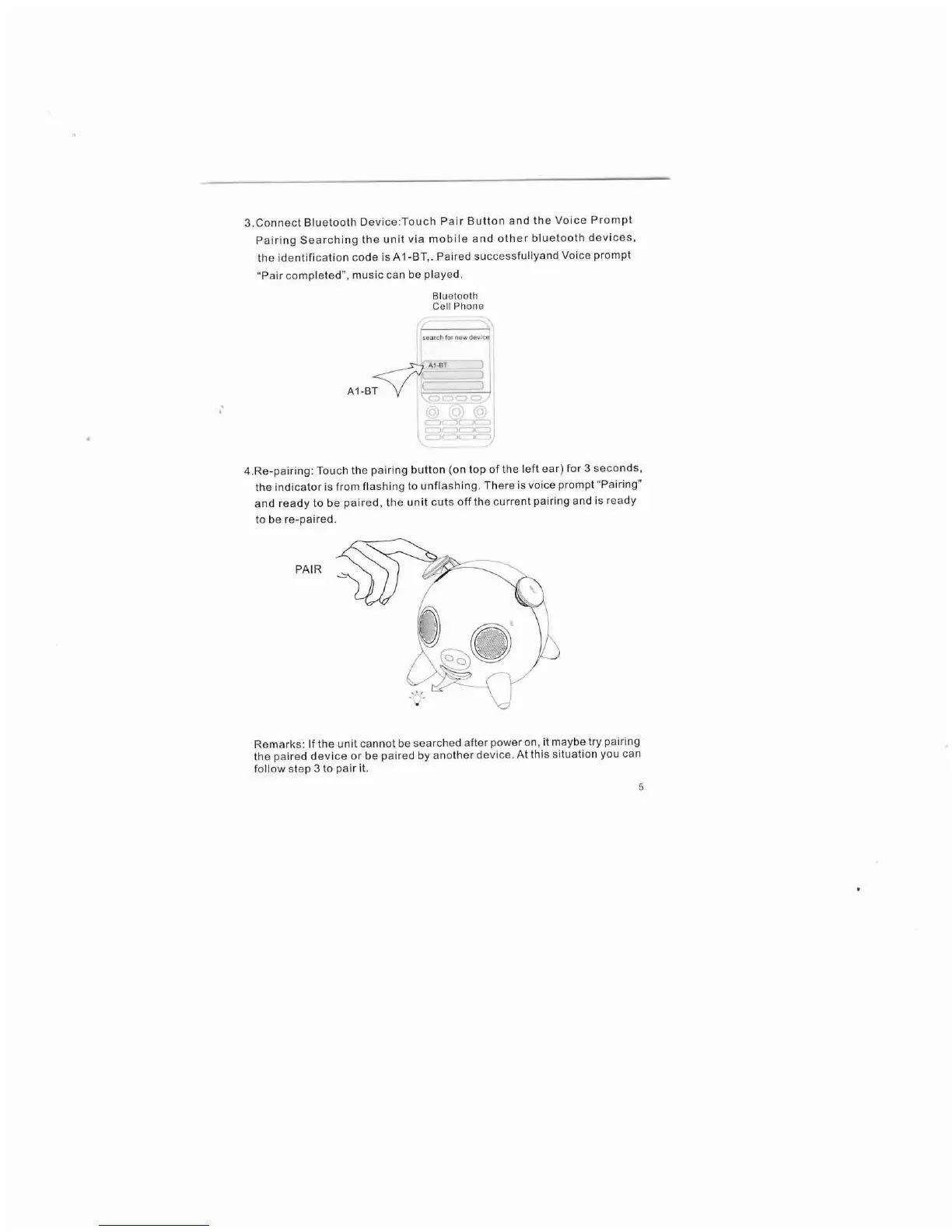
3.Connect Bluetooth Device:Touch Pair Button and the Voice Prompt
Pairing Searching the unit via mobile and other bluetooth devices,
the identification code is A 1-BT,. Paired successfullyand Voice prompt
"Pair completed", music can be played.
Bluetooth
Cell Phone
search fOf new devIce
~Al'BT
A1-BT
Y
!-----
4.Re-pairing: Touch the pairing button (on top of the left ear) for 3 seconds,
the indicator is from flashing to unflashing. There is voice prompt "Pairing"
and ready to be paired, the unit cuts off the current pairing and is ready
to be re-paired.
PAIR
Remarks:
If
the unit cannot be searched after power on, it maybe try pairing
the paired device or be paired by another device. At this situation you can
follow step 3 to pair it.


 To Next Page