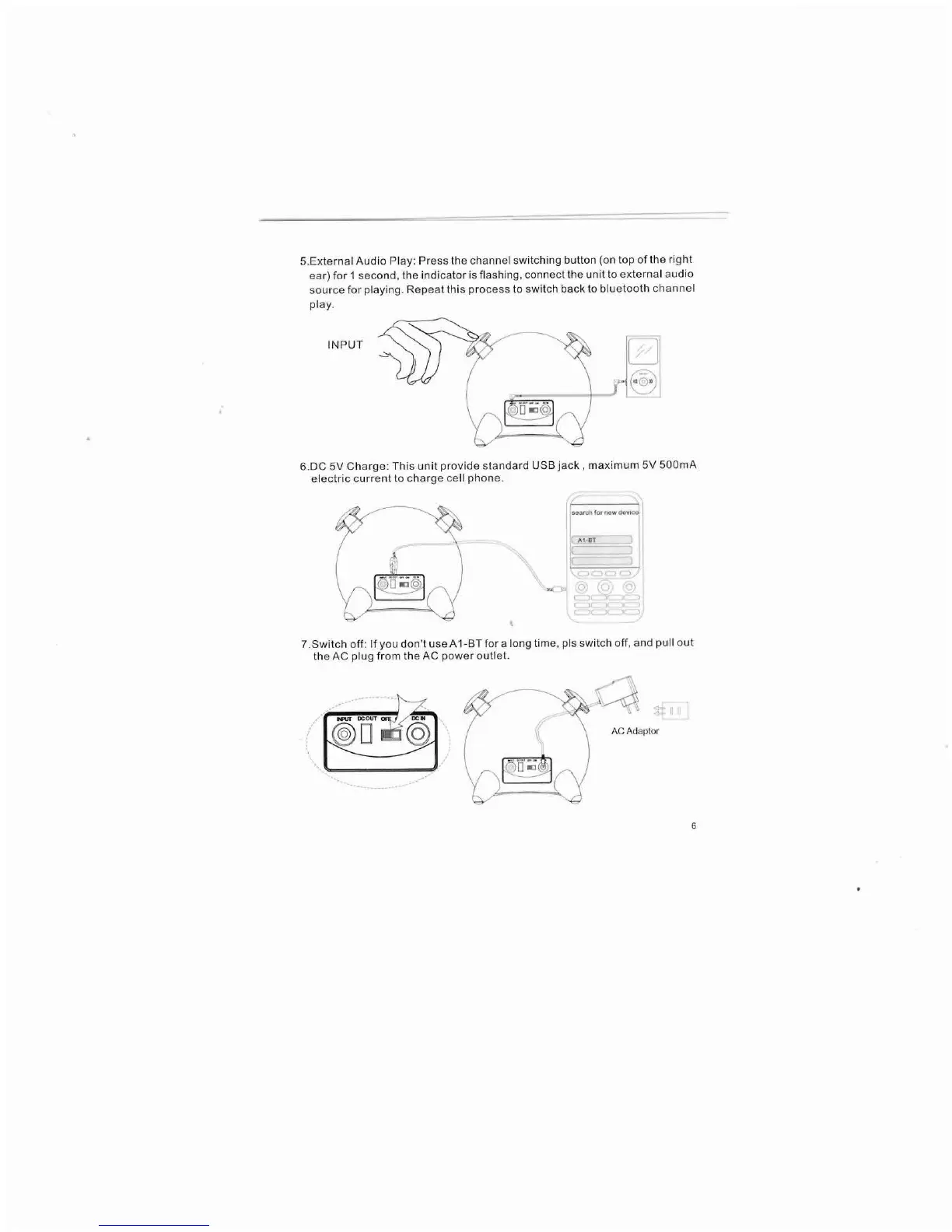
5.External Audio Play: Press the channel switching button (on top of the right
ear) for 1 second. the indicator is flashing. connect the unit to external audio
source for playing. Repeat this process to switch back to bluetooth channel
play.
INPUT
J
6.DC 5V Charge: This unit provide standard USB jack, maximum 5V 500mA
electric current to charge cell phone.
search for new
device
A1·8T
7 .Switch off: If you don't use A 1-BT for a long time, pis switch off, and pullout
the AC plug from the AC power outlet.
(~
....
'1
1
'll:., /
\
-
(
).
. - - -
--'-'
Y/ . /
ACAdaptor



 To Next Page