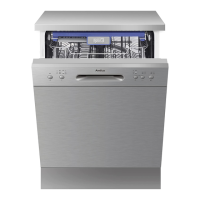
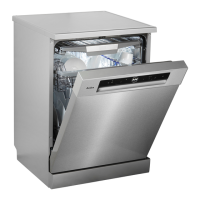
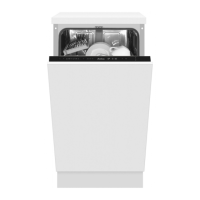
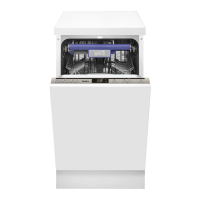
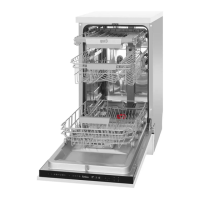
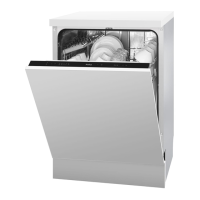
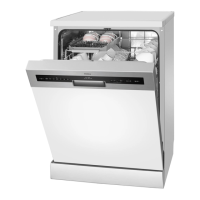
This document provides operating instructions for the Amica GSP 14844 E dishwasher.
Function Description
The Amica GSP 14844 E is a household dishwasher designed for cleaning dishes and utensils. It operates by spraying hot water and detergent onto the dishes, followed by rinsing and drying cycles. The appliance requires special salt to soften water, detergent for cleaning, and rinse aid for improved drying and to prevent water spots. It offers various wash programs tailored to different soil levels and dish types.
Important Technical Specifications
- Model: GSP 14844 E
- Capacity: 10 standard place settings
- Energy Efficiency Class: A++
- Annual Energy Consumption (AEC): 211 kWh (based on 280 standard cleaning cycles)
- Energy Consumption (Standard Cleaning Cycle): 0.74 kWh
- Power Consumption (Off-mode): 0.45 W
- Power Consumption (Left-on mode): 0.49 W
- Annual Water Consumption (AWC): 2520 litres (based on 280 standard cleaning cycles)
- Drying Efficiency Class: A
- Standard Programme: Eco
- Standard Cleaning Cycle Duration: 190 minutes
- Sound Pressure Level: 49 dB(A) re1 pW
- Dimensions:
- Height: 845 mm
- Height (without worktop): 815 mm
- Width: 448 mm
- Depth: 605 mm
- Voltage/Frequency: 230 V / 50 Hz / 10A
- Water Supply Pressure: 0.04-1 Mpa (0.4-10 bar)
- Total Power Consumption: 1930 W
- Heating Element Power: 1800 W
- Washing Pump Power: 98 W
- Drain Pump Power: 30 W
- Cut-off Device: 10 A
- Net Weight: 34.5 kg
Usage Features
The dishwasher features a control panel with buttons for power, program selection, delay start (3h/6h/9h), and half-load functions. It includes indicators for power, selected wash program, delay time, and warnings for low salt and rinse aid. A child lock function is available by simultaneously pressing the delay and half-load buttons.
Loading Dishes:
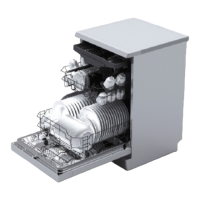
The appliance has an upper basket for delicate items like glasses and cups, and a lower basket for plates, bowls, and heavily soiled items. The upper basket's height can be adjusted to accommodate larger dishes. Shelves in the upper basket can be folded to increase capacity. The cutlery basket has two positions and is designed to hold knives and forks separately, pointing down, to ensure optimal cleaning and prevent injury.
Wash Programs:
The dishwasher offers several wash programs:
- Intensive (60°C): For heavily soiled dishes with dried food residue.
- Normal (55°C): For soiled dishes with dried food residue.
- ECO (45°C): The standard program for normally soiled tableware, optimized for energy and water consumption.
- Glass (40°C): For lightly soiled glassware and porcelain.
- 90' (65°C): For medium soiled dishes requiring quick washing.
- Rapid (45°C): A quick program for lightly soiled dishes that do not require drying.
Starting a Wash Cycle:
- Load dishes into the lower and upper baskets.
- Add detergent, special salt, and rinse aid as needed.
- Plug the appliance into a 220-240 VAC/50 Hz socket (10A 250VAC) and ensure the water supply is fully open.
- Close the door, press the On/Off button.
- Select the desired wash program using the program button (ECO -> Glass -> 90 min -> Rapid -> Intensive -> Normal).
- Press the Start/Pause button to begin the cycle.
Changing a Program:
A program can only be modified if it has been running for a short time. If detergent has been released, the dispenser must be refilled. To change a program, press the Start/Pause button to put the machine in standby, then press the program button for more than 3 seconds to select a new program.
Half Load Function:
This function is suitable for loads of 6 place settings or less and can be used with Intensive, Normal, ECO, Glass, and 90 min programs to reduce water and energy consumption.
Water Softener Setting:
The dishwasher's water softener system can be adjusted based on water hardness levels (H1 to H6) to optimize dishwashing effectiveness. This is done by pressing the Start/Pause button for more than 3 seconds within 60 seconds of switching on the appliance, then using the Start/Pause button to cycle through the hardness levels.
Maintenance Features
Regular cleaning and maintenance extend the dishwasher's lifespan.
Detergent Dispenser:
Fill the detergent dispenser with powder or tablet detergent. For multi-component detergents, it's recommended to still add special salt and rinse aid and set the water hardness and rinse aid levels to the lowest setting for best results.
Special Salt Dispenser:
The salt container should be refilled with special salt (intended for dishwashers) when the salt warning light illuminates. It's recommended to fill the salt container with water before first use and to pour special salt before starting a program to prevent corrosion.
Rinse Aid Dispenser:
The rinse aid dispenser should be refilled when the rinse aid warning light illuminates. The rinse aid dosage can be adjusted from 1 to 6 to prevent water spots and improve drying.
Filters:
The filter assembly (main filter, strainer, fine filter) should be checked and cleaned weekly to remove food residue. Filters are removed by turning the strainer counter-clockwise.
Spray Arms:
The jet nozzles on the upper and lower spray arms should be checked for clogging. If clogged, the spray arms can be removed (lower arm by pulling upwards, upper arm by turning the nut counter-clockwise) and cleaned.
Door Seal:
Wipe the door seals regularly with a damp cloth to remove accumulated residue.
Door Lock:
Wipe the door lock and surrounding area with a cloth soaked in mild detergent after each use. Avoid flooding the lock with water or using aerosol cleaners.
Water Supply Hose Filter:
The filter in the water supply line should be periodically inspected and cleaned to prevent damage from impurities. To clean, close the water supply valve, remove the hose, clean the filter under running water, and reassemble.
Troubleshooting:
The dishwasher uses program indicators to signal status and errors.
- All indicators off: Standby.
- One program indicator steady: Program paused or waiting to start.
- One program indicator flashing: Program in progress.
- One program indicator flashing fast: Error (e.g., longer water inlet time, not reaching required temperature, overflow).
Common issues and solutions are provided, such as checking the plug, fuses, water supply, door closure, filters, and detergent levels. For clinking noises, check dish arrangement and spray arm rotation. For food residue, ensure proper loading, sufficient detergent, and clean filters. For white spots or streaks, adjust detergent/rinse aid amounts and check special salt usage and water softening settings. For corrosion, check cookware quality, salt levels, and proper grounding.


 To Next Page
 General