EasyManua.ls Logo

AMIR KA8 - User Manual

AMIR KA8
3 pages
Print Icon
To Next Page IconTo Next Page
Loading...
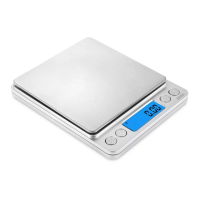
AMIR Pocket Kitchen Scale
Thank you for purchasing AMIR pocket kitchen scale. With normal care and proper
treatment, this scale will provide years of reliable service.
Maintenance and Care
1. Avoid exposure to extreme heat or cold. Also avoid any kind of moisture. Always
allow your scale to acclimate to normal room temperature before use.
2. Keep your scale in a clean and dry environment may have an adverse effect on
the accuracy and reliability of the scale.
3. Handle the scale with care. Gently apply all items to be weighed on the tray top.
Although this scale is designed to be quite durable, avoid rough treatment, as this
may permanently damage the internal parts. Always avoid shaking and dropping.
This is a precision instrument and should be handled with extreme care.
Specifications
Model: KA8, Capacity: 500g, Accuracy: 0.01g
Units: g, oz, ozt, dwt, ct, gn
Key function: ON/OFF, UNIT(M), PCS, TARE(T)
Display: LCD display with blue backlight
Auto off: 0/60/120/180 seconds of inactivity
Power: 2 AAA batteries
Operation Temperature: 10 to 30 degree Centigrade
Operation
1. Place the scale on a leveled surface & press ON/OFF” key to turn on the scale or
power it off.
2. Wait unit the LCD display shows zero, then press M button to choose the
weighing unit.
3. Place the item to be weighed on the surface and wait unit the reading is stable.
Question and Answer IconNeed help?

Do you have a question about the AMIR KA8 and is the answer not in the manual?

Summary

Maintenance and Care

Care Instructions

Guidelines for maintaining the scale's accuracy, reliability, and longevity through proper handling and environment.

Specifications

Key Specifications

Details on the scale's model, capacity, accuracy, units, functions, display, power, and operating temperature.

Operation

Basic Operation Steps

Steps for powering on/off, selecting units, and weighing items on the scale.

Tare Function

Tare Function Usage

Instructions for using the tare function to zero out container weight for net weighing.

Counting Function

Counting Function Usage

Procedure for using the counting function, including sampling and displaying item quantities.

Auto Off Function Adjustment

Adjusting Idle Time for Auto Off

Steps to adjust the auto-off idle time settings for the scale.

Warning Indicators

Error Message Meanings

Explanation of 'Lo' (low voltage) and 'O-Ld' (overload) indicators.

Package Contents

Included Items

List of items included in the product package.

AMIR KA8 Specifications

General IconGeneral
Display TypeLCD
Platform MaterialTempered Glass
Auto On/OffYes
Power SourceBattery
Maximum Weight Capacity180 kg
Units of Measurementkg, lb, st
Battery TypeAAA
Maximum Capacity180 kg
MaterialTempered glass