5. Press Menu button or Multi-Function button A to enter Pictbridge mode and the LCD will show: “Please
connect to device”.
6. Connect your camera to compatible printer with USB cable correctly for printing.
Operation for AVI file
Select an AVI file you want to play.
1. Press Menu button.
2. Press Up button to play the file, and play right button to stop and again to play.
Note: For how to protect, delete videos, please refer to Operation of still photos.
Install PhoT
NOTE: Make sure that your camera is not connected to the computer.
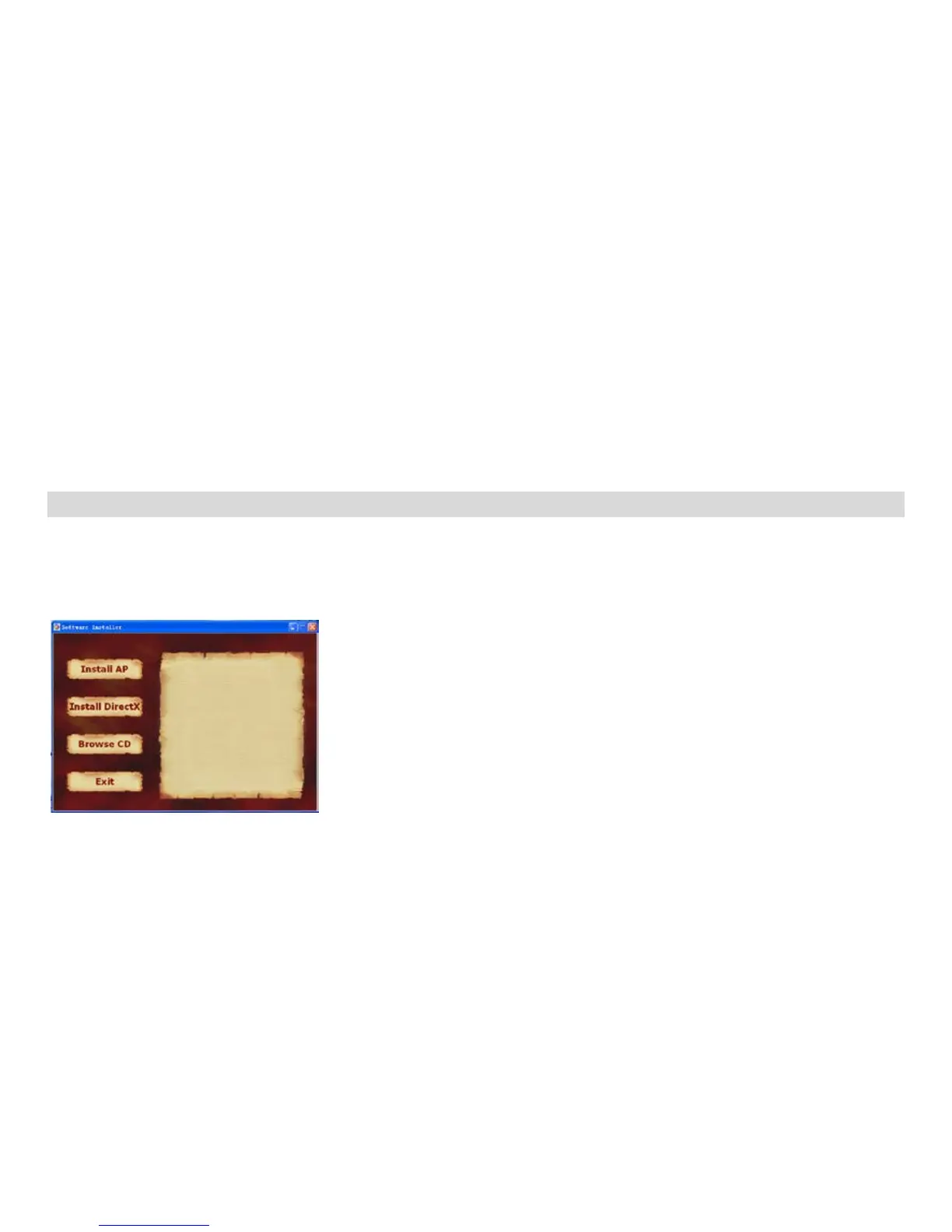
Insert software CD to your computer. After a few seconds, there will be shown an installing main window on
the screen.
You can “install AP”, “Install DirectX”, “Browse CD”, and “Exit” in this installing main window.
Install PhoTags Express
Click on the “Install AP” to start installing process. The language window will be shown on the screen and
you can choose the language you want to use.


 To Next Page