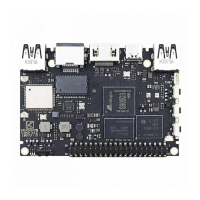
8.4 Language settings
8.4.1 OSD language settings:
Click language setting,select the language as OSD language from language list,click “ok” to
save and back
8.4.2 Input method settings:
click input settings,click input method from the list,click “ok” to save and back,then you can use
new input method.


 To Next Page