Advanced Mobile Payment Inc. www.amobilepayment.com
6 Series Quick Reference Guide
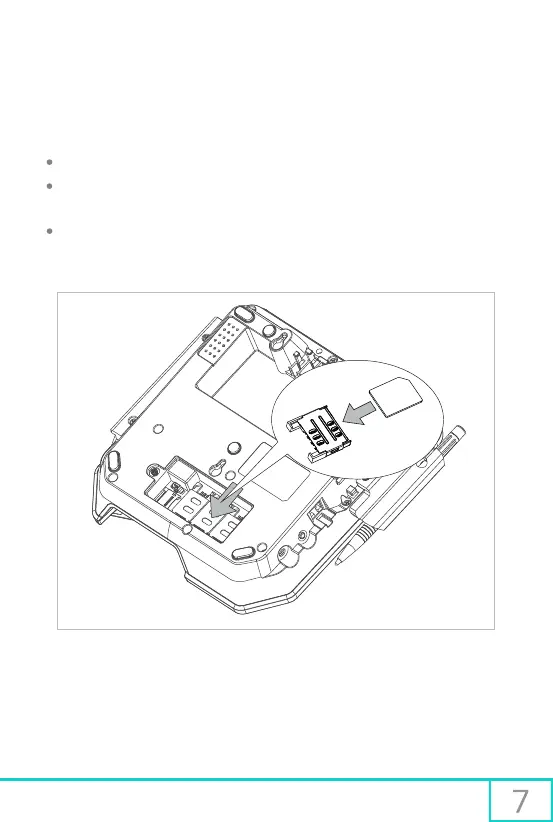
Installation of a SIM/SAM card
Open the rear cover to reveal the card slots
With the exposed chip facing downward, and the angled corner oriented away from the
slot, insert the card until it is seated right at the bottom of the slot
Ensure that any installed cards are securely locked in place, and close the rear cover
5 Installing SIM/SAM Card
Install the SIM/SAM card



 To Next Page