EasyManua.ls Logo

Ampac ZoneSense Plus - Fire Brigade Response Guide; Incoming Alarm Condition Procedures

Ampac ZoneSense Plus
36 pages
Print Icon
To Next Page IconTo Next Page
To Previous Page IconTo Previous Page
Loading...
MAN 2374 -11
2
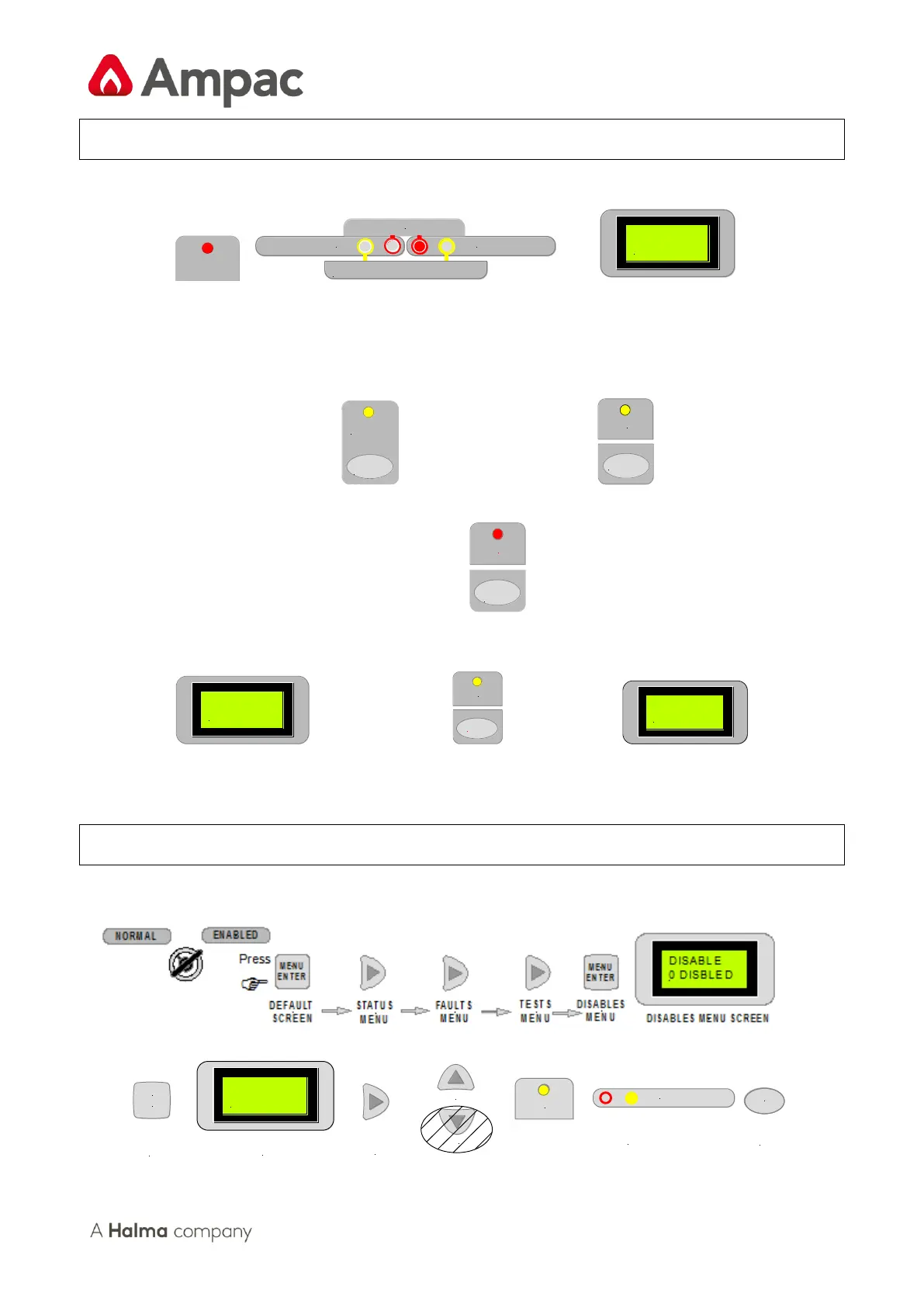
Responding to an Alarm
1. Indicators
FIRE
ZONE 1 ZONE 2
FIRE
FAULT/DISABLED/TEST
Z2 ZONE
SEVEN
Common Fire Indicator Zone Fire Indicator First Zone in Alarm.
(Steady) (Steady) (Displayed)
2. To Disable External Sounder and / or Sound Evacuation
Press
SILENCE
RESOUND
ALARMS
Press
DISABLED
EVACUATE
3. To Silence Buzzer
Press
FIRE
SILENCE
BUZZER
ALARM LED steady
4. To Reset Panel
RESET
EXECUTE
Press
RESET
COMPLETE
1st. LCD Screen Displayed 2nd. LCD Screen Displayed
Disabling a Zone
The following example DISABLES ZONE Place the keyswitch to the ENABLED position.
DISABLED
ZONE 2
CANCEL
MENU
ENTER
DISABLE
Z1 ACTIVE
DISABLES
SUB-MENU
DISABLES SUB
MENU SCREEN
DISABLE
ZONE2
DISABLE
ENABLE
COMMON & ZONE2
DISABLED
LED's WILL BE
ILLUMINATED
PRESS CANCEL
TO BACKOUT TO
DEFAULT SCREEN

Other manuals for Ampac ZoneSense Plus

Related product manuals