EasyManua.ls Logo

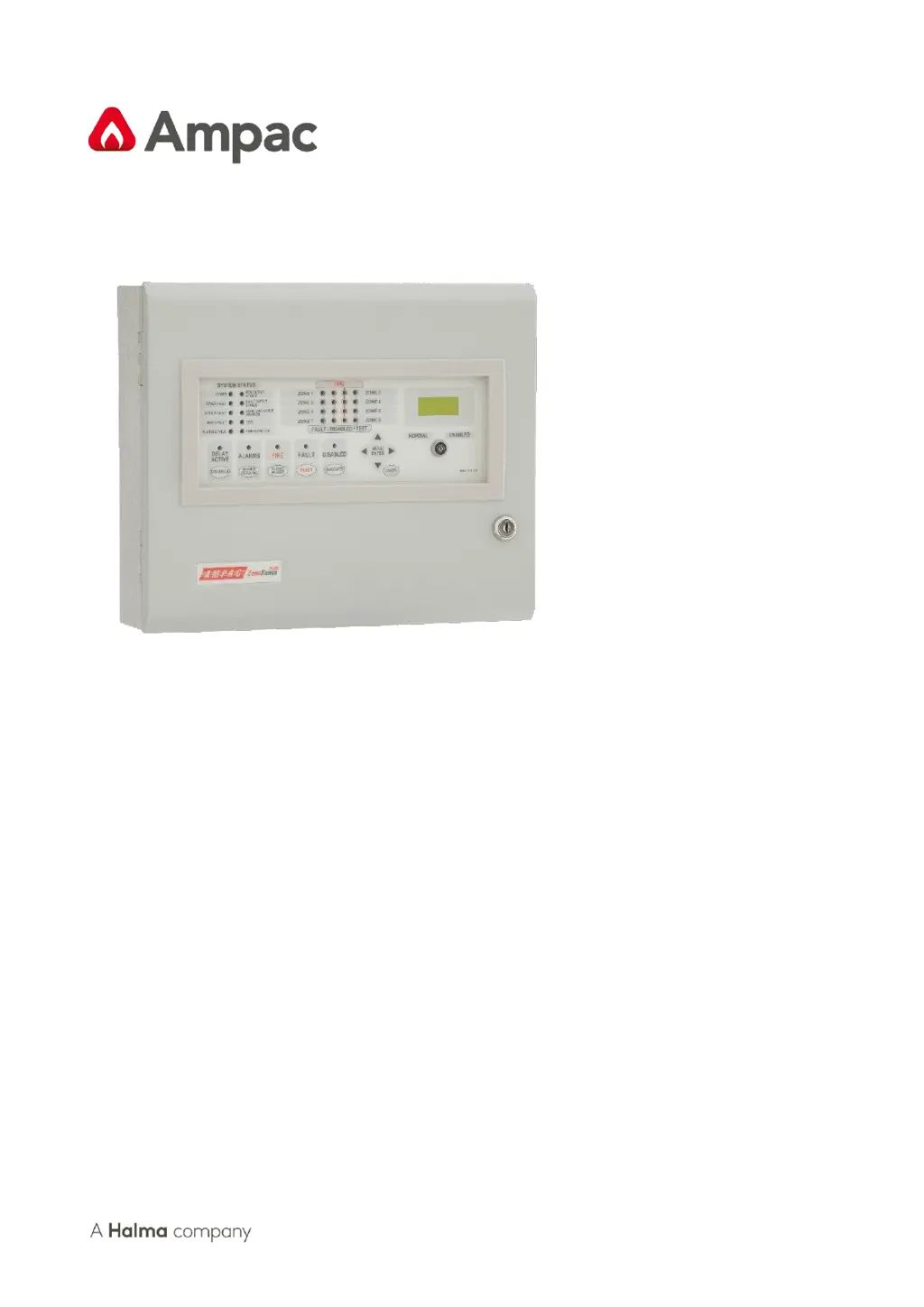
Ampac ZoneSense Plus - User Manual

Ampac ZoneSense Plus
50 pages
Print Icon
To Next Page IconTo Next Page
Loading...
Fire detection and evacuation solutions that save lives.
ZoneSense PLUS
Fire Alarm Control Panel EN54 2&4 1997
Installation, Commissioning & Operation
MAN 2326-13

Table of Contents

Other manuals for Ampac ZoneSense Plus

Questions and Answers

  • M
    Margaret KeyAug 19, 2025
    What to do if the Supply fault LED is illuminated on my Ampac Fire Alarms?
    • B
      Beverly Torres MDSep 12, 2025
      If the Supply fault LED is illuminated on your Ampac Fire Alarms, check the output voltage; it should be set to 27.2VDC. A low voltage is less than 26.5VDC, and a high voltage is greater than 28VDC. Also, check that the battery has been connected properly.
  • R
    Roger ThompsonAug 21, 2025
    What to do if the Earth Fault LED is illuminated on my Ampac Fire Alarms system?
    • E
      Edward ChavezAug 21, 2025
      If the Earth Fault LED is illuminated on your Ampac Fire Alarms system, check all input and output cabling and wiring assemblies for shorts to ground.
  • J
    John PayneAug 23, 2025
    What to do if the System Fault LED is illuminated on my Ampac Fire Alarms?
    • B
      Bobby DawsonAug 23, 2025
      If the System Fault LED is illuminated on your Ampac Fire Alarms, ensure correct panel configuration and check all connections for loose wiring.
  • M
    Morgan TrevinoAug 26, 2025
    What to do if the Warning System Fault LED is illuminated on my Ampac Fire Alarms?
    • D
      daleleeAug 26, 2025
      If the Warning System Fault LED is illuminated on your Ampac Fire Alarms, check that the correct E.O.L is fitted and that the wiring is connected correctly.
  • S
    Stephanie HullAug 27, 2025
    What to do if my Ampac Fire Alarms bell or sounder has a fault?
    • M
      Mary SnyderAug 27, 2025
      If your Ampac Fire Alarms bell or sounder has a fault, make sure you have a 10KΩ EOL resistor fitted and a diode (1N4004) in series with the bell or sounder.
  • C
    cynthia53Aug 29, 2025
    What to do if my Ampac Fire Alarms system has no mains power?
    • J
      James NelsonAug 30, 2025
      If your Ampac Fire Alarms system has no mains power, check the mains fuse.
  • R
    Robert WoodsSep 1, 2025
    Why can't I access a menu on my Ampac Fire Alarms?
    • A
      Alan WongSep 1, 2025
      You may not be able to access a menu on your Ampac Fire Alarms because an incorrect password was entered.
  • C
    Carlos OrtegaSep 3, 2025
    What to do if the RS485 Communication Bus is not working on my Ampac Fire Alarms?
    • E
      Edwin WalkerSep 3, 2025
      Refer to the LCD on your Ampac Fire Alarms. This may identify where there is a break in the communication line.
  • S
    Sean NicholsSep 5, 2025
    What to do if the Ampac Control Panel system fault LED is illuminated?
    • B
      brian09Sep 5, 2025
      If the System Fault LED is illuminated, ensure the correct panel configuration and check all connections for loose wiring.
  • S
    Sean HuntSep 7, 2025
    What to do if the Ampac ZoneSense Plus supply fault LED is illuminated?
    • T
      Tara CastroSep 7, 2025
      If the Supply Fault LED is illuminated: * Check the output voltage; it should be set to 27.2V. A low voltage is less than 26.5V, and a high voltage is greater than 28V. * Confirm that the battery has been connected properly.

Summary

ZoneSense PLUS Fire Alarm Control Panel

Introduction and Features

Provides an overview of the ZoneSense PLUS FACP, its standards compliance, and key features.

Mechanical Installation

Details mounting the FACP enclosure, chassis fixing, and environmental considerations for installation.

Electrical System and Power Supply

Covers primary power supply, mains wiring, battery charger, secondary supply, and connection procedures.

Main Control Card and Wiring

Explains the main control card, its layout, and detailed wiring configurations for modules and interfaces.

System Operation and Programming

Guides users through status, test, disable screens, and system programming levels for the FACP.

Troubleshooting and Calculations

Provides a troubleshooting chart for common problems and guides for calculating battery capacity and power requirements.

Commissioning and Compliance

Outlines installation, commissioning procedures, reports, and compliance declarations for the FACP.

Technical Specifications

Details mechanical, environmental, electrical, and output specifications for the ZoneSense PLUS FACP.

Fire Brigade Response Guide

Incoming Alarm Condition Procedures

Describes steps for handling incoming alarm conditions, including sounder silence and reset operations.

About This Manual

Purpose and Scope

Outlines the manual's purpose as an instructional tool and defines the scope of information provided.

Ampac ZoneSense Plus Specifications

General IconGeneral
Zones8 zones
Sounder circuits2 sounder circuits
Users50 users
Humidity RangeUp to 95% RH, non-condensing
CertificationsEN54-2, EN54-4

Related product manuals