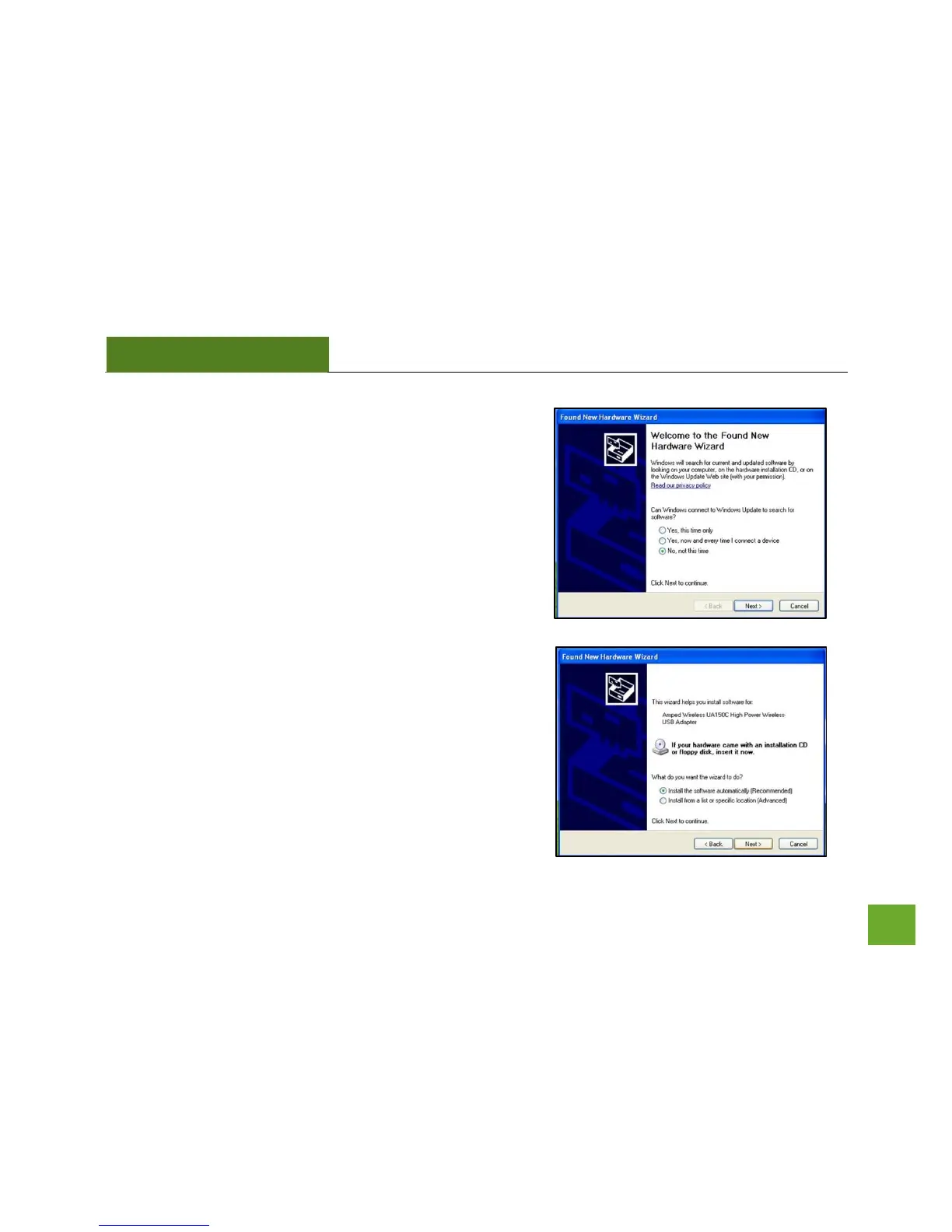
i) Found New Hardware Wizard
When the Found New Hardware Wizard Appears and asks to
search for software, select No, Not at this time. Click Next
to continue.
j) Found New Hardware Wizard
When prompted by the Found New Hardware Wizard to
install the software, select Install the Software Automatically
(Recommended) and click Next. The Wizard should begin to
install the software and driver for the High Power USB
Adapter.



 To Next Page