www.ampereelectric.co.uk
3.
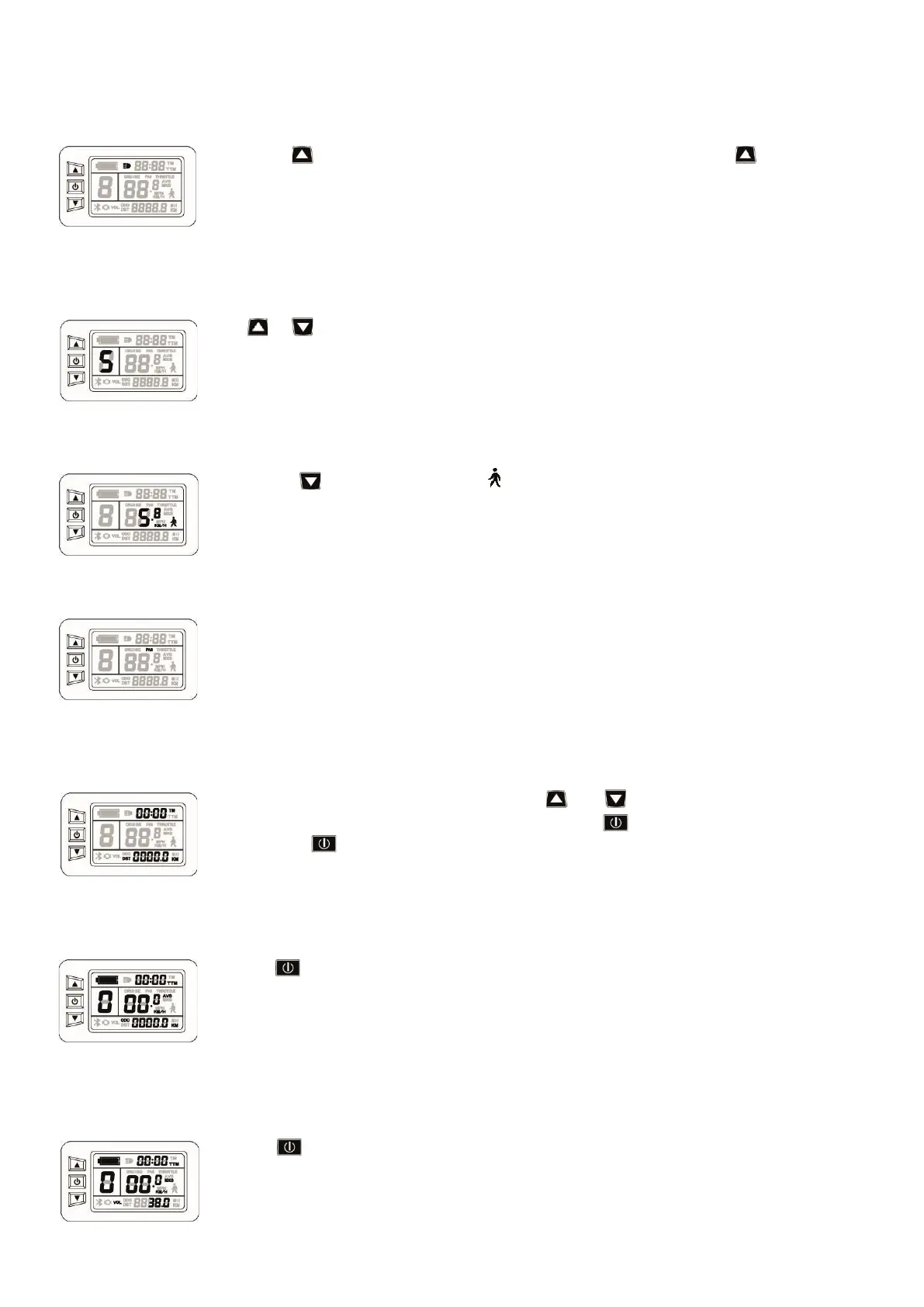
TURNING ON BACKLIGHT AND HEADLIGHT
Press & hold button to turn on the screen backlight and headlight. Press & hold button again
to turn off the LCD backlight and the bike front light. If you have a rear light the power button may
be on the light itself or if the light is built into the battery, there is a button in the middle of the lens
that turns the light on and off.
4. PAS (PEDAL ASSISTANCE) CONTROLLER
Press or button to switch between 0-5 levels of assistance. Level 0 is riding the bike without any
motor assistance. Level 1 is for the minimum power, level 5 is for the highest power.
5. WALK ASSIST (4MPH)
Press & hold button and you will see a flashing in the LCD display. This is the walk assist mode.
Your bike will now move forward at 4mph. Release the button to stop the function.
6. PAS DISPLAY
When power-assisted riding, PAS display will appear on your display screen.
7. DISPLAY AND DELETE OF SINGLE DATA
After power has been on for 5 seconds, press & hold
and buttons at the same time, single trip
riding time (TM) and single trip distance (DST) will flash. Press button shortly to reset this back to
0. Press & hold to return to main menu.
8. DISPLAY 2
Press the button in display 1 to enter display 2. This will show you average speed.
9. DISPLAY 3
Press the button again to enter display 3. This will show your max speed achieved.


 To Next Page