EasyManua.ls Logo

Amplicomms BigTel 1201 - User Manual

Amplicomms BigTel 1201
4 pages
Print Icon
To Next Page IconTo Next Page
Loading...
Mobilteil in Betrieb nehmen
Dieses Mobilteil können Sie als zusätzliches Mobilteil an einem
BigTel1480, BigTel 1280 oder BigTel 1200 anmelden.
1. Öffnen Sie das Akkufach und legen Sie die Akkus ein. Achten
Sie auf die richtige Polarität.
2. Schieben Sie den Akkufachdeckel wieder auf, bis er spürbar
einrastet.
Damit das Mobilteil vollständig geladen wird, muss es min-
destens 16 Stunden in die Ladestation gesetzt werden (Stromver-
sorgung der Ladestation prüfen!).
Mobilteil anmelden
Vorbereiten der Basisstation BigTel 1280/1200:
1. Drücken Sie im Ruhezustand die Ruftaste an der Basissta-
tion für ca. 6 s. (Piepton).
Vorbereiten des Tischgerätes BigTel 1480:
1. Drücken Sie im Ruhezustand die Menütaste .
2. Wählen Sie ANMELDUNG und drücken Sie die Menütaste .
Wichtig: Verwenden Sie unbedingt nur die mitgelieferten
Akkus. Auch bei einem späteren Austausch darf nur dieser
Akkutyp verwendet werden.
Am Mobilteil BigTel 1201:
1. Das Display zeigt: “Mobilteil anmelden“.
2. Drücken Sie die Menütaste .
3. Wählen Sie Einstell. und drücken Sie .
4. Wählen Sie Mobilteil einstellen und drücken Sie .
5. Wählen Sie Mobilteil anmelden und drücken Sie .
6. Wählen Sie eine Basis aus und drücken Sie .
7. Geben Sie die PIN der Basisstation ein (im Auslieferungszu-
stand 0000) und drücken Sie .
8. Nach kurzer Zeit ist das Mobilteil angemeldet.
Technische Daten
Stromversorgung (Ladestation) Eingang: 100-240V,
50/60Hz
Ausgang: 6 V DC 450 mA
Akkus 2 x AAA 400mAh NiMH
Optimale Umgebungstemp. 0 ˚C bis 45 ˚C
Optimale relative Luftfeuchte 20 % bis 80 %
Hinweis
Weitere Informationen zur Bedienung, Entsorgung und Garantie
sowie Sicherheitshinweise finden Sie in der Bedienungsanleitung
zu Ihrem BigTel.
Konformitätserklärung
Dieses Gerät erfüllt die Anforderungen der
EU-Richtlinie: 1999/5/EG. Die komplette
Konformitätserklärung können Sie kostenlos von unserer Website
unter www.amplicomms.com herunterladen.
BigTel
120 1
Audioline GmbH, D-41460 Neuss
12/2016 – Ausgabe 1.0
4 250711 994631
Connect the cordless handset
You can register this handset as an additional handset on a
BigTel 1480, BigTel 1280 or BigTel 1200.
1. Open the battery compartment and insert the rechargeable
batteries. Observe the correct polarity.
2. Slide the battery compartment cover towards the centre of
the handset until it clicks into place.
For a full charge, the handset must be left in the charger for at
least 16 hours (check the charger’s power supply!).
Registering the handset
Preparing the base station BigTel 1280/1200:
1. In idle state press and hold down the paging key on the
base for approx. 6 seconds (beep).
Preparing the corded phone BigTel 1480:
1. In idle state press the menu key .
2. Select REGISTRATION and press the menu key .
Important: Use only the batteries supplied with this product.
If the batteries need to be replaced later on the same battery
type must be used.
On the handset BigTel 1201:
1. The display shows: “Mobilteil anmelden“.
2. Press the menu key .
3. Select Einstell. and press .
4. Select Mobilteil einstellen and press .
5. Select Mobilteil anmelden and press .
6. Select a base (e. g. “Basis 1“) and press .
7. Enter the PIN of the base station (in delivery state 0000) and
press .
8. After a short time the handset will be registered.
Setting the language (delivery state: GERMAN)
1. Press the menu key .
2. Select Einstell. and press the menu key .
3. Select Mobilteil einstellen and press the menu key .
4. Select Sprache and press the menu key .
5. Select a language and press the menu key .
Technical details
Power supply (charger base) Input: 100-240V 50/60Hz
Output: 6 V DC 450mA
Rechargeable batteries 2 x AAA 400mAh NiMH
Optimum ambient temperature 0˚C to 45˚C
Optimum relative humidity 20% to 80%
Note
For further information on operation, disposal and warranty as
well as safety information, please refer to the operating
instructions for your BigTel.
Declaration of conformity
This device fulfils the requirements stipulated
in the EU directive: 1999/5 EU. To view the complete
Declaration of Conformity, please refer to the free download
available on our website www.amplicomms.com.
Mise en service du mobile
Il est possible de relier ce combiné, en tant qu’unité mobile
supplémentaire, à un BigTel 1480, BigTel 1280 ou BigTel 1200.
1. Ouvrir le compartiment batterie et insérez les accumulateurs.
Attention à la bonne polarité.
2. Remettre le couvercle du compartiment jusqu’à ce qu’il
s’enclenche.
Pour recharger le mobile complètement, il faut le laisser au moins
16 heures dans le bloc de chargement (vérifier l’alimentation du
bloc de chargement !).
Enregistrer mobile
Préparez la station de base BigTel 1280/1200 :
1. Appuyez sur la touche d'appel de la station de base
pendant env. 6 s. (bip).
Préparez l’appareil de table BigTel 1480 :
1. Appuyez en mode veille sur la touche menu .
2. Sélectionnez ASSOCIATION et appuyez sur la touche menu .
Avis important : n‘utilisez absolument que les accumulateurs
livrés..Aussi en cas de remplacement ultérieur, seul ce type
de batterie doit être utilisé.
Au mobile BigTel 1201 :
1. Sur l’écran apparaît “Mobilteil anmelden“.
2. Appuyez sur .
3. Sélectionnez Einstell. et appuyez sur .
4. Sélectionnez Mobilteil einstellen et appuyez sur .
5. Sélectionnez Mobilteil anmelden et appuyez sur .
6. Sélectionnez une base et appuyez sur .
7. Entrez le code PIN de la station de base (par défaut 0000) et
appuyez sur .
8. Peu après, le mobile est enregistré.
Réglage de la langue (dans l’état initial : ALLEMAND)
1. Appuyez sur .
2. Sélectionnez Einstell. et appuyez sur .
3. Sélectionnez Mobilteil einstellen et appuyez sur .
4. Sélectionnez Sprache et appuyez sur .
5. Sélectionnez une langue et appuyez sur .
Données techniques
Alimentation (chargeur) Entrée : 100-240V 50/60Hz
Sortie : 6 V DC 450 mA
Batteries 2 x AAA 400mAh NiMH
Température ambiante optimale 0˚C à 45˚C
Hygrométrie relative optimale 20% à 80%
Remarque
Pour en savoir plus sur le fonctionnement, l’entretien et la
garantie ainsi que pour les avis de sécurité, consultez la notice
d’utilisation de votre BigTel.
Déclaration de conformité
Cet appareil remplit les exigences de la directive
européenne : 1999/5/CE. Pour obtenir la déclaration
intégrale de conformité, veuillez la télécharger
gratuitement sur notre site Internet www.amplicomms.com
Question and Answer IconNeed help?

Do you have a question about the Amplicomms BigTel 1201 and is the answer not in the manual?

Overview

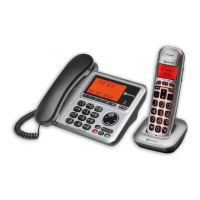
The Amplicomms BigTel 1201 is a cordless DECT handset designed for use as an additional handset with Amplicomms BigTel 1480, BigTel 1280, or BigTel 1200 base stations. This device is engineered to provide clear communication and user-friendly operation, making it suitable for individuals seeking an accessible and reliable telephone solution.

Function Description

The primary function of the BigTel 1201 is to extend the reach and convenience of an existing Amplicomms BigTel telephone system. As a cordless handset, it allows users to make and receive calls from various locations within the range of the base station, offering flexibility and freedom of movement not possible with corded phones. It operates on the DECT (Digital Enhanced Cordless Telecommunications) standard, ensuring secure and high-quality voice transmission.

The handset features a clear display that provides essential information such as caller ID, time, and menu options. It includes a standard numeric keypad for dialing, along with dedicated function keys for common operations. These function keys are designed to be intuitive, simplifying navigation through the handset's features. The handset supports basic telephony functions like making and receiving calls, redialing, and accessing a phonebook (if supported by the base station).

One of the key aspects of the BigTel 1201 is its integration capability. It can be registered to a compatible Amplicomms base station, effectively becoming part of a multi-handset system. This allows for internal calls between handsets and shared access to the external telephone line. The registration process is straightforward, involving a few steps on both the handset and the base station, ensuring that users can quickly set up their new device.

The handset is powered by rechargeable batteries, which are essential for its cordless operation. These batteries allow the handset to be portable and used away from the charging base for extended periods. When not in use, the handset rests in its charging cradle, which keeps the batteries topped up and ensures the device is always ready for use. The design of the charging cradle is compact and stable, providing a secure resting place for the handset.

The BigTel 1201 is also designed with user accessibility in mind. While specific features like amplification are typically handled by the base station in the BigTel series, the handset itself contributes to an accessible experience through its clear display, well-spaced buttons, and straightforward menu structure. The ability to set the language on the handset further enhances its usability for a diverse range of users.

Usage Features

The BigTel 1201 offers several usage features that contribute to its convenience and ease of operation.

Registration Process:

To begin using the BigTel 1201, it must first be registered to a compatible Amplicomms base station. This process involves:

  1. Preparing the Handset: Inserting the rechargeable batteries into the battery compartment, ensuring correct polarity, and then securing the battery compartment cover.
  2. Preparing the Base Station: For BigTel 1280/1200 base stations, this involves pressing and holding the paging key on the base for approximately 6 seconds until a beep is heard. For the BigTel 1480 corded phone, the user needs to press the menu key, select "REGISTRATION," and then press the menu key again.
  3. Registering on the Handset: On the BigTel 1201 handset, the user navigates through the menu. The display will show "Mobilteil anmelden" (Register Handset). The user then presses the menu/OK key, selects "Einstell." (Settings), then "Mobilteil einstellen" (Handset Settings), and finally "Mobilteil anmelden" (Register Handset). After selecting a base (e.g., "Basis 1"), the user enters the PIN of the base station (default is 0000) and presses the OK key. The handset will then register with the base station. This multi-step process ensures a secure connection between the handset and the base.

Language Setting:

The handset's display language can be easily changed, which is particularly useful for users in different regions or those who prefer a specific language. The default language is German. To change it:

  1. Press the menu/OK key.
  2. Select "Einstell." (Settings) and press the menu/OK key.
  3. Select "Mobilteil einstellen" (Handset Settings) and press the menu/OK key.
  4. Select "Sprache" (Language) and press the menu/OK key.
  5. Select the desired language from the available options and press the menu/OK key. This feature makes the device more adaptable to a global user base.

Call Handling:

The handset provides standard call handling capabilities. Users can initiate calls by dialing a number using the keypad and pressing the call button. Incoming calls are indicated by a ringtone and caller ID on the display, allowing users to identify the caller before answering. The handset also supports ending calls with a dedicated button. The clear display and tactile buttons contribute to an efficient calling experience.

The menu system on the BigTel 1201 is designed for simplicity. The menu/OK key serves as the primary button for accessing menus and confirming selections. Up and down navigation keys (often integrated with the menu/OK key or as separate directional buttons) allow users to scroll through options. This intuitive navigation minimizes the learning curve for new users.

Multi-Handset System Integration:

When registered to a compatible base station, the BigTel 1201 becomes part of a multi-handset system. This allows for:

  • Internal Calls: Users can make calls between different registered handsets, which is convenient for communication within a home or small office environment.
  • Shared Line Access: All registered handsets can access the same external telephone line, allowing any handset to make or receive external calls.
  • Intercom Functionality: Some base stations may support intercom features, enabling direct communication between handsets without occupying the external line.

Charging and Battery Status:

The handset is designed to be placed in its charging cradle when not in use. This ensures that the rechargeable batteries are continuously charged, providing maximum talk time and standby time. The display typically shows a battery indicator, allowing users to monitor the battery level and know when it's time to place the handset back on the charger.

Keypad and Display:

The handset features a well-laid-out numeric keypad with clear, legible digits. The buttons are typically tactile, providing good feedback when pressed. The display is designed to be clear and easy to read, presenting information such as time, date, caller ID, and menu options in a user-friendly format.

Maintenance Features

Maintaining the BigTel 1201 primarily involves proper battery care and general cleaning to ensure its longevity and optimal performance.

Battery Management:

The most critical maintenance aspect is the management of the rechargeable batteries.

  • Initial Charge: For the first use, the handset must be left in the charger for at least 16 hours to ensure a full initial charge. This "conditioning" charge helps to optimize battery life and performance.
  • Battery Type: It is crucial to use only the batteries supplied with the product. If replacement is necessary, only the same battery type must be used. This ensures compatibility, safety, and proper functioning of the handset. Using incorrect batteries can damage the device or pose safety risks.
  • Regular Charging: To maintain battery health and ensure the handset is always ready for use, it should be placed in its charging cradle whenever it is not in active use. This prevents deep discharge, which can shorten battery lifespan.
  • Battery Replacement: Over time, rechargeable batteries will naturally degrade. When the handset's talk time or standby time significantly decreases, it indicates that the batteries may need to be replaced. Following the manufacturer's guidelines for battery replacement is essential.

Cleaning:

  • Handset and Charger: The handset and its charging cradle can be cleaned with a soft, dry, or slightly damp cloth. Avoid using harsh chemicals, abrasive cleaners, or solvents, as these can damage the plastic surfaces and electronic components.
  • Contacts: Periodically check the charging contacts on both the handset and the cradle for any dust or debris. Gently wipe them clean with a dry cloth to ensure a good connection for charging.

Environmental Considerations:

  • Temperature and Humidity: The device is designed to operate within specific ambient temperature and relative humidity ranges. Storing and using the handset outside these ranges can affect its performance and lifespan. Avoid exposing the handset to extreme temperatures, direct sunlight, or high humidity.
  • Disposal: When the device reaches the end of its life, it should be disposed of responsibly according to local regulations for electronic waste. This includes proper disposal of the rechargeable batteries, which often contain materials that should not be discarded with general household waste.

Software and Firmware:

While not typically user-serviceable, the internal software (firmware) of the handset and base station is designed for stable operation. Users generally do not need to perform updates on the handset itself. Any updates or troubleshooting related to software would typically be handled by the base station or through manufacturer support.

By adhering to these usage and maintenance guidelines, users can ensure that their Amplicomms BigTel 1201 handset provides reliable and consistent performance over its lifespan.

Amplicomms BigTel 1201 Specifications

General IconGeneral
TypeCorded telephone
DisplayLCD
Volume ControlYes
Hearing Aid CompatibleYes
Emergency Number MemoryYes
Visual Ring IndicatorYes
Phonebook entries50
SpeakerphoneYes
Caller IDYes
RedialYes
Speed DialYes
Power SourceMains

Related product manuals