Need help?
Do you have a question about the Amplicomms PowerTel M7000i and is the answer not in the manual?
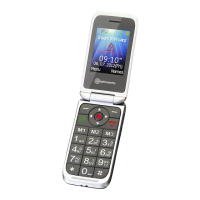
Identifies the main parts and features of the mobile phone for quick reference.
Guides on inserting SIM card, battery, and charging the phone for first use.
Covers switching the phone on/off, checking battery status, and setting language/time/date.
Instructions for taking, rejecting, ending, and initiating phone calls.
Details on the phone's physical keys, their functions, and special key actions.
Explains screen icons and basic navigation through menus.
Covers general navigation, text input, using the torch, and dialing methods.
Procedures for managing contacts, including creation, editing, deletion, and speed dial setup.
Guides on sending, receiving, and managing text messages, including message settings.
Managing call logs, blocking numbers, and configuring the emergency SOS function.
Customizing profiles, sounds, display, network, security, and Bluetooth connectivity.
Utilizing calendar, calculator, alarm, and stopwatch functions for organization.
Technical data, safety, troubleshooting, disposal, and guarantee information.
 General
| Display Size | 2.4 inches |
|---|---|
| Display Resolution | 240 x 320 pixels |
| Camera | 2 MP |
| Battery | 1000 mAh |
| SIM Card Type | Mini-SIM |
| Loudspeaker | Yes |
| Display Type | TFT |
| SOS Button | Yes |
| Flashlight | Yes |
| FM Radio | Yes |
| Standby Time | Up to 300 hours |
| Storage | Up to 32GB via MicroSD card |
| Connectivity | Bluetooth |
| Memory Card Slot | Yes, up to 32 GB |
| Network | GSM |

 To Next Page