Need help?
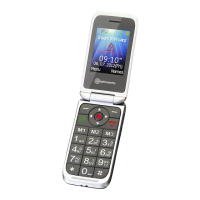
Do you have a question about the Amplicomms PowerTel M7500 and is the answer not in the manual?
Guide for inserting SIM, memory, and battery into the phone.
Instructions on how to charge the phone's battery.
Instructions on how to power the phone on and off.
Steps to dial a number and initiate a call.
How to answer an incoming call.
Steps to add a new contact to the phonebook.
How to make calls directly from the phonebook.
 General
| Display Size | 2.4 inches |
|---|---|
| Talk Time | Up to 10 hours |
| Bluetooth | Yes |
| Loudspeaker | Yes |
| Hearing Aid Compatibility | M4/T4 |
| Display Type | TFT |
| Display Resolution | 240 x 320 pixels |
| FM Radio | Yes |
| Standby Time | Up to 300 hours |
| Memory Card Slot | microSD, up to 32 GB |
| Stand-by Time | Up to 300 hours |
| USB | Yes |
| Additional Features | SOS button |
| Storage | microSD, up to 32 GB |

 To Next Page