Chapter 1 Setting Up the CoreModule 420
6 QuickStart Guide CoreModule 420
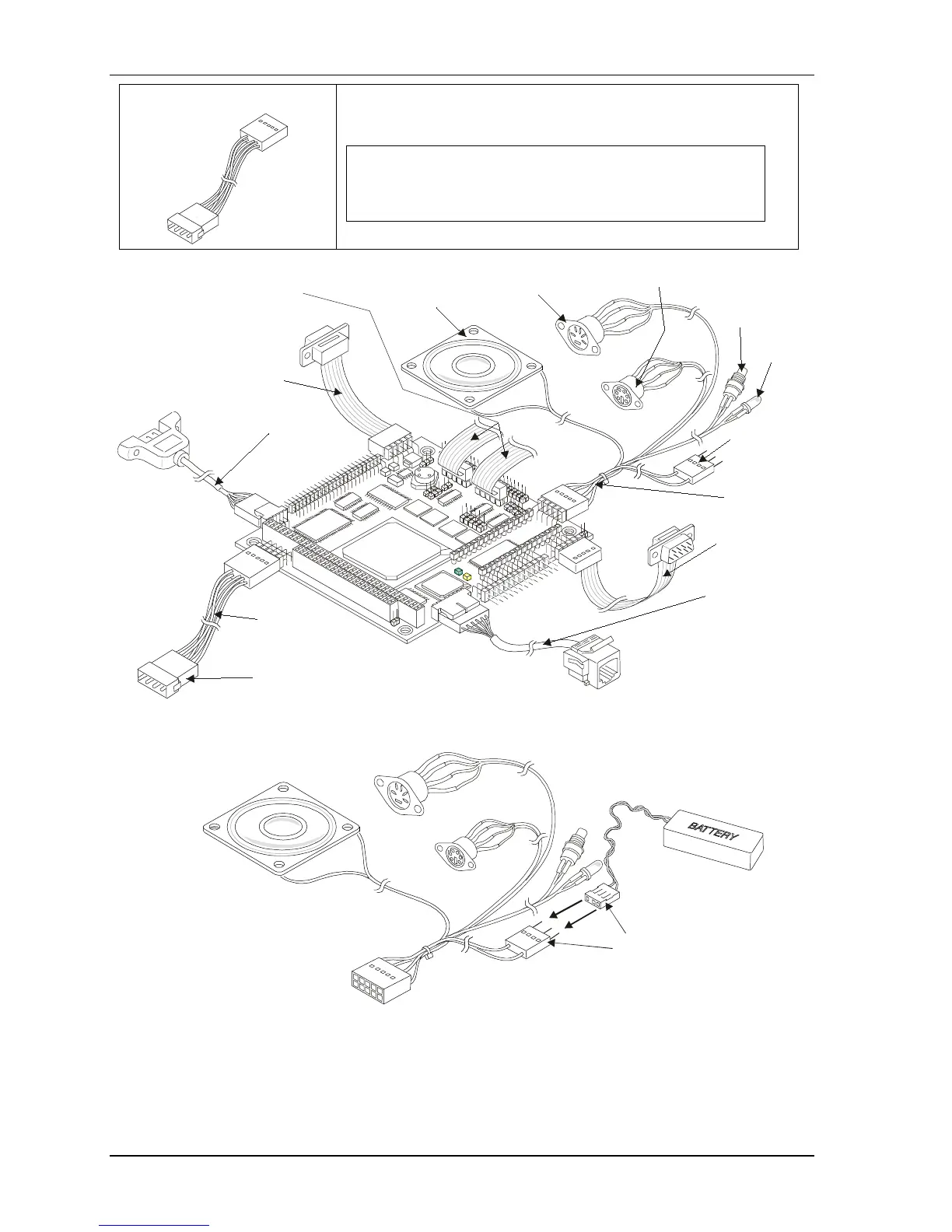
10) Connect Power cable The Power cable is connected to the power connector (J7). See
Figures 1-1, 1-2, and 1-5.
NOTE The connector on the free end of the cable is the
same type connector provided on AT or ATX
power supplies used to connect to hard disk
drives.
CM420QkS_09a
Power
LED
RTC
Battery
Connector
Utility
Cable
Mouse
Connector
Speaker
Keyboard
Connector
Reset
Switch
Serial 1
(COM 1)
Cable
Ethernet
Cable
Power
Cable
(Standard power connector
for
AT or ATX Power Supplies)
Hard Disk Drives found
on
USB
Cable
Serial 2
(COM 2)
Cable
(Full cables for Serial Ports
3 & 4 are not shown
for simplicity)
Figure 1-5. Connecting Utility, Serial(s), Ethernet, USB, and Power Cables
Connecting
Battery
CM420QkS_10a
Figure 1-6. Connecting Battery



 To Next Page