EasyManua.ls Logo

Amprobe IR-450 - User Manual

Amprobe IR-450
98 pages
Print Icon
To Next Page IconTo Next Page
Loading...
Users Manual
• Mode d’emploi
• Bedienungshandbuch
• Manual d’Uso
• Manual de uso
• Användarhandbok
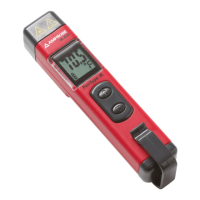
IR-450
Infrared Thermometer /
Laser Pointer / Flashlight

Table of Contents

Questions and Answers

  • V
    Vanessa HardingJul 26, 2025
    Why is the laser on my Amprobe IR-450 not working?
    • D
      Diane GarciaJul 26, 2025
      If the laser on your Amprobe Thermometer isn't working, the most likely cause is a low or dead battery. Replacing the battery should resolve this issue.
  • J
    Justin WilliamsAug 1, 2025
    What to do if my Amprobe IR-450 has a blank display?
    • M
      michael55Aug 1, 2025
      If the display on your Amprobe Thermometer is blank, it could be due to a dead battery. You should check the battery and replace it if necessary.
  • M
    Michael LewisAug 7, 2025
    How to troubleshoot a battery icon on my Amprobe IR-450 Thermometer?
    • A
      Andrea AlexanderAug 8, 2025
      If the battery icon appears on your Amprobe Thermometer, it indicates a potentially low battery. To resolve this, check the battery and replace it if needed.
  • L
    Logan MartinezAug 13, 2025
    What to do if my Amprobe Thermometer display is blank?
    • T
      Tamara GardnerAug 13, 2025
      If the display of your Amprobe Thermometer is blank, the battery may be dead. In this case, check the battery and replace it if necessary.
  • C
    Cynthia RosalesAug 19, 2025
    Why does the battery icon appear on my Amprobe IR-450 Thermometer?
    • R
      Roger ReynoldsAug 20, 2025
      If the battery icon appears on your Amprobe Thermometer, it indicates a potentially low battery. To resolve this, check the battery and replace it if needed.

Summary

Repair

In-Warranty Repairs and Replacement - All Countries

Details on returning products for warranty repair or exchange.

Non-Warranty Repairs and Replacement - US and Canada

Instructions for sending units for non-warranty repair in the US and Canada.

Non-Warranty Repairs and Replacement - Europe

Process for replacing non-warranty units through distributors in Europe.

SYMBOLS

Safety Information

Crucial safety warnings and precautions for using the device.

OPERATING INSTRUCTIONS

Taking Temperature Measurement

Detailed steps for performing temperature measurements.

Emissivity

SPECIFICATION

TROUBLESHOOTING

MAINTENANCE AND REPAIR

BATTERY REPLACEMENT

Amprobe IR-450 Specifications

General IconGeneral
DisplayLCD with backlight
Power Source9V battery
Response Time<500 ms
Operating Temperature32°F to 122°F (0°C to 50°C)
Spectral Response8 to 14 µm
Resolution0.1°C/°F
EmissivityAdjustable 0.10~1.0
LaserSingle laser
Battery Life12 hours

Related product manuals