6
MEASUREMENT MODE
Taking Measurements
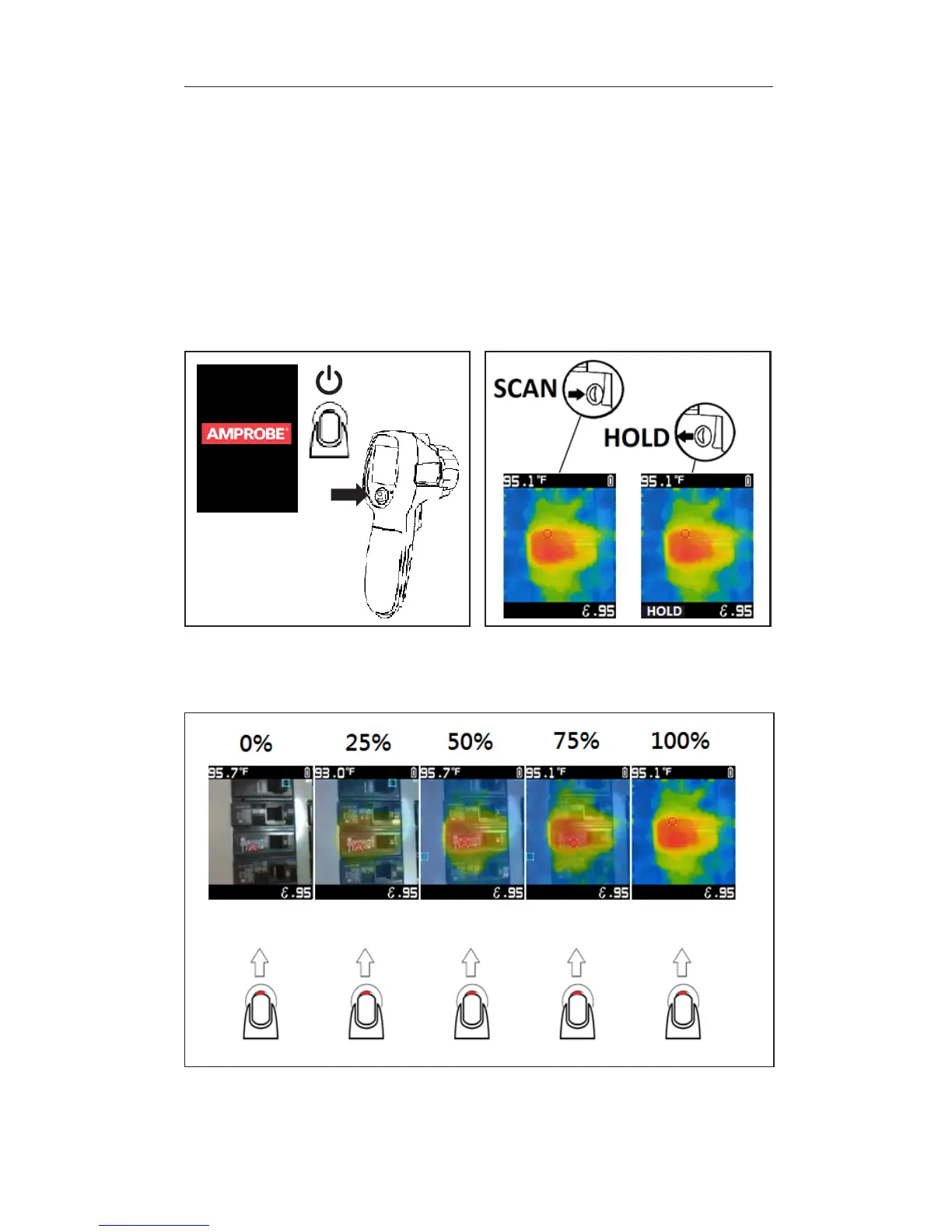
Press and hold the power button for at least 2 seconds to turn the product on
or off (Figure 1.1).
The product will be in measurement mode upon power on. Press down on the
trigger to hold an image. Press again to return to live image (Figure 1.2). Hold the
product 12 inches (30 cm) from the target (>59
O
F / 15
O
C) and 2.4 inches (6 cm) from
the target (<59
O
F / 15
O
C) for best temperature accuracy.
Note: Higher Distance to Spot ratios require smaller target areas to make
accurate measurements. The Distance to Spot ratio of this product is 20:1.
Power ON / OFF HOLD
Figure 1.1
> 2 Sec.
Figure 1.2
Image Blending
Figure 1.3
UP UP UP UP UP
Blending may be adjusted for an easier interpretation between infrared and
visible images. To change the level of blending between 0 - 100%, press down
or up on the power button while in measurement mode.


 To Next Page