EasyManua.ls Logo

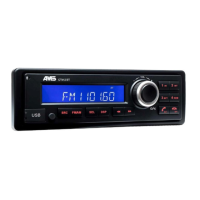
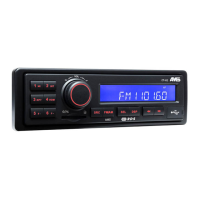
AMS ARAMSCT412 - User Manual

AMS ARAMSCT412
69 pages
Print Icon
To Next Page IconTo Next Page
Loading...
FR-2
DE-3
NL-4
ES-5
IT- 6
UK-1
DK-7
PL-8
OWNER'S MANUAL
ARAMSCT412
SE-9
CZ-10
SK-11

Questions and Answers

  • A
    arodriguezAug 5, 2025
    Why is the radio reception quality poor on my AMS ARAMSCT412?
    • B
      breyesAug 5, 2025
      Poor radio reception quality on your AMS Car Receiver could be due to the antenna. Ensure the antenna is fully extended. If it is broken, replace it with a new one.
  • R
    Richard DavisAug 10, 2025
    Why does my AMS Car Receiver keep losing preset stations?
    • A
      Anthony NicholsonAug 10, 2025
      If your AMS Car Receiver keeps losing preset stations, the battery cable might not be properly connected. Connect the permanent live on the unit to the permanent live on the vehicle.
  • B
    Barry WilliamsAug 15, 2025
    What to do if my AMS Car Receiver will not switch on?
    • A
      Amanda WellsAug 15, 2025
      If your AMS Car Receiver won't switch on, there are a few potential causes. First, make sure your car ignition is turned on. If it is, check the cable connections to ensure they are properly connected. Finally, inspect the fuse and replace it with a new one of the same capacity if it's burnt.
  • T
    Tamara JohnsonAug 19, 2025
    How to fix no sound on AMS ARAMSCT412?
    • C
      Christopher HolmesAug 19, 2025
      If there is no sound coming from your AMS Car Receiver, the volume may be set to the minimum or the mute function might be enabled. Check the volume level and switch the mute function off.
  • A
    alexandermcguireAug 25, 2025
    What to do if my AMS ARAMSCT412 is unable to receive stations?
    • A
      Ariana TaylorAug 25, 2025
      If your AMS Car Receiver is unable to receive stations, the antenna may not be connected properly. Ensure the antenna is correctly connected.
  • R
    rebeccahobbsAug 29, 2025
    What to do if my AMS ARAMSCT412 cannot read USB device or SD/MMC card?
    • R
      Robert HolmesAug 29, 2025
      If your AMS Car Receiver cannot read the USB device or SD/MMC card, the file system may be incompatible. Check that the file system is in FAT or FAT32 format.

Summary

Safety Information

Precautions

Important safety measures for operating the unit, including electrical system, fuse replacement, and environmental conditions.

Caution

Warning against opening covers or self-repair; advises consulting a dealer or technician.

Specifications

General Specifications

Details power supply, max output, speaker impedance, weight, and dimensions of the unit.

Radio Specifications

Covers frequency ranges, tuning steps, and sensitivity for FM, AM (MW), and AM (LW) radio.

Auxiliary Input

Specifies the auxiliary input jack type and required voltage for external audio sources.

Before Operation

Safe Operation Practices

Advises on safe operating practices, including volume levels and avoiding complex operations while driving.

Panel Controls Overview

Power, Mute, and Volume

Describes how to turn the unit on/off, mute audio, and adjust volume using the control knob.

Media Ports

Details the SD card slot and USB port for media playback.

Source and Band Selection

How to switch between audio sources and select radio bands (FM, MW, LW).

Radio Tuning and Presets

Automatic station search, manual tuning, and storing stations to presets 1-6.

Display and Mode Information

Information displayed in Radio and MP3 modes, including frequency, folder names, and ID3 TAG.

Button Functions and Tips

MP3 Playback Controls

Instructions for track skip, fast search, folder/file navigation, and playback mode options.

Clock Management

Detailed steps for manual clock setting, format selection, and automatic clock updates.

Radio Tuning Features

Automatic seek, manual step tuning, and memory storage for radio stations.

Advanced Settings

Covers reception area selection, loudness, and stereo/mono mode for radio.

USB;SD and External Input

USB;SD Card Operation

Steps for loading/unloading SD cards and USB devices for MP3 playback.

RDS and TA Features

Using RDS functions (AF, TA) and TA modes for enhanced radio reception and traffic alerts.

USB;SD Compatibility Notes

Information on supported file systems, capacity limits, and compatibility for USB/SD devices.

Auxiliary Input Access

Connecting and selecting external audio devices via the AUX input.

Security and System Settings

Password Management

Process for entering, creating, and managing the unit's password for security.

Reception Area Change

Instructions for modifying the radio's reception area to suit different regions.

Timer and Power Functions

Details automatic power control based on ignition and battery saving timer features.

Troubleshooting Guide

General Unit Problems

Solutions for common issues like the unit not turning on or experiencing no sound.

Tuner and Reception Issues

Troubleshooting steps for antenna connection, signal reception, and preset station loss.

USB;SD Card Problems

Solutions for issues with inserting USB/SD devices and reading their content.

AMS ARAMSCT412 Specifications

General IconGeneral
BrandAMS
ModelARAMSCT412
CategoryCar Receiver
LanguageEnglish

Related product manuals