EasyManua.ls Logo

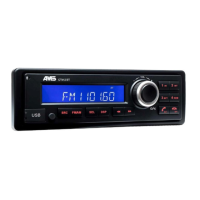
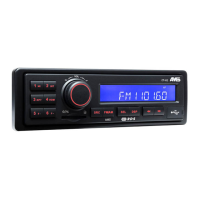
AMS CT412 DAB BT - User Manual

Default Icon
156 pages
Print Icon
To Next Page IconTo Next Page
Loading...
FR-2
DE-3
NL-4
ES-5
IT- 6
EN-1
DA-7
PL-8
SV-9
CZ-10
SK-11
CT412 BT/ CT412 DAB BT
OWNER'S MANUAL
- 12 volts
- 24 volts
CT424 BT/ CT424 DAB BT
SAFETY & COMFORT

Questions and Answers

  • T
    Tony PalmerAug 15, 2025
    What to do if there is no sound from my AMS CT412 DAB BT?
    • D
      Dr. Jason DiazAug 15, 2025
      If you're not getting any sound from your AMS Car Receiver, the volume may be set too low, or the MUTE function might be activated. Check the volume level and make sure the MUTE function is turned off.
  • S
    Stacy PriceAug 18, 2025
    How to fix AMS CT412 DAB BT unable to receive stations?
    • B
      Benjamin GonzalezAug 19, 2025
      If your AMS Car Receiver is unable to receive stations, it's likely that the antenna isn't connected correctly. Please check the antenna connection and any adaptors you are using.
  • J
    Jessica HoAug 22, 2025
    What to do if AMS Car Receiver has bad quality reception of radio station?
    • M
      mark85Aug 22, 2025
      If your AMS Car Receiver is experiencing bad quality reception, the antenna may not be fully extended or it may be broken. Fully extend the antenna, and if it's broken, replace it with a new one.
  • A
    Arthur DodsonAug 25, 2025
    Why my AMS CT412 DAB BT does not switch on?
    • G
      Glenn OliverAug 26, 2025
      Your AMS Car Receiver might not be switching on because the car ignition is not on. Turn your car key in the ignition. Also, check that the cable is properly connected. If the issue persists, the fuse might be burnt; replace it with a new fuse of the same capacity.
  • C
    coxmargaretAug 28, 2025
    Why does my AMS Car Receiver lose preset stations?
    • T
      Tara FrostAug 28, 2025
      Your AMS Car Receiver might be losing preset stations because the reception AREA (USA...) was changed, which cancels all your preset stations. Turn back to the correct AREA. Alternatively, the unit may have been inadvertently RESET, returning it to factory settings, which requires you to set all parameters again.
  • J
    John KentAug 31, 2025
    What to do if my AMS CT412 DAB BT cannot read the USB device?
    • D
      Dustin PowellSep 1, 2025
      If your AMS Car Receiver can't read the USB device, the file system might be in NTFS format, which is not supported. Check that the file system is in FAT or FAT32 format. Also, application files such as ".exe" cannot be read, so ensure the USB device only contains WMA or MP3 files (AAC is not compatible).
  • J
    James MyersSep 4, 2025
    What to do if my AMS Car Receiver shows “No service” in DAB mode?
    • M
      Meredith ChangSep 4, 2025
      If your AMS Car Receiver displays “No service” in DAB mode, the radio start-up scan may have been interrupted. Start a new DAB scan.
  • M
    Michael StephensonSep 8, 2025
    Why is the sound quality of the microphone bad on my AMS Car Receiver?
    • T
      Terri McdonaldSep 8, 2025
      The microphone sound quality on your AMS Car Receiver may be poor depending on the radio's location in your car. If the radio is facing the driver, use the front panel microphone. If it's on the sides or rear, use a wired remote microphone (rear connection) and place it facing the driver.
  • D
    Dominic RogersSep 12, 2025
    What if I am unable to insert USB device in AMS Car Receiver?
    • D
      Dakota RiveraSep 12, 2025
      If you are unable to insert the USB device into your AMS Car Receiver, the USB device has been inserted the wrong way round. Insert it the other way around.

Summary

Owners Manual Overview

Safety Information and Specifications

Safety Precautions and Cautions

Guidelines for safe operation, including electrical safety, handling, and environmental considerations.

Technical Specifications Details

Comprehensive technical data for CT412/CT424 models, covering power, speakers, impedance, and dimensions.

Panel Controls CT412 BT; CT424 BT

Control Button Functions and Operation

Detailed explanation of each button and knob on the unit's front panel and their respective functions.

Button Tips: Setup and Audio Configuration

System Setup Options

Configuration of clock, traffic announcements, volume levels, and other system settings.

Audio Adjustment Settings

Controls for Bass, Treble, Balance, Fader, and EQ presets to customize audio output.

Button Tips: Playback and System Settings

MP3 Playback and Folder Navigation

How to navigate and control MP3 playback, including track skipping and folder selection.

Clock and System Settings Management

Managing clock display, format, and system configuration via button presses.

Traffic Announcement (TA) Modes

Understanding and setting TA modes like ALARM and SEEK for traffic announcements.

Button Tips: Radio Features and Bluetooth

RDS and PTY Functionality

Utilizing Radio Data System (RDS) for station information and Program Type (PTY) for station selection.

Bluetooth Audio Control

Managing Bluetooth audio playback, including track control and volume adjustments.

System Wired Remote Control (SWRC)

Connecting and configuring steering wheel remote controls for radio operation.

Button Tips: Additional Functions

Timer and Area Settings

Configuring the timer function and selecting geographical reception areas for radio tuning.

Microphone and Audio Modes

Adjusting microphone settings and selecting STEREO/MONO or RURAL/URBAN reception modes.

Bluetooth and USB Functions

Bluetooth Pairing and Operation

Steps for pairing Bluetooth devices, handling calls, and A2DP music streaming.

USB Device Integration

Guidelines for connecting USB devices, playback, and summarization of features.

Other Functions and Troubleshooting

Additional Unit Features

Explains AUX mode, timer function, password security, and SRC button usage.

Troubleshooting Common Issues

Checklist and solutions for common problems encountered with the unit, covering general, tuner, and USB modes.

DAB+ Functionality and Specifications

DAB+ Menu and Operation

Navigating the DAB+ menu for tuner, DAB, and USB/AUX/BT sources.

Detailed Product Specifications

Comprehensive specifications covering general, radio bands, and DAB digital radio features.

DAB+ Service Operations

DAB Radio Selection and Scanning

How to select, scan, and tune DAB services, including group selection.

Storing and Recalling DAB Favourites

Methods for saving and retrieving favourite DAB stations using preset buttons.

Advanced DAB+ Features

DAB Reception Modes

Options for RURAL/URBAN tuning and switching between DAB and FM services.

Display Dimming and BT Volume

Adjusting display brightness and Bluetooth audio volume levels.

DAB Antenna and Characteristics

DAB Antenna Setup Guidance

Instructions for positioning the DAB antenna for optimal reception.

Technical Characteristics Summary

Key technical details such as frequency bands, connector type, and cable length for DAB reception.

FCC Compliance Information

FCC Statement and Regulations

Compliance statement regarding FCC rules and operational conditions for the device.

Radiation Exposure Guidelines

Information on FCC radiation exposure limits and recommended installation distances.

Troubleshooting Specific Issues

USB Device Reading Problems

Solutions for issues related to USB device compatibility and file format support.

Microphone Usage Recommendations

Advice on microphone placement and selection for optimal Bluetooth call quality.

AMS CT412 DAB BT Specifications

General IconGeneral
BrandAMS
ModelCT412 DAB BT
CategoryCar Receiver
LanguageEnglish

Related product manuals